Microsoft Fabric Apps: write data back to Fabric
Technical Lead - Business Intelligence • Microsoft Certified PL-300 • Data Analyst • Power BI Youtube
Fabric Apps can pair analytics with data entry so users can capture planning or operational inputs in Fabric.
Key insights
- Fabric Apps can combine reports and visuals with forms, application logic and data persistence.
- Fabric SQL databases are identified as a clear option for transactional writeback scenarios.
- Fabric Planning can persist budgets, forecasts, adjustments, targets and assumptions in Fabric SQL.
- Written-back planning tables can be added to a Power BI semantic model.
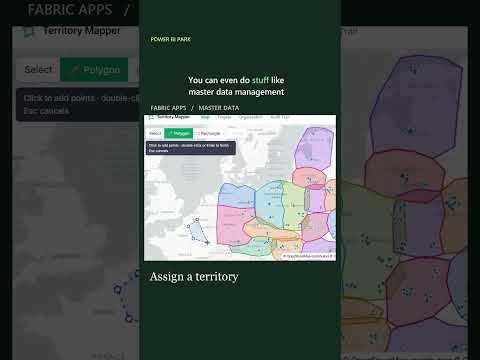
Microsoft Fabric Apps can combine analytics with user input, allowing users to capture or change data and persist it in Fabric. This approach is relevant to BI developers and teams building planning or operational workflows around Fabric data. Injae Park’s YouTube Short introduces writeback in Fabric Apps as its subject.
What it does
Traditional Power BI reports primarily present information loaded into a semantic model or another analytical source. A Fabric App can place a report or visualization alongside forms, tables and workflow screens, so users can respond to what they see without treating the report itself as the data-entry interface.
The app can handle interaction, validation, business logic and persistence. The idea is to capture operational or planning input and move it forward through the data platform, rather than treating writeback only as a change to the final layer of an analytics pipeline.
For example, a planning workflow could let a manager review actuals and forecasts, enter a revised forecast, store it, and make the updated information available to reporting and other Fabric workloads. Fabric Planning also supports persisting planning data such as budgets, adjustments, targets, scenarios and assumptions.
Who it is for and what you need
This pattern is for teams that need users to act on analytical information, including developers building custom applications and teams capturing planning data. Fabric Apps are described as TypeScript web applications built with the Rayfin SDK and deployed to a Fabric workspace.
The architecture can bring together a user interface, Power BI analytics, application logic and a persistence layer. The data layer may use Fabric SQL databases, lakehouses, warehouses or other supported Fabric data services, depending on the application design.
How it works
- Build an application interface with the forms, tables or workflow screens users need.
- Bring in analytics, such as Power BI reports, visuals or semantic-model queries.
- Apply the application’s validation, permissions, calculations or workflow logic.
- Persist user-entered values in a suitable Fabric data source so they can feed reporting or downstream processes.
Fabric Planning provides a related route for planning use cases: write planning data to Fabric SQL, relate writeback tables to dimensions in a semantic model, and make that data available for analysis.
Limitations and alternatives
Choose the persistence layer to match the job. Fabric SQL databases are identified as the clearest option for transactional writeback, including records such as planning values, approval states and workflow data. Lakehouses are more closely aligned with analytical and data-engineering workloads, so teams should consider concurrency, validation, transaction handling and latency when using one as the main writeback store.
Power Apps is another option for building writeback experiences around Fabric data. Integration guidance identifies Fabric SQL databases as the strongest fit for full writeback; other Fabric storage options may be more suited to read-only access through SQL endpoints or virtual-table-style integrations. Fabric Apps separate the application experience from the report, while keeping analytics and user actions in one broader solution.
Sources
Frequently asked questions
What is writeback in Microsoft Fabric Apps?
It is the ability to capture or change user-entered data in an application and persist it in Fabric, alongside analytics and application logic.
Which Fabric data store is suited to transactional writeback?
Fabric SQL databases are identified as a clear option for transactional writeback, including planning values and workflow records.
Can Fabric Planning write budgets and forecasts to Fabric?
Yes. Fabric Planning supports persisting planning data such as budgets, forecasts, adjustments, targets, scenarios and assumptions in Fabric SQL.
Can written-back planning data be used in Power BI?
Yes. Written-back planning tables can be added to a Power BI semantic model and related to its dimensions.