Microsoft Purview for Entra Admins Now
Product Manager @ Microsoft 👉 Sign up to Entra.News my weekly newsletter on all things Microsoft Entra | Creator of cmd.ms & idPowerToys.com
Microsoft Purview equips Entra admins with DLP, Insider Risk and Adaptive Protection, Conditional Access and Defender XDR
Key insights
- Microsoft Purview now acts as the control plane for data security and compliance and directly influences Entra admin decisions.
Entra teams must understand what triggers policies, how users see them, and who will respond to alerts. - Microsoft introduced new Purview Workload Content Reader, Purview Workload Content Writer, and Purview Workload Content Administrator roles and uses role synchronization so assignments flow from Purview into Entra.
Treat Purview-managed assignments as the source of truth rather than assigning those roles manually in Entra. - Data Loss Prevention (DLP) protects sensitive content across Exchange, SharePoint, OneDrive, Teams, and other workloads, while Insider Risk Management monitors departures and risky behavior like unsanctioned AI use.
Combine DLP and insider-risk signals to block or warn before data leaves sanctioned systems or flows into unsafe AI apps. - Adaptive Protection can feed risk signals into Conditional Access, changing who can access resources and when additional controls apply.
Decide in advance who owns alerts — security, data owners, managers, or HR — and favor user education for accidental behavior before punitive actions. - Purview is strongest when linked to the wider security stack: use Network Data Security, Defender XDR, and Global Secure Access to enforce controls across identity, network, and data paths.
Operations require alignment among identity, network, and data-security teams to avoid gaps and confusion. - Roll out Purview features with a gradual rollout: start in audit mode, limit scope, and gather business feedback to tune policies and reduce false positives.
Move from monitoring to enforcement only after you confirm user impact and stakeholder agreement.
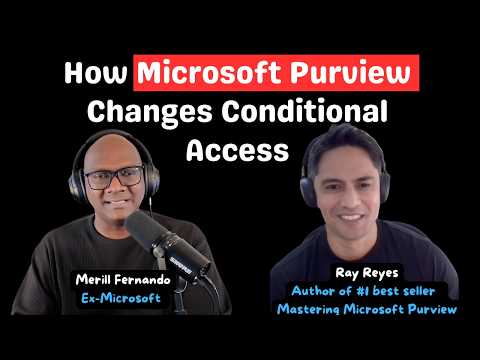
In a recent YouTube video hosted by Merill Fernando, security consultant Ray Reyes explains why Microsoft Purview matters now to teams that manage identity. The discussion shows that Conditional Access no longer relies only on identity signals, and that data controls can directly shape access decisions. Consequently, Entra administrators must learn how Purview policies trigger controls, how users will see them, and who should act when alerts fire.
Why Purview Matters to Entra Admins
Ray Reyes argues that Microsoft Purview is moving from optional plumbing to a control plane for data security and compliance. Therefore, some high-privilege Purview roles are now mapped to new Microsoft Entra roles, and administrative scoping now extends to workloads like SharePoint. As a result, identity teams must understand Purview role sync, scope, and lifecycle management rather than treating compliance as a separate tool.
Moreover, this deeper integration means that Purview role assignments can be the source of truth and may be synchronized into Entra rather than assigned only in the Entra portal. This change improves enforcement consistency across services such as Exchange, OneDrive, and Teams, but it also introduces complexity in role assignment workflows. Thus, Entra and Purview admins must coordinate on RBAC and change processes to avoid overwriting or mismatched permissions.
How Purview Integrates with the Wider Security Stack
Reyes explains core Purview capabilities like Data Loss Prevention and Insider Risk Management in plain language, and then shows how they join with other security tools. For example, Purview can feed insider-risk levels into Conditional Access, and it can surface signals into Microsoft Defender XDR and global secure access solutions. Consequently, organizations can enforce controls based on content sensitivity and user behavior, not just on who the user is.
However, integration brings tradeoffs. While richer signals enable stronger protection, they raise operational challenges such as alert volume, signal fusion, and role-of-record questions. Therefore, teams must design detection logic and escalation paths carefully, balancing the desire for automated enforcement with the need to reduce false positives and avoid disrupting legitimate work.
Balancing Enforcement with User Experience
The video stresses that policy enforcement often competes with user productivity. Reyes notes that education and coaching sometimes work better than strict blocks for accidental or low-risk behavior. Consequently, starting in audit mode and gathering business feedback helps refine rules and build user acceptance before moving to hard enforcement.
Nevertheless, deciding who owns alerts remains a thorny problem because alerts touch security, data owners, managers, and HR. While security teams handle technical triage, data owners and managers must assess business impact, and HR may need to manage personnel consequences. Therefore, organizations should define clear ownership and handoff processes to avoid missed responses or duplicated effort.
Network Data Security and Unsanctioned AI
The conversation turns practical when Reyes outlines how Network Data Security and content filtering help discover sensitive flows to unsanctioned AI apps. As employees increasingly paste data into third-party AI tools, protecting content in transit and at endpoints becomes critical. Thus, combining network DLP with Purview policies can detect risky exfiltration paths and apply mitigations.
At the same time, detecting unsanctioned AI use poses technical and privacy challenges because models and plugins evolve quickly and false positives can be high. Consequently, teams must tune policies and consider privacy and legal constraints when inspecting content, and they must decide how aggressively to block versus to warn and educate users.
Practical Steps and Operational Challenges
Reyes recommends a phased rollout: begin with limited scope, run policies in audit mode, collect business feedback, and then expand coverage. This approach reduces disruption and produces evidence to refine rules before wider enforcement. Additionally, administrative units in Purview let large organizations segment visibility so that local admins see only relevant content, which helps scale governance.
Finally, operational alignment across identity, network, and data-security teams proves essential because Purview touches all three domains. Teams must agree on role lifecycles, alert ownership, and incident response. Interestingly, the video also highlights Reyes’s personal perspective on resilience and charity work, which he says shaped his approach to long-term program building and recovery after burnout or layoffs. Consequently, technical change requires not only tools and rules but also patient collaboration and people-focused practices.

Keywords
Microsoft Entra Purview integration, Entra admin Purview benefits, Microsoft Purview compliance for Entra, Entra identity data governance, Purview access controls for Entra, Entra admin security best practices, Deploying Microsoft Purview, Why Entra admins need Purview