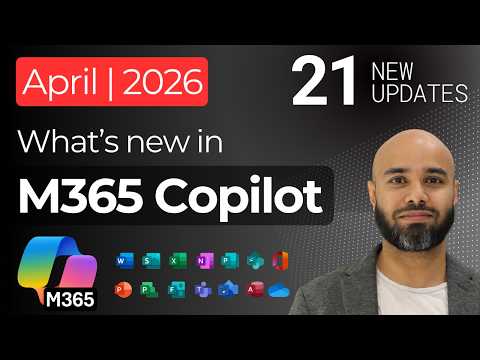
Microsoft 365 Copilot: 21 April Updates
Modern Work Cloud Endpoint Technical Specialist
Microsoft Copilot expert roundup: new agents, Windows wake word, connectors, Teams Outlook PowerPoint Excel Purview
Key insights
- Agent mode shifts Copilot from a one-off chat helper to an agent-style editor that works across Word, Excel, and PowerPoint.
Updates emphasize iterative edits and grounding agents to user files and notebooks for more reliable outputs. - April adds three brand-new agents — including the PowerPoint Agent, Excel Agent, and Planner Agent — plus richer Word and PowerPoint editing, audio overviews, and voice chat features.
The new "Hey Copilot" wake word enables hands-free access and agents can now interpret images and edit slides directly. - Microsoft expanded integration with new Copilot connectors (examples: GitLab, Asana, Monday.com, Zendesk, Coda, Egnyte, Amazon S3) and enabled No-code publishing for Foundry agents.
- Governance and security gains include Microsoft Purview integrations for DLP on prompts, IRM pay-as-you-go reporting, and an admin setting to control AI video generation across tenants.
Admins can also customize employee self-service pages and apply controls before broad rollouts. - Analytics and reporting improved with the Copilot Dashboard, Copilot Studio agent reports, agent metadata export, and a new Satisfaction Rate metric to track user experience and adoption.
- Access and rollout notes: Copilot Chat changes take effect April 15, restricting some Basic-tier access in Word, Excel, PowerPoint, and OneNote and adding clear Basic vs. Premium labels.
Partners and licensing also changed (lower volume thresholds and new Agent 365 options), so review tenant settings and rollout plans now.
Susanth Sutheesh’s recent YouTube video walks viewers through the April 2026 update to Microsoft 365 Copilot, highlighting 21 notable changes that push Copilot from a simple assistant toward a more agent-like, workflow-driven layer across Microsoft apps. The presentation demonstrates new built-in agents, voice and wake-word features, expanded connectors, and deeper admin controls, each shown with hands-on walkthroughs. This report summarizes the video objectively, explains key tradeoffs, and outlines the likely operational impacts for IT teams and end users. Moreover, it places the April changes in context so readers can assess adoption and governance needs.
Major Agent Enhancements and App Integration
The update introduces several dedicated agents, including new PowerPoint Agent, Excel Agent, and Planner Agent, as well as strengthened editor support inside Word and PowerPoint that can iteratively refine content. In addition, the rollout expands the concept of grounding through Copilot Notebooks, which helps agents reference user-supplied materials so outputs stay more accurate and relevant. These improvements aim to streamline multi-step tasks such as drafting slides, crunching spreadsheets, or preparing plans, and they reduce the manual handoffs that previously slowed workflows. However, the deeper integration also shifts expectations around data handling and accuracy across apps.
For instance, Copilot can now create spreadsheets directly from notebooks and use a code interpreter that accesses files discovered via enterprise search, which speeds analysis without repeated uploads. At the same time, these capabilities introduce new vectors for sensitive data to be read and processed by AI systems. Therefore, organizations must weigh the productivity gains against the need for tighter access controls and monitoring to prevent inadvertent exposure. As a result, teams should map data flows before enabling broad agent usage.
Voice Features, Wake Word, and End-User Experience
The video demonstrates voice chat improvements and the addition of a wake word feature, marketed as "Hey Copilot" on Windows, which makes hands-free interactions smoother during meetings and quick tasks. Moreover, audio overviews in Word and audio briefings for news content aim to make information consumption faster for mobile and hybrid workers. While voice reduces friction and increases accessibility, it also raises privacy tradeoffs and the risk of accidental triggers in shared spaces. Consequently, IT leaders must balance convenience with policies and settings that limit unintended activation.
Additionally, the update shows contextual explanations and image-aware agents that can understand visuals in presentations, which should speed editing and content clarity. Yet, enhanced multimodal understanding increases the need for clarity on what sources the agent used to produce an explanation. In other words, transparency mechanisms and traceability become essential for trust, and vendors must provide clear provenance so users can validate recommendations.
Governance, Admin Controls, and Analytics
April’s release notably adds governance and reporting tools such as a broader Copilot Dashboard, admin controls for video generation, and deeper integration with Purview for data loss prevention and oversharing remediation. These features give administrators better visibility into adoption and risk, while also enabling more fine-grained policy enforcement. As a result, compliance teams can more confidently permit agent usage within regulated environments, although configuration effort increases accordingly. Therefore, organizations should expect a nontrivial planning phase to align policies with business needs.
New metrics such as satisfaction rates, agent metadata export, and power-user analytics aim to help IT and product owners measure value and spot problem areas. On the other hand, capturing and interpreting these telemetry streams demands time and analytical skill. Thus, while analytics improve oversight, they also create a need for dedicated staff and governance processes to translate data into actionable changes and to avoid alert fatigue.
Connectors, Ecosystem, and Licensing Shifts
The update expands integration points with new MCP connectors for platforms like GitLab, Asana, and Zendesk, and enables custom connectors and embedded knowledge for agents. This broadens Copilot’s reach into more enterprise systems and can unify answers across tools, which helps teams work from a single AI-driven surface. At the same time, each new connector increases the organization’s surface area for compliance and security checks, so connector enablement needs review and testing before rollout. Consequently, IT should prioritize connectors that deliver immediate business value while deferring lower-impact integrations.
Finally, the release includes licensing and access changes that affect tiered availability and discounts, and some Copilot Chat access changes take effect on April 15. Such shifts can influence adoption plans and user expectations because features previously available at one tier may move or be relabeled. Therefore, procurement and IT must coordinate to avoid surprises for end users and to ensure that critical teams retain necessary capabilities without undue interruption.
Tradeoffs, Challenges, and Practical Guidance
Overall, the April 2026 update drives significant productivity possibilities but also surfaces tradeoffs between speed and control, convenience and privacy, and openness and compliance. For example, grounding reduces hallucinations yet can require exposing more internal content to the agent, which demands careful policy design. Meanwhile, wake-word convenience competes with the need to prevent accidental activation in shared or noisy environments.
To manage these tensions, organizations should pilot agent features with small, cross-functional groups, document data flows, and adopt staged rollouts tied to measurable goals. Moreover, training and change management will be critical so users understand what agents can and cannot do, and admins should collect satisfaction and usage metrics to guide future configuration. In summary, the video by Susanth Sutheesh shows a faster, more capable Microsoft 365 Copilot that can raise productivity substantially if teams pair feature adoption with robust governance and clear operational controls.

Keywords
Microsoft 365 Copilot April 2026, Copilot updates April 2026, Microsoft Copilot new features 2026, Microsoft 365 Copilot how to use, Copilot for Outlook update, Copilot Teams integration 2026, Copilot security and compliance updates, Copilot pricing and licensing 2026