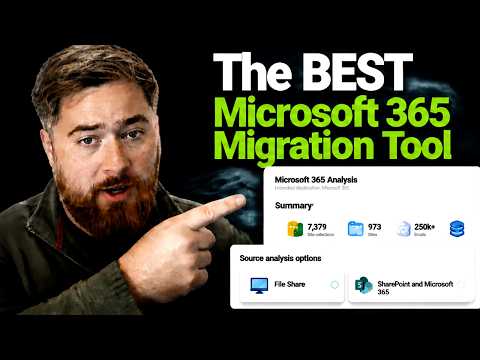
Microsoft 365 Migration: Tools You Need
Microsoft Three Sixty Five migration tools: planning tips for SharePoint OneDrive Exchange tenant moves with ShareGate
Key insights
- Match tool to workload: Choose your migration tool based on what you are moving — mailboxes, SharePoint, OneDrive, Teams, or a full tenant move.
Picking by workload avoids paying for unused features and reduces project risk. - Microsoft native tools: Use native Microsoft migration options for simple, low-cost cutovers and small projects (often under ~150 users).
They work well for basic moves but offer limited reporting and less control over throttling and retries. - ShareGate: Prefer this for SharePoint and Teams restructuring, permissions handling, and many tenant-to-tenant content moves.
It delivers strong governance and content reorganization features but can be expensive for mail-only projects. - BitTitan MigrationWiz: Choose this for mailbox-heavy migrations and when you must move mailboxes from many source types.
It’s mature and flexible, though delta behavior and support vary by source and scenario. - Enterprise and all-in-one options: Use solutions like Quest On Demand Migration for large tenant mergers and coexistence work.
Vendors such as Cloudiway, AvePoint, or CloudM suit projects that need migration plus governance and operational controls. - Migration assessment and planning: Run a migration assessment, map permissions, and pilot with small batches before the full move.
Tenant-to-tenant and Exchange/mailbox projects require careful sequencing, permission checks, and scheduled windows to avoid downtime.
Overview of the video and its purpose
In a recent YouTube presentation, Microsoft MVP Dougie Wood [MVP] examines how to choose the right tools for Microsoft 365 migrations. He focuses on practical planning and decision points rather than promoting a single product, and he stresses that workload and source environment drive the best choice. Consequently, the video aims to help IT teams avoid surprise downtime and wasted effort by choosing fitting technology up front.
Dougie walks through common migration scenarios, including file server to OneDrive and SharePoint, mailbox moves to Exchange Online, and complex tenant-to-tenant projects. He also outlines when a dedicated SharePoint migration product makes sense and when native options suffice. Thus, the session serves as a planning primer for anyone starting a Microsoft 365 migration.
Workload-driven decision making
Dougie emphasizes that the correct migration tool depends most heavily on what you are moving. For example, simple mailbox cutovers often favor first-party tooling because it keeps costs down and minimizes complexity, while content reorganization across SharePoint and Teams typically benefits from specialist tools. Therefore, the first step is identifying whether the project centers on mail, files, collaboration sites, or a combination.
Moreover, the source matters: migrations from on-premises systems, another tenant, or a third-party cloud each create distinct technical and governance needs. As a result, teams should map workloads and sources before evaluating vendors. In practice, this upfront mapping reduces rework and helps select the tool that best aligns with project scope.
Comparing the main tool families
The video highlights broad categories rather than a single winner, noting strengths and tradeoffs for each family of tools. For instance, Dougie points out that Microsoft native tools are low-cost and practical for straightforward moves, but they often lack advanced reporting and granular control. On the other hand, products like ShareGate excel at SharePoint and Teams restructuring because they provide richer governance and content transformation features.
In contrast, mailbox-heavy migrations frequently lean toward solutions such as BitTitan MigrationWiz because of wide source support and flexible migration profiles, though support patterns and delta behavior can vary by source. Meanwhile, enterprise merger scenarios may call for platforms engineered for coexistence and staged transitions. Thus, project scale and coexistence needs shape which product family is most appropriate.
Tradeoffs and practical challenges
Dougie explains that every choice carries tradeoffs between cost, control, and timeline. Native methods reduce licensing spend but may extend manual effort and limit visibility into throttling or transfer progress, which can slow large or complex moves. Conversely, third-party tools often shorten project time and add governance features at the expense of added licensing and learning curves.
Another recurring challenge is permissions and metadata fidelity when moving SharePoint content, where simple copy approaches can break site structure or security models. Tenant-to-tenant projects increase complexity because they require careful handling of identities, sharing links, and Teams memberships, and these elements often need staged approaches and testing. Therefore, migration teams should budget time for assessments, pilots, and iterative validation to catch edge cases early.
Practical recommendations and next steps
Dougie recommends starting with a thorough assessment that catalogs workloads, sizes, and dependencies before selecting software, because assessments reveal showstoppers early. In addition, pilot migrations enable teams to validate assumptions about throughput, throttling, and permission mapping in real conditions rather than in theory. Consequently, pilots reduce risk and provide realistic timelines for stakeholders.
Finally, he advises matching tool choice to the highest-risk workload first; for example, prioritize specialist SharePoint tools if you must preserve site structure and permissions, or use mailbox-focused solutions when email is the largest estate. In short, the right migration tool depends on your specific workloads, source systems, timeline, and governance needs, and careful planning wins over chasing a single “best” product.

Keywords
Microsoft 365 migration tools, best Microsoft 365 migration tool, Office 365 migration tools, M365 migration solutions, SharePoint migration tool, cloud migration tools for Microsoft 365, Microsoft 365 tenant-to-tenant migration tools, migrate to Microsoft 365