Microsoft Ignite 2026: AI agents and business analytics
Product Manager @ Microsoft 👉 Sign up to Entra.News my weekly newsletter on all things Microsoft Entra | Creator of cmd.ms & idPowerToys.com
Microsoft Ignite’s AI announcements point to more ways for organizations to connect agents, business data and outcome measurement.
Key insights
- Agent 365 Business Analytics is positioned to connect agent use and cost with adoption and business outcomes.
- Microsoft’s MAI model family is described as covering tasks such as reasoning, coding, image generation and speech.
- Salesforce integrations are highlighted for Microsoft Copilot, Teams and Fabric.
- Microsoft Ignite 2026 coverage runs November 17–20, in San Francisco and online.
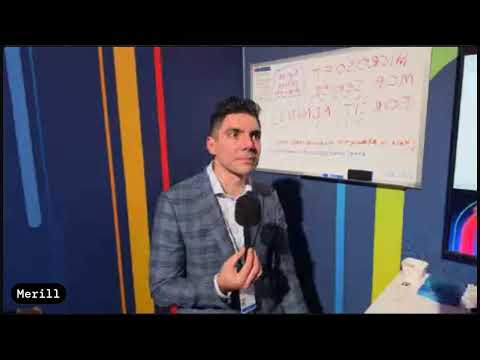
Microsoft Ignite 2026 is highlighting AI agents, business analytics and connections between Microsoft products and Salesforce. These announcements matter to IT leaders and business teams assessing how to deploy AI while tracking its use and value. Merill Fernando’s live-show post invites viewers to follow the broadcast and take part in its chat.
What’s new
The Ignite coverage describes a shift from treating AI as a standalone chatbot toward operating connected tools, models and agents across an organization. One featured announcement, Agent 365 Business Analytics, is intended to help organizations evaluate how agents are used, what they cost and what results they produce. Its emphasis is on relating spending and adoption to work completed and business outcomes, rather than looking only at technical consumption such as tokens.
The coverage also highlights new models in Microsoft’s MAI family. The model family is described as serving different workloads, including reasoning, coding, image generation, voice and transcription. This means organizations may have options tailored to particular tasks rather than relying on one model for every use case.
Another area is Salesforce integration with Microsoft Copilot, Teams and Fabric. The stated goal is to make Salesforce customer data and insights useful within Microsoft workflows, while maintaining existing security controls and permissions. The live coverage also names Microsoft Perception as generally available, but does not provide enough technical detail here to explain its capabilities.
Who it is for and what you need
The announcements are relevant to organizations that are evaluating or deploying AI agents, connecting customer information to Microsoft tools, or considering how to measure AI’s business impact. For IT and governance teams, the central questions include what agents do, what they cost and whether users can access only the information they are permitted to see. Business decision-makers may be interested in whether AI use contributes to completed work and measurable outcomes.
The coverage does not give licensing requirements or setup prerequisites for Agent 365 Business Analytics, the MAI models or the Salesforce integrations. Treat these as areas to investigate before planning a deployment. Microsoft Ignite 2026 is presented as taking place in San Francisco and online from November 17 through November 20, 2026.
How it works
The announcements fit together as layers: models provide capabilities, agents use those capabilities to perform tasks, and connections to enterprise data give those tasks business context. Analytics and governance provide a way for organizations to evaluate agent activity and outcomes. In this framing, performance is not only a question of model usage; organizations also need to consider adoption and useful work.
- Choose the task. Match a workload, such as reasoning, coding or transcription, to an appropriate model capability.
- Connect the business workflow. Salesforce integrations are highlighted for Copilot, Teams and Fabric, bringing customer information into Microsoft product experiences.
- Assess agent activity. Agent 365 Business Analytics is intended to connect usage and cost with adoption, work completed and business results.
- Keep access controls in view. The Salesforce integration objective includes respecting existing security controls and permissions.
These are the announced concepts, not a configuration walkthrough. No menu path, deployment procedure or setting name is provided for turning on the analytics or integrations.
Limitations and alternatives
The announcements describe a direction for enterprise AI, but the practical details needed for deployment decisions are limited. Organizations should verify product documentation for exact capabilities, licensing, availability and configuration before treating an announced integration or analytics feature as ready for a particular workload. Microsoft Perception is described as generally available, but the coverage does not outline its technical functions.
Connecting customer data to AI workflows also makes permissions central to the design. The stated aim is to preserve existing security controls, but teams still need to determine how those controls apply to their own Salesforce and Microsoft environments. For teams not ready to connect systems, an alternative is to assess agents and models within existing approved workflows first, then consider integrations when the access and governance requirements are understood.
Sources
Frequently asked questions
What does Agent 365 Business Analytics measure?
It is intended to help organizations evaluate agent usage, costs, adoption, work completed and business outcomes.
Which Microsoft products are highlighted for Salesforce integration?
The Ignite coverage highlights integrations with Microsoft Copilot, Teams and Fabric.
What workloads does the MAI model family cover?
The family is described as covering reasoning, coding, image generation, voice and transcription.