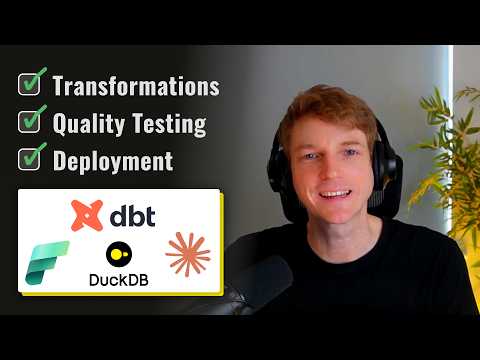
Microsoft Fabric: DBT + DuckDB ETL Guide
Data Strategist & YouTuber
Build dbt + DuckDB transform in Microsoft Fabric with Fabric notebooks, DuckLake delta, GitHub Actions and Fabric AI
Key insights
- Microsoft Fabric transformation demo: The video walks through building a Fabric data platform from scratch and tests new tools like local SQL engines, dbt projects, and AI helpers.
It emphasizes this is an experimental proof‑of‑concept, not a production recipe. - dbt fundamentals: dbt defines modular SQL transformations (models, tests, snapshots) and runs commands like dbt build, dbt run and dbt test.
In Fabric you use an adapter (profiles.yml targets) to connect dbt jobs to Fabric Data Warehouse for scheduling, lineage and governance. - DuckDB and the local adapter: DuckDB is an in‑process OLAP engine used with dbt‑duckdb for fast, local prototyping and notebook workflows.
Teams can transform data locally and then persist outputs to Fabric storage to avoid heavy cloud compute during development. - DuckLake & delta_export(): DuckLake patterns let DuckDB write Delta tables into OneLake using delta_export().
The approach uses a local metadata.db and dynamic paths so transformed files are compatible with Fabric storage and downstream tools. - Deployment & CI/CD: The demo shows a deployment flow using Fabric notebooks to run dbt plus GitHub Actions for deploy‑to‑dev and deploy‑to‑prod pipelines.
Use CI to validate dbt runs and tests before pushing changes into Fabric jobs for production schedules. - Practical considerations: Watch memory and scale limits when using in‑memory engines and prefer Fabric-native compute for large jobs.
Keep experimental workflows isolated, use profiles for dev/CI/production, and rely on Fabric governance for security and lineage tracking.
Introduction
In a recent YouTube video, Will Needham of Learn Microsoft Fabric with Will walks viewers through a proof of concept that combines modern tools to manage Microsoft Fabric's transformation layer. He frames the work as experimental and clearly warns viewers not to apply the exact methods to production without further validation. Consequently, the video serves as a practical tour of options rather than a production checklist, which helps teams evaluate approaches before committing.
Furthermore, Needham maps the session to a clear chapter structure, which makes it easy to follow specific topics, from basic dbt concepts to CI/CD practices. Therefore, readers can jump to sections like adapter choices, delta export techniques, and deployment workflows when reviewing the video. As a result, the presentation suits both beginners and practitioners who want a fast entry point into Fabric-centric transformation design.
Video Summary and Workflow
Needham begins with the foundations of dbt, explaining how it defines modular SQL transformations as models, tests, and snapshots. Then he explores integration options inside Microsoft Fabric, comparing native adapters and local engines for prototyping. These early segments help viewers understand where dbt fits in a Fabric pipeline and why teams might choose different adapters.
Later, the video demonstrates a hands-on proof of concept that uses the dbt-duckdb adapter for local execution and writes outputs into Fabric’s unified storage layer, commonly called OneLake. Moreover, Needham inspects a reference repo and a community blogpost to show how delta table generation and metadata management can work in practice. Finally, he covers deployment mechanics, including running dbt from Fabric notebooks and automating deployments with GitHub Actions for dev and prod targets.
Technical Highlights and Tools
Among the technical highlights, Needham explains the role of DuckDB as a fast, in-process OLAP engine for lightweight transformations and quick iteration. He also details how the dbt-fabric adapter enables running dbt against Fabric Data Warehouse when teams need enterprise-scale execution. Thus, the video helps teams weigh when to prototype locally versus when to run transformations on Fabric’s managed compute.
Additionally, the demo surfaces specific techniques such as using a metadata.db file for dynamic path resolution and a delta_export() pattern to persist results to delta tables. Needham also shows how to configure multiple profiles, including dev, CI, and Fabric targets, which supports reproducible runs across environments. In turn, these details help teams design pipelines that remain consistent from development to deployment.
Tradeoffs and Challenges
Needham emphasizes tradeoffs between speed and governance: while local prototyping with DuckDB accelerates development, it can bypass the enterprise controls that Fabric enforces. Therefore, teams gain agility at the cost of losing integrated lineage, centralized security, and consistent runtime guarantees unless they later reconcile artifacts with Fabric. This tension requires clear policies and a deliberate migration path for artifacts developed locally.
Moreover, the video addresses scaling challenges, since in-memory engines can hit resource limits on large datasets and require careful partitioning or batching to avoid failures. Similarly, metadata management and dynamic paths introduce complexity in CI/CD pipelines, because profiles and secrets differ by environment and must be handled securely. Consequently, teams must invest in testing and environment parity to reduce surprises during production rollouts.
Deployment, CI/CD and AI Integrations
On the deployment side, Needham outlines a workflow that mixes Fabric notebooks for ad-hoc runs with automated pipelines using GitHub Actions for staging and production deploys. He shows how to create separate jobs for deploy-to-dev and deploy-to-prod, which supports controlled promotion and rollback. Thus, the approach balances developer speed with operational control when implemented carefully.
In addition, the video touches on AI-enabled tooling like a Claude skill demo that integrates with development workflows to accelerate tasks such as code generation and testing suggestions. While these integrations can boost productivity, Needham cautions that AI-assisted changes still need code review and validation, because automated outputs can be incorrect or incomplete. Therefore, combining automation with human oversight remains essential.
Closing Thoughts and Recommendations
Overall, Will Needham’s presentation offers a practical snapshot of current options for managing Fabric’s transformation layer, blending rapid local prototyping with managed, governed execution on Fabric. He supplies concrete examples, configuration tips, and a transparent warning about the experimental nature of his proof of concept. As a result, the video informs teams that want to explore modern data engineering patterns without implying immediate production readiness.
For teams that plan to experiment, a sensible next step is to trial the local-to-cloud workflow on small datasets, validate metadata and path strategies, and add automated tests in CI pipelines before scaling. In short, the video provides useful guidance, but it also signals that careful planning and staged adoption are necessary to convert promising experiments into reliable production pipelines.

Keywords
DBT DuckDB Microsoft Fabric transformation, dbt on Microsoft Fabric, DuckDB for data transformation, Microsoft Fabric ETL best practices, dbt and DuckDB integration, optimizing transformation layer in Fabric, data modeling with dbt on Fabric, self-service analytics Microsoft Fabric