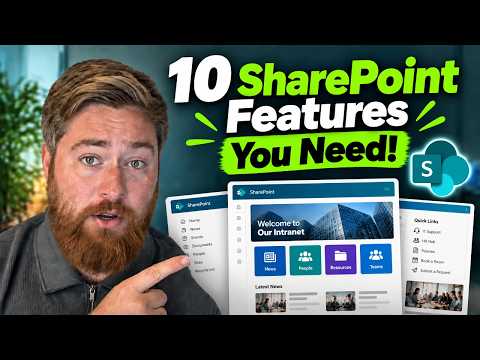
SharePoint Intranet: 10 Essentials
Microsoft expert: optimize SharePoint intranet with webparts, org chart, news, directory and video for Microsoft cloud
Key insights
- This summary covers a YouTube tutorial that shows how to add the top features to a modern SharePoint intranet to make the main homepage more engaging and useful for employees.
It focuses on practical steps administrators can follow without heavy custom coding. - Use native web parts to display an organization chart and an easy-to-search employee directory so staff can find colleagues and reporting lines quickly.
The video demonstrates editing page layout to keep these elements visible and simple to use. - Design a tailored user experience with a clear home site and connected hub architecture to centralize navigation, news, and search across related sites.
This structure keeps content owned by the right teams while giving everyone consistent access. - Promote timely information by adding personalized company news, shortcuts, and social-style updates like testimonials to increase adoption and internal engagement.
Keep announcements organized by scope (company, department, location) for clarity. - Surface key business metrics and enable real-time collaboration with document libraries and co-authoring, while improving findability with intelligent search and proper metadata.
Good governance (clear ownership and naming) keeps search effective. - Use video for internal communications and combine automation tools like Power Platform and AI helpers (e.g., Copilot) to speed content creation and streamline processes.
Include governance and lifecycle rules so the intranet stays current and useful.
Overview of the Video
In a recent YouTube tutorial, Dougie Wood [MVP] walks through practical steps to upgrade a SharePoint intranet by adding the ten most requested features for business hubs. The video focuses on straightforward, native approaches rather than deep custom code, making the recommendations accessible to many administrators. Consequently, the presentation aims to help teams build a central destination that people will actually use, while keeping the site architecture manageable for IT staff.
Moreover, the presenter highlights how small changes to a homepage can improve adoption across an organization. He demonstrates configuring native web parts such as the organizational chart and the employee directory, and explains why visibility matters. Therefore, the tutorial balances visual clarity with functional access to important resources.
Core Features Demonstrated
First, the video shows how to add and configure a native organizational chart web part to make reporting lines and team structures obvious to users. Then, the guide moves on to the employee directory, explaining how directory layout and contact details can speed up internal communication. Together, these elements reduce friction when people search for colleagues and expertise across the company.
Next, the tutorial demonstrates bringing in timely content such as recent news and key metrics using built-in web parts. Additionally, Dougie outlines how to include social-style updates like testimonials and curated feeds to boost engagement. By connecting these parts on a single homepage, the site becomes a practical hub for both information and quick actions.
Finally, the video covers richer media options and shortcuts that make important tools easy to reach, including embedding videos for internal communications. He highlights how video can improve message clarity and retention, especially for leadership updates and training. As a result, the intranet can serve both as a news channel and a learning resource when designed intentionally.
Design and User Experience
Dougie emphasizes simple layout changes that increase findability, such as clear headings, balanced white space, and prioritized content blocks. Furthermore, he recommends tailoring the experience so that users see relevant news and shortcuts based on role or location, which improves perceived usefulness. Thus, personalization plays a key role in making the intranet feel relevant to each employee.
At the same time, the presenter shows how to keep navigation consistent by using a hub architecture and a recognizable home site. Consequently, users benefit from centralized search and aggregated news without losing local ownership of team sites. This approach supports both corporate coherence and departmental autonomy when implemented thoughtfully.
Tradeoffs and Governance Considerations
While the video favors native web parts for ease and reliability, it also implicitly raises the tradeoff between simplicity and advanced customization. On one hand, native components reduce maintenance burdens and improve updates across Microsoft 365, but on the other hand, complex business needs sometimes require third-party solutions or custom development. Therefore, organizations must weigh the long-term cost of customization against immediate functional gains.
Moreover, the tutorial reinforces that search and content quality depend on strong governance. Without consistent metadata, ownership, and lifecycle rules, even the best design cannot fix stale or duplicated content. Consequently, teams should pair design work with clear governance policies to sustain usability and search relevance over time.
Finally, security and permissions present another balancing act: open access improves discoverability, yet strict controls may be necessary for sensitive content. Thus, intranet teams must coordinate with legal and IT to set sensible defaults and escalation paths. In practice, this collaboration helps prevent both information silos and accidental exposure.
Implementation Challenges and Practical Advice
Dougie touches on practical challenges such as maintaining the intranet, training contributors, and measuring success with usage metrics. He suggests starting with a few high-impact features, testing them, and gathering feedback before scaling more widely. Consequently, a phased rollout reduces risk and gives teams time to refine governance and content standards.
Additionally, administrators should anticipate technical constraints like page load times and mobile responsiveness when packing a homepage with web parts. Therefore, prioritizing essentials and deferring lower-value widgets can preserve performance while delivering value. In this way, the intranet remains both fast and useful for busy employees.
In conclusion, the video by Dougie Wood [MVP] offers a practical blueprint for upgrading a SharePoint intranet with ten high-impact features. By combining clear design, native web parts, and governance discipline, organizations can create hubs that people actually use, while balancing customization, performance, and security. As a result, the tutorial provides a useful starting point for administrators who want to improve internal communication without overcomplicating their site architecture.

Keywords
SharePoint intranet features, Upgrade SharePoint intranet, SharePoint intranet best practices, SharePoint Online intranet features, Employee intranet engagement features, Digital workplace SharePoint, Business intranet solutions SharePoint, SharePoint customization and governance