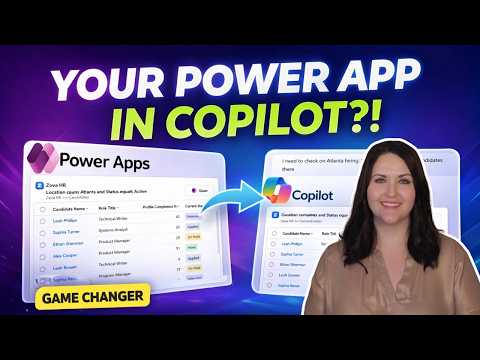
Power Apps: Copilot Agent in Minutes
Principal Power Platform Advocacy Team Lead at Microsoft ◉ YouTuber ◉ Speaker ◉ LinkedIn Learning Course Author ◉ Low Code Revolution Host
Model-driven Power Apps become Copilot agents with interactive UI in Teams Word Excel PowerPoint, no code needed
Key insights
-
Turn any model-driven Power App into a declarative Copilot agent with an interactive UI inside Microsoft 365 Copilot.
No rebuild or code changes required—install the provided package and start using it in the apps where Copilot lives. -
Core components: a PCF control on the form triggers the agent, the Copilot Studio agent runs the logic, and Agent APIs and prompts pass data and build responses.
Your app’s MCP server is created and configured automatically, so you do not need manual server setup. -
How it works: user actions in the form fire events that the PCF control sends to the agent topic.
The agent uses the record context to return interactive forms, grids, and adaptive responses directly inside Copilot conversations. -
Quick setup steps: enable your model-driven app for Copilot, download the supplied package, and upload it to Teams to make the agent available across Microsoft 365 apps.
Typical flow works in Word, Excel, PowerPoint, and other Copilot surfaces. - Key benefits: contextual intelligence that keeps users in their workflow, real-time data queries and data entry, consistent governance via reusable agent topics, and a loose coupling design that lets you update AI logic without redeploying apps.
-
Requirements and status: the feature is in public preview and needs Power Apps Premium plus M365 Copilot licensing.
Admins should watch for upcoming maker settings that expand control and customization.
In a recent YouTube video, April Dunnam demonstrates how to convert existing model-driven Power Apps into interactive agents for Microsoft 365 Copilot in a matter of minutes. The video presents a step-by-step walkthrough of a new public preview that requires no rebuilding or code changes, according to the presenter. Consequently, the feature promises to bring app data and forms directly into Copilot chat across Microsoft 365 apps.
Video Overview and Key Steps
April begins by outlining the core setup tasks, which include enabling a model-driven app for Copilot and downloading a ready-made package to upload into Teams. Then she shows how grids and forms surface inside the Copilot chat window and how agents return or populate data within documents. Finally, she highlights licensing needs, noting that organizations typically require Power Apps Premium alongside M365 Copilot access.
Throughout the demo, April emphasizes that the integration leverages an automatically created MCP server, so administrators can avoid manual server setup. She also shows usage scenarios in Word, Excel, and PowerPoint to illustrate broad access wherever Copilot is embedded. Thus, the feature aims to reduce context switching for users who need to query or update business records while working in familiar productivity apps.
The video timestamps include setup, adding the app to Teams, retrieving data, and entering data using the agent, which makes the walkthrough easy to follow. Moreover, April keeps the instructions practical and grounded in real-world admin tasks. As a result, viewers can replicate the setup quickly if they have the right licensing.
How the Integration Works
April explains that the integration relies on a few coordinated parts, starting with the model-driven app that hosts a PCF control on a form. Next, that control calls out to a Copilot Studio agent via the new Agent APIs, passing context such as record ID and selected columns. The agent then uses custom prompts and topics to produce structured responses, adaptive cards, or form-fill actions directly inside the app or Copilot pane.
She also demonstrates that the app package includes an Agent Response Component which streamlines the maker experience and reduces the need for deep code changes. Meanwhile, the underlying MCP server handles orchestration automatically, which simplifies deployment for most teams. Therefore, organizations can focus on prompting and governance rather than infrastructure setup.
April’s demo shows interactive behavior: users can filter records, ask questions, and fill forms without leaving documents. In addition, the agent can present contextual recommendations based on domain prompts tied to the record. Consequently, the integration brings domain-aware AI into a user’s productive flow with minimal friction.
Benefits and Practical Tradeoffs
This integration offers clear benefits, including faster decision-making and fewer context switches since users access data where they already work. Moreover, the model enables consistent enforcement of business rules by routing reasoning through controlled agent topics and custom prompts. However, organizations must weigh these gains against licensing costs and the work to design controlled prompts and governance.
There are tradeoffs in fidelity and performance depending on the complexity of the PCF control and the volume of data passed to the agent. For example, very large datasets may need additional filtering to remain responsive inside Copilot chat, which adds design overhead. Likewise, while no code changes are required for basic scenarios, deeper UI customization still needs maker or developer time to tune PCF controls and prompts for high-value workflows.
Security and governance present another balancing act: enabling broad access inside Copilot improves productivity but increases the surface that administrators must monitor. Therefore, teams should plan how to enforce data policies and auditing when agents can surface or modify sensitive records. Overall, these tradeoffs require explicit planning even though the setup itself is simple.
Challenges and Implementation Considerations
April points out that this capability is in public preview, which means features and limits may change before general availability. Consequently, organizations should run pilots and validate compliance and support models before rolling out widely. In addition, makers must test how prompts behave across different record contexts to avoid unexpected or misleading outputs.
Integration complexity can grow when agents need to interact with custom plugins or extensive business logic. Although the MCP server simplifies orchestration, complex logic still requires careful testing to ensure reliability and correct data handling. Furthermore, organizations need to prepare training and change management so users understand how to trust and use agent recommendations.
Finally, admins must map licensing and governance needs to their rollout plan, because missing licenses or unchecked data access can block adoption. In short, this feature reduces technical friction but raises practical questions about operations and policy that teams must address.
What Organizations Should Do Next
For teams ready to experiment, the next practical step is to enable a test model-driven app and follow the package installation steps shown in the video. Then run small pilots with power users to assess responsiveness, prompt accuracy, and governance concerns before wider deployment. Meanwhile, include security and licensing teams early so that compliance needs are baked into the pilot design.
Additionally, organizations should track common scenarios where Copilot agents add clear value and prioritize those for prompt and topic development. As experience grows, teams can expand agent topics and refine PCF controls to improve outcomes without changing the underlying apps. Ultimately, April’s walkthrough shows a fast path to experiment with AI inside business apps while reminding leaders to balance speed with careful governance and testing.

Keywords
Model-driven Power Apps Copilot, Turn Power App into Copilot Agent, Power Apps Copilot tutorial, Power Platform Copilot agent, Enable Copilot in model-driven app, Copilot integration with Dataverse, Create Copilot agent for Dynamics 365, Deploy Copilot in Power Apps minutes