Excel Template, Free for Small Business
Microsoft expert guides Excel automation with Power Query and Power BI for small business profit and loss dashboards
Key insights
- Excel templates
Pre-built spreadsheets that let small businesses record income, expenses and sales in one file. Paste bank or point-of-sale transactions and the sheet updates totals and profit automatically. - Automation
Built-in formulas compute balances, monthly profit/loss and category totals so you avoid manual calculations and cut bookkeeping time. - Dashboards & reports
Visual summaries and filters show performance by month, year or product. Color-coded categories make trends and outliers easy to spot. - Cloud & collaboration
Works with online Excel and spreadsheet apps for mobile access and real-time editing, so teams can view and update finances from anywhere. - Customization
Change categories, add sections or adapt budgets for your industry. Templates support fixed vs variable costs and simple budget planning. - Small-business benefits
Free or low-cost templates cut software expenses, set up quickly (often under 15 minutes) and give owners fast, accurate financial insight to focus on growth.
At a glance
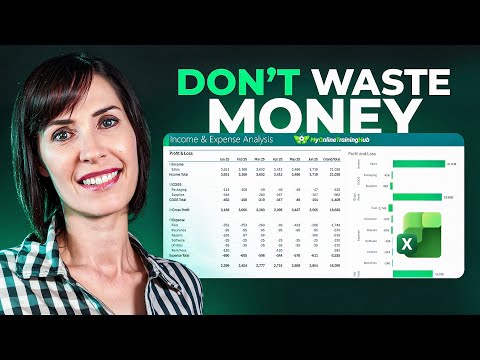
A recent YouTube video by Mynda Treacy of MyOnlineTrainingHub (MVP) demonstrates a freely available Excel template that promises to simplify financial tracking for small businesses. The video shows how a simple bank statement and point-of-sale data become a fully automated Profit & Loss dashboard with minimal setup. Consequently, owners and operators can see monthly profit, expense categories, and product sales without rebuilding spreadsheets from scratch. Moreover, the creator frames the tool as accessible to people with basic spreadsheet skills while offering more advanced options for those who want them.
What the video demonstrates
First, the presenter walks viewers through a step-by-step process of pasting recent transactions into the template and watching the reports update automatically. She then highlights how the template filters by month and aggregates expenses by category, which helps small business owners identify trends quickly. In addition, the video points out that the template avoids manual formulas by using built-in automation, so users do not need to update many cells by hand. Therefore, the demo emphasizes speed and clarity as the main benefits.
Furthermore, the presenter introduces optional enhancements such as using Power Query for data shaping, and mentions compatibility with cloud versions of Excel and other spreadsheet platforms for on-the-go access. She also explains how the dashboard shows product sales alongside expenses so managers can compare revenue drivers with costs. As a result, viewers gain a practical picture of how routine bookkeeping tasks can be consolidated into a few simple actions. Lastly, the video underscores that the template is designed for immediate use and iterative customization.
How the template works
At its core, the template collects transaction rows that include date, type (income or expense), description, and amount, then applies formulas to calculate totals and margins. Built-in reports and charts provide visual summaries of profit by month and expense breakdowns, and color-coded categories help users spot anomalies. In addition, the template can be customized to add or remove categories so it fits different industries and business models. Thus, it balances ready-to-use structure with practical flexibility.
When users opt for the more automated route, Power Query can import and transform raw statements, remove duplicates, and standardize descriptions before they feed into the dashboard. This step reduces manual cleanup, while enabling the template to scale to larger transaction sets. However, the video makes clear that learning some Power Query basics improves results, and the presenter discusses courses and guides for those who want to deepen that skill. Consequently, the template can serve both beginners and intermediate users depending on how much automation they choose to adopt.
Tradeoffs and technical challenges
Although the template reduces repetitive work, there are tradeoffs between simplicity and advanced automation. For example, manually pasting bank statements is quick and transparent, but it requires consistent formatting and may become error-prone as transaction volumes grow. Conversely, linking to live data through connectors or using automated imports reduces manual effort yet increases dependency on correct mappings, stable file formats, and occasional troubleshooting. Therefore, owners must weigh the convenience of automation against the need for control and occasional hands-on corrections.
Another challenge involves categorization and accuracy: automated classification of expenses can mislabel transactions unless users maintain clear rules. Additionally, multi-currency operations, split transactions, and tax-specific treatments introduce complexity that simple templates do not always handle out of the box. Moreover, while cloud-enabled spreadsheets increase accessibility and collaboration, they can also expose versioning issues and require attention to permissions. In short, the approach saves time but demands thoughtful setup and periodic review.
Advice for small business owners
To get the most value, start with a clear chart of accounts and test the template with a month of transactions before you rely on it for decision-making. Next, document any category rules and maintain a simple reconciliation routine so reports remain accurate and trustworthy. If your business grows or you encounter complex scenarios like payroll, inventory tracking, or multiple currencies, consider complementing the spreadsheet with specialized tools or an accountant’s review. Thus, the template can serve as a practical first step rather than a permanent replacement for professional systems.
Overall, the video by Mynda Treacy offers a realistic, hands-on option for small business owners who need clear financial visibility without expensive software. While the solution does not eliminate the need for good bookkeeping practices, it reduces the time and friction involved in daily tracking and basic reporting. Therefore, for many microbusinesses and side hustles the template represents a cost-effective way to see profit and expense trends quickly, provided users accept occasional tradeoffs and maintain disciplined data hygiene.

Keywords
free Excel template for small business, small business budget template Excel free, free small business invoice template Excel, Excel cash flow template free download, small business financial tracker Excel, free business plan template Excel, download free Excel templates for small business, small business expense tracker Excel free