Microsoft Copilot
Aug 7, 2026 8:46 PM
SharePoint Copilot: Game-Changing Update
by HubSite 365 about Daniel Anderson [MVP]
A Microsoft MVP 𝗁𝖾𝗅𝗉𝗂𝗇𝗀 develop careers, scale and 𝗀𝗋𝗈𝗐 businesses 𝖻𝗒 𝖾𝗆𝗉𝗈𝗐𝖾𝗋𝗂𝗇𝗀 everyone 𝗍𝗈 𝖺𝖼𝗁𝗂𝖾𝗏𝖾 𝗆𝗈𝗋𝖾 𝗐𝗂𝗍𝗁 𝖬𝗂𝖼𝗋𝗈𝗌𝗈𝖿𝗍 𝟥𝟨𝟧
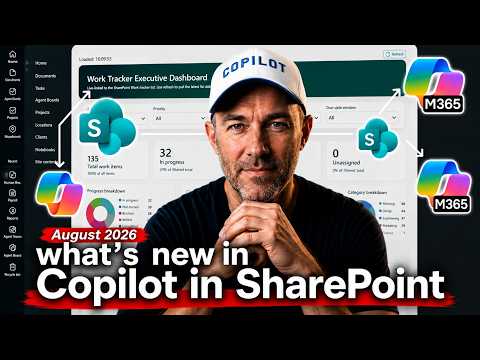
Copilot in SharePoint live Microsoft Lists dashboards one-click prompts, site Skills in Agent Assets, Reports governance
Key insights
- Copilot in SharePoint now ships three stacked features together: live-linked HTML dashboards, page buttons that launch Copilot prompts in one click, and a polished skill creation flow that turns prompts into reusable site skills.
These features work together to move AI from simple chat into real page actions and site-wide automation. - Live-linked HTML dashboards build directly from a Microsoft Lists source and refresh instantly when list items change.
That lets teams present up-to-date dashboards without copying data into separate tools. - Page buttons let site owners wire a single click to a targeted Copilot prompt that generates filtered views or reports immediately.
Users can also interact with dashboards inline using chat-style prompts for quicker follow-ups. - Site Skill creation turns a working prompt into a saved asset so every user on the site inherits it via Agent Assets.
This makes repeatable workflows and reports easy to share across teams. - Governance and rollout matter: the demo enforced a rule to save dashboards to the Reports library, and Microsoft moved to an opt-out preview model for licensed Microsoft 365 Copilot users in mid‑2026.
Admins also get improved visibility for Copilot usage in the SharePoint admin center. - Practical gains and extras: Copilot can generate Office files (Word, Excel, PowerPoint) and produce interactive HTML reports from site content, now using a more consistent reasoning model.
Teams get less blank‑page work, better context from SharePoint data, and built-in options to rewrite text, run automations, or create specialized agents.

Keywords
Copilot in SharePoint, SharePoint Copilot update, Copilot for SharePoint features, SharePoint AI Copilot, SharePoint Copilot rollout, Copilot SharePoint integration, SharePoint AI document management, SharePoint Copilot productivity