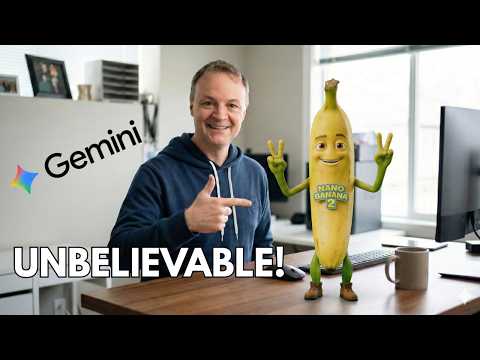
Gemini Nano Banana 2: Insane Images
Microsoft expert: Nano Banana Two Gemini image generator with Azure AI and Designer tips for style picker and clear text
Key insights
- Nano Banana 2 (aka Gemini 3 Flash Image) is now the video’s headline change: the Gemini app’s default image generator was replaced with this faster, higher‑fidelity model.
The video walks viewers through the switch and what it means for everyday image creation. - Speed and quality combined: Nano Banana 2 delivers Gemini Flash‑level speed without sacrificing visual fidelity.
The presenter shows it producing outputs from 512–4K resolution with richer textures and sharper detail in seconds. - Character consistency and complex scenes: the model keeps up to five characters consistent and preserves many objects across a workflow.
The video demos multi-image composition and storyboarding for consistent subjects and scene continuity. - Legible text rendering and localization: the model generates clear, readable text inside images and can translate or localize text while preserving layout.
The host demonstrates marketing mockups, greeting cards, and translated in‑image text that reads correctly. - Creative controls and style tools: a new Visual Style Picker and quick style transfer let users change lighting, camera angle, focus, or apply a reference texture in seconds.
The tool also offers flexible resizing for multiple aspect ratios without obvious detail loss. - Where to use it: Nano Banana 2 is live across all Gemini app modes (Fast, Thinking, Pro) and appears inside Google’s Flow video editor.
Developers can access it via APIs and developer tools shown in the video, and the presenter notes how to still reach the older Pro model when needed.
Introduction: Teacher's Tech Breaks Down a Big Update
In a recent YouTube video, the channel Teacher's Tech walks viewers through Google's surprise upgrade to the Gemini image generator, now branded as Nano Banana 2. The video explains what changed, demonstrates new tools, and shows practical steps for creating advanced images faster than before. As a newsroom summary, this article highlights the video’s main points and evaluates the benefits and tradeoffs of the new model.
What Nano Banana 2 Brings to the Table
According to the video, Nano Banana 2 (also noted as Gemini 3 Flash Image) becomes the default image engine across Gemini app modes, aiming to merge speed with high visual quality. Teacher’s Tech emphasizes the model’s improved text rendering, higher resolution options up to 4K, and stronger support for consistent characters and multiple objects. Consequently, users should expect more reliable photorealistic results while working much faster than with older models.
Demonstrated Features and the Visual Style Picker
Teacher’s Tech spends a good portion of the video showing the new Visual Style Picker, a tool that helps users transfer color, texture, and mood from a reference to a target image. The reviewer demonstrates multi-image composition, explaining how to combine references for storyboarding or consistent character designs. Furthermore, the video shows practical examples like crafting a YouTube thumbnail and generating legible on-image text for marketing mockups.
How It Affects Real Workflows
Practically speaking, the video suggests that Nano Banana 2 can speed up creative workflows by reducing iteration time and improving first-pass outputs. For instance, Teams can create infographics, diagrams, and translated on-image text with fewer corrections, which saves time on localization and layout tasks. At the same time, Teacher’s Tech points out that getting professional results still requires clear prompts and some manual refinement, so the model streamlines rather than fully automates production.
Tradeoffs: Speed, Quality, and Limits
While the update promises both speed and fidelity, there are important tradeoffs to consider. The model claims consistent character rendering for up to five characters and fidelity preservation for approximately 14 objects, but this limit may not suit very complex scenes and could require multiple passes. Moreover, although text rendering has improved, complex fonts or dense text blocks can still produce artifacts, so designers may need to combine the model’s output with manual editing.
Challenges: Prompting, Consistency, and Access
Teacher’s Tech also highlights practical challenges. First, complex prompts remain a skill; clear and structured instructions produce the best outcomes, whereas vague or overloaded prompts can cause unexpected results. Second, maintaining exact likenesses or brand consistency over large projects can be difficult without careful reference management. Lastly, access and cost may limit some users because advanced features appear in preview via Developer APIs and integrated tools, which could restrict adoption for casual creators.
Comparing Approaches: Fast Defaults vs. Pro Options
The video contrasts the new default model with the older Pro mode, showing that users can still reach for higher-control options when needed. For many tasks, the default Nano Banana 2 provides a better balance of speed and quality, but pro workflows that demand extreme control or specific licensing checks may still prefer a dedicated Pro pipeline. Thus, creators must weigh convenience against the need for fine-grained control and compliance.
Practical Recommendations and Next Steps
Teacher’s Tech closes by suggesting hands-on experimentation: try simple prompts first, test the Visual Style Picker with small projects, and use multi-image composition for storyboards before scaling up to larger assets. Additionally, the video recommends fallback strategies, such as accessing the Pro model when precise control or higher fidelity is essential. Overall, the update looks promising, but teams should plan pilot projects to understand the best fit for their workflows.
Conclusion: A Meaningful Step, Not a Panacea
In summary, Teacher’s Tech portrays Nano Banana 2 as a meaningful leap that narrows the traditional gap between speed and quality in AI image generation. Nevertheless, the video makes clear that the tool does not eliminate the need for human oversight, prompt skill, and occasional manual editing. Therefore, teams should view this release as a powerful accelerator that still requires thoughtful integration into creative processes.

Keywords
Gemini Image Generator, Nano Banana 2, Gemini AI image generator review, Google Gemini image tutorial, Nano Banana 2 demo, best AI image generators 2026, how to use Gemini image generator, Gemini image quality comparison