Microsoft Entra cleanup tips for risky apps
Product Manager @ Microsoft 👉 Sign up to Entra.News my weekly newsletter on all things Microsoft Entra | Creator of cmd.ms & idPowerToys.com
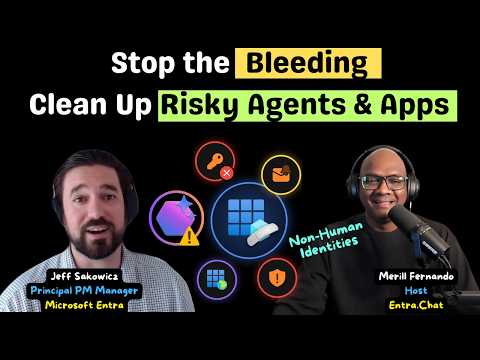
Merill Fernando’s recent video explains Jeff Sakowicz’s order for reducing app risk in Entra ID without creating more shadow IT.
Key insights
- Jeff Sakowicz recommends stopping app risk growth before removing old app debt.
- An app management policy should have an enforcement date and be checked before turning on.
- Microsoft defaults include verified publisher rules and risk-based step-up consent.
- Unused identities can be high-value cleanup targets because one deletion may remove several issues.
- The episode also points admins back to forgotten test and demo tenants and to agent security.
Merill Fernando recently published a long-form video featuring Jeff Sakowicz, Principal PM Manager on Microsoft Entra, about how to clean up risky apps in Entra ID. The main takeaway is simple: stop the problem from growing first, then remove the oldest debt that gives the highest risk reduction for the least disruption. The discussion stays practical, with a focus on policy, consent, credentials, and unused identities.
Jeff Sakowicz is presented as someone who has worked on the Entra app and service principal model, OAuth permissions and consent, publisher verification, and risk-based step-up consent. The video also frames the topic as relevant not just to apps and service principals, but to agents as well. That makes this useful for identity admins and security teams who need a cleanup order they can actually apply.
What's new
The video does not introduce a new product launch. Instead, it explains a cleanup playbook for existing Entra app risk. Jeff’s recommended order starts with policy so the environment stops getting worse, then moves to the riskiest existing items: active threats, posture, and blast radius. He also calls out the need to think about consent policy again, especially for tenants that turned consent off years ago and may not have revisited the modern framework.
Several specific controls are mentioned in the source material. These include an app management policy with an enforcement date, Microsoft’s default protections such as the verified publisher rule and risk-based step-up consent, and a checklist to use before granting consent. The video also points to Microsoft’s guidance on consent phishing, user consent, app management policies, publisher verification, and remove-unused-apps recommendations.
Why it matters
This matters most to Entra admins and security teams, because app sprawl often hides in plain sight. The source material describes environments with hundreds of app registrations and service principals, long-lived client secrets, forgotten permission grants, and test tenants that were never cleaned up. Those are not just housekeeping problems; they are places where access can linger longer than anyone expects.
The practical message is that blocking everything is not the answer. The video warns that overblocking can create shadow IT, which means people work around controls instead of using approved apps. For admins, the value is in finding the balance: stop new risky consent and app growth, then remove the identities and credentials that create the most exposure.
There is also a governance angle for daily work. The episode says that unused identities are especially worth attention, because deleting one can remove an item from several tracking lists. It also stresses that mail is a target attackers try to capture, which suggests mailbox access remains a useful signal when deciding what to prioritize.
How it works
The cleanup process described in the source material starts with policy and then moves to risk reduction. The basic sequence is:
- Put policy in place first so the tenant stops accumulating more risky apps.
- Use an app management policy and choose an enforcement date after checking what will be affected.
- Prioritize the current debt by looking at active threats, posture, and blast radius.
- Start with the most privileged items and the wholly unused ones.
- Review consent settings and use Microsoft’s modern consent policy framework instead of relying on old tenant settings.
The video also highlights a consent checklist for admins before granting access to an application. Microsoft’s documentation on consent phishing, user consent configuration, app management policies, and publisher verification gives the surrounding mechanics for that process. The linked guidance on remove-unused-apps and recommendations is relevant when the issue is not a live compromise but a large set of stale apps and service principals that should no longer exist.
In addition, the source material says Microsoft runs some protections by default, including verified publisher rules and risk-based step-up consent. Those controls are meant to reduce risky consent, but the video still places policy and review in the admin’s hands. It also calls out Microsoft Defender for Cloud Apps and incident response playbooks in the related links, which suggests the cleanup work may overlap with broader investigation and response procedures.
Limitations and open questions
The source material is a video description and chapter list, not a transcript of every recommendation. That means some implementation details are not fully visible here, including exact policy settings, thresholds, and the precise checks Jeff shows on screen. The material also does not state a tenant-wide rollout model, licensing requirement, or whether any controls are preview-only.
Another limitation is that several points are presented as guidance rather than as a formal Microsoft announcement. For example, the episode mentions agents as a next area, but the source does not explain how those lessons map to a specific product policy or timeline. The Midnight Blizzard reference is also framed as a lesson for forgotten tenants, not as a full incident analysis in this episode.
Finally, the source points to a live demo and to Maester Cloud as a sponsor, but the article does not rely on sponsor claims. What matters here is the playbook itself: reduce new risk first, then clean up the oldest app and consent debt in a controlled way.
Sources
- Merill Fernando video: The Microsoft Playbook for Cleaning Up Risky Apps in Entra ID
- Microsoft Learn: Protect against consent phishing
- Microsoft Learn: Configure how users consent to applications
- Microsoft Learn: Configure app management policies
- Microsoft Learn: Security guidance for application properties
- Microsoft Learn: What are Microsoft Entra recommendations?
- Microsoft Learn: Remove unused applications recommendation
- Microsoft Learn: Publisher verification
Frequently asked questions
Is this video about a new Entra feature release?
No. The material describes a cleanup playbook and points to existing Microsoft guidance and controls rather than announcing a new feature.
Who should care about this guidance?
Entra admins and security teams are the main audience, especially if they manage many app registrations, service principals, or consent settings.
What does the video say to do first?
It says to stop the problem from growing first, using policy and an app management policy with an enforcement date.
Does the source explain exact settings or rollout details?
No. The source lists the topics and related documentation, but it does not provide full configuration steps, licensing details, or rollout scope.