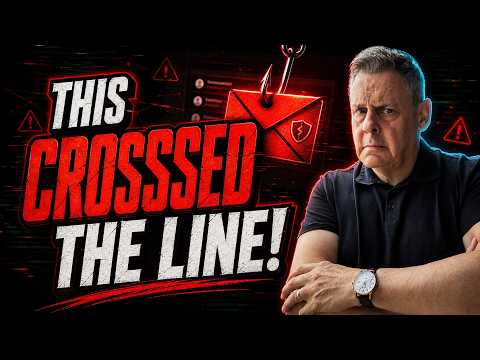
Outlook: Cruelest Phishing Email Ever
Microsoft 365 Expert, Author, YouTuber, Speaker & Senior Technology Instructor (MCT)
Microsoft expert reveals pride driven social engineering phishing, spot signs, use Defender Outlook Entra ID to protect
Key insights
- Phishing case study: The video describes a near-miss with a convincing email that did not ask for money or include an obvious malicious link. The attacker targeted pride and curiosity to prompt a reaction.
- Social engineering: The scam used emotional triggers—flattery, urgency, and implied authority—to override careful judgment. Emotional appeals can be more dangerous than technical tricks.
- Trusted sender abuse: Attackers sometimes route messages through legitimate or internal-looking Microsoft addresses, which makes simple sender checks unreliable and increases the message’s credibility.
- Business-context phishing: Recent campaigns use polished templates and fake compliance or transaction notices to mimic real company communications, raising the risk for employees and admins alike.
- Practical defenses: Pause before acting, avoid clicking links in suspicious emails, open services directly in your browser, inspect the full sender address, and report spam or phishing using built-in mail tools.
- Ongoing training: Even experts can be fooled; run regular simulations and awareness quizzes, and keep teams informed about evolving lures and tactics to reduce risk.
Andy Malone [MVP] recently published a YouTube video titled "The Cruellest Phishing Email I’ve Ever Seen!" that walks viewers through a clever social engineering attack that almost fooled him. In the clip, he explains that the message contained no malicious link and did not ask for money, yet it still nearly succeeded because it targeted pride and curiosity. Consequently, the video serves as a timely reminder that modern scams often rely on emotion rather than obvious technical tricks. Moreover, the story highlights how even experienced technology professionals can be caught off guard.
As Andy Malone [MVP] recounts the incident, he focuses on how the email exploited human nature rather than technical vulnerabilities. He describes the specific tactics that made the message convincing and shares the warning signs he initially missed. Therefore, viewers get practical advice on how to pause and verify messages before acting. The video blends a personal experience with broader observations about current phishing trends.
How the Attack Worked
The email described in the video did not rely on a visible malicious link, which made it feel safer at first glance. Instead, the attacker used curated language to poke at pride and vanity, suggesting that the recipient had done something noteworthy that deserved attention. In that way, the message pushed curiosity and trust, prompting an immediate emotional reaction rather than a rational check. As a result, readers—and even experienced defenders—may click or reply without the usual precautions.
In addition, the video explains that modern phishing can come through trusted channels or addresses, which complicates standard defenses. For example, recent campaigns abused legitimate internal Microsoft addresses, making messages appear officially authorized and harder to dismiss. Consequently, display-name checks are no longer enough to guarantee authenticity. Thus, the attacker’s method relied less on code and more on the perceived authority of the sender.
Why the Message Felt Real
One reason the message worked was its polished tone and plausible context that matched the recipient’s role and interests. Furthermore, it avoided the common telltale signs of low-effort scams, such as broken language or obvious mismatches in sender domains. Because the content felt relevant, recipients lowered their guard and engaged more readily. Therefore, credibility and context are powerful tools for social engineers.
Additionally, the video connects this case to larger patterns, such as campaigns that use compliance notices or account alerts as lures. Attackers increasingly design HTML templates that mimic enterprise emails, which raises the chance of credential theft. Consequently, organizations must treat this trend as an evolution in attack quality rather than an isolated incident. Even so, balancing vigilance and daily workflow can be difficult for staff who receive many legitimate notices.
Practical Defenses and Tradeoffs
Andy Malone [MVP] offers clear, actionable steps: pause before responding, verify messages by navigating to services directly, and inspect full sender addresses rather than relying on display names. He also recommends using built-in reporting tools in email clients to flag suspicious messages to administrators. These measures help reduce risk without requiring advanced skills. However, the video also points out tradeoffs: aggressive blocking can disrupt real notifications and create friction for users.
Moreover, relying solely on technical controls such as filters or sender verification can give a false sense of security if attackers abuse trusted infrastructure. For example, if legitimate internal addresses are exploited, automated checks may fail, so human judgment remains essential. On the other hand, too much emphasis on training alone can burden people and lead to fatigue. Consequently, the most effective defense combines technology, clear policies, and regular, focused awareness exercises.
Challenges for Organizations
The video highlights several organizational challenges, including the difficulty of distinguishing clever social-engineering attempts from real internal communications. In particular, when attackers use recognizable sender names or even legitimate-looking addresses, mail routing and sender verification can be harder to rely on. This forces security teams to tighten controls, which can increase false positives and slow normal operations. Therefore, organizations must weigh security improvements against operational impact.
Another challenge is keeping training relevant without overwhelming staff. While simulations and quizzes help, they must reflect current attack styles that exploit emotions such as pride and urgency. Additionally, incident response must include quick verification channels so users can confirm suspicious emails without escalating risk. Ultimately, leaders must balance prevention, detection, and user experience to maintain both security and productivity.
Takeaways for Users
In the end, the most important message from Andy Malone [MVP] is simple: pause and verify before you act. When in doubt, open the service directly in a browser, check the full sender address, and report the message through your email client rather than replying or clicking links. These steps are low-cost and can stop many social-engineering scams. Moreover, sharing real examples like this one helps people recognize subtle signs they might otherwise miss.
Finally, the video and recent trends make one point clear: phishing is evolving toward highly believable business-context messages, so defenses must evolve too. Consequently, a layered approach that combines technical safeguards, realistic training, and clear verification paths gives organizations and individuals a better chance of staying safe. By understanding the tradeoffs and remaining cautious, people can reduce the risk posed by even the cruellest phishing attempts.

Keywords
phishing email examples,real phishing email,sophisticated phishing attack,email scam warning,how to spot phishing,phishing email analysis,cybersecurity email scams,protect against phishing