Microsoft 365 Message Center: Whats New?
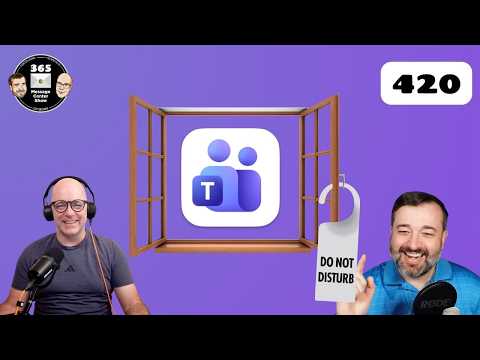
Teams honors Windows Do Not Disturb with meeting and chat updates; OneDrive, SharePoint AI skills, Researcher critique
Key insights
- Episode 420 summary
Quick roundup of the latest Microsoft 365 Message Center updates from The 365 Message Center Show, covering OneDrive, Teams, Researcher AI, SharePoint, and chat organization.
Hosts flag practical impacts and MC numbers so admins can plan changes. - OneDrive deletion behavior (MC1269861)
Files deleted from the cloud will no longer show up in the local Recycle Bin or Trash on synced devices.
Admins should inform users and update backup or recovery steps to avoid confusion. - Teams minimized meeting window (MC1266027)
Teams introduces a new experience when users minimize the meeting window, improving multitasking and meeting controls.
IT should test the behavior for meeting workflows and update user guidance if needed. - Researcher Auto Critique & Model Council (MC1265765)
Researcher’s Frontier program adds Auto Critique and Model Council features so models (like Claude and OpenAI) critique each other to improve research outputs.
This aims to raise answer quality; admins should consider preview access and data handling policies. - Windows “Do Not Disturb” honor in Teams (MC1269215)
Teams will respect the Windows Do Not Disturb setting so notifications follow user focus preferences across apps.
Users get fewer interruptions; admins may want to note policy or training updates. - SharePoint custom skills & Teams chat sections (MC1269209 / MC1269864)
SharePoint adds the ability to extend AI with custom skills, letting organizations feed tailored processing into content workflows.
Teams also introduces new chat sections for muted and meeting chats to keep conversations organized and easier to scan.
Episode Snapshot
The newsroom reviewed a YouTube video from 365 Message Center Show that summarizes key Microsoft 365 updates in Episode 420. The hosts walk through timed segments and Message Center references, covering changes in OneDrive, Microsoft Teams, SharePoint, and new AI features in Researcher. This video uses Message Center codes to help admins map announcements to tenant planning windows and practical rollout steps. As a result, it serves both as a quick briefing and a guide for IT teams preparing for upcoming changes.
Teams and OneDrive: Practical Changes and Tradeoffs
The hosts explain that deleted files removed from the cloud will no longer appear in the local Recycle Bin or Trash, a change referenced as MC1269861. This reduces local clutter and can avoid confusion about file location, but it also forces admins to review backup and recovery policies so users do not lose access unexpectedly. Likewise, a new experience for minimizing the meeting window and a setting to honor Windows "Do not disturb" (MC1266027 and MC1269215) aim to improve user focus and meeting behavior, yet they invite tradeoffs between availability and presence signals.
What the Video Covers
The episode lists timestamps for each topic, beginning with a OneDrive change at 2:46 and several Teams items sprinkled through the segment. It highlights an AI-focused block on Auto Critique and Model Council inside Researcher, then returns to Teams and SharePoint items later in the show. Each topic includes the Microsoft change ID (MC number) so administrators can locate the official Message Center post and review rollout timelines. Consequently, viewers can quickly follow up on specifics and validate how the updates apply to their tenants.
Teams Chat Organization and User Experience
Episode 420 also covers new chat sections that separate muted chats and meeting chats (MC1269864), which helps users find conversations faster and control attention. However, reorganization can confuse users who expect existing layouts, so admins must balance the benefits of clearer categories against the learning curve and support load. The show recommends phased rollouts and communications to minimize disruption, emphasizing how timely guidance makes transitions smoother for end users.
AI in Researcher: Auto Critique and Model Council
The video highlights Auto Critique and Model Council features in Researcher, listed as part of the Frontier program (MC1265765), where models like Claude and OpenAI variants critique each other to sharpen results. This approach aims to improve research accuracy and reliability by leveraging model comparisons, yet it requires more compute and careful evaluation to avoid reinforcing shared biases. Therefore, IT leaders must weigh improved output quality against increased cost, latency, and the need for additional oversight.
Tradeoffs and Governance for AI Features
While cross-model critique can enhance research, it also raises governance concerns about transparency, explainability, and data residency when multiple models interact. The hosts point out that organizations should test outputs, set clear usage policies, and enforce data controls before wide deployment. In practice, this means balancing innovation with responsibility by piloting in safe environments, documenting behavior, and training users on limits and verification steps.
SharePoint Extensibility: Custom Skills and AI
Another major topic is extending AI in SharePoint through custom skills (MC1269209), which allows developers to add tailored processing or enrichment to content pipelines. This capability can boost search relevance and automate content tagging, yet it introduces complexity around security, maintenance, and model updates. Administrators must consider data privacy, permissions, and lifecycle management when enabling custom skills so that automated processes do not expose or mislabel sensitive information.
Operational Challenges and Best Practices
The episode emphasizes operational tradeoffs, noting that new features accelerate productivity but demand stronger monitoring and training. The hosts recommend testing in targeted pilot groups, updating governance policies, and communicating changes to end users to reduce support tickets and surprise behavior. Moreover, the podcast suggests that clear rollback plans and logging are essential, since organizations must balance rapid adoption with the ability to respond if outcomes differ from expectations.
Implications for Admins and IT Teams
Ultimately, the YouTube episode serves as a practical alert system for administrators who manage Microsoft 365 environments. It pairs change notifications with context and actionable advice, encouraging admins to use Message Center IDs to track timelines and opt-in settings. As a result, teams can make informed choices about pace of adoption, training needs, and resource allocation while keeping user experience and security at the center of planning.

Keywords
Microsoft 365 Message Center updates, M365 Message Center changes, Microsoft 365 new features, Office 365 admin updates, Microsoft 365 roadmap highlights, Message Center show updates, Microsoft 365 release notes, Microsoft 365 admin center news