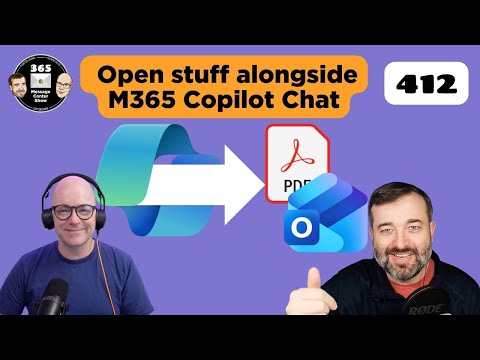
365 Message Center: Top Updates Ep 412
Stay in Copilot Chat to open Outlook mail and PDFs, power Teams AI workflows and Office research with Microsoft Copilot
Key insights
- Copilot Chat can now open Outlook emails directly from chat citations and display sources in full.
Stay inside the chat while you view original messages and verify citations quickly. - Create and view Outlook rules from within Copilot (MC1223821) so you can automate message handling without switching apps.
Use Copilot to build, inspect, and refine rules for sorting, filtering, or routing email. - Open PDFs in Copilot (MC1223823) to read, extract text, and reference passages while you chat.
Workflows keep you in one place to summarize, cite, or pull key data from documents. - Teams Drafts quick view (MC1223827) gives a fast preview of unsent messages, and AI workflows in Teams (MC1223822) let Copilot run multi-step tasks.
Save time by checking drafts and launching automated actions without leaving Teams. - Researcher agent output formats (MC1224569) expand how Copilot shares findings, offering structured summaries, lists, and citation-ready formats.
Choose the format that fits reports, presentations, or follow-up research. - Rollout and admin controls matter: track Message Center IDs for timelines and test features before broad deployment.
Plan governance, user training, and data-protection settings (watermarks, DLP) to keep AI use secure and compliant.
The newsroom reviewed Episode 412 of the 365 Message Center Show, a weekly briefing that dissects Microsoft 365 Copilot, a weekly briefing that dissects Microsoft 365 roadmap notices. In this installment, hosts Daniel Glenn and Darrell Webster walk viewers through several updates centering on Microsoft 365 Copilot and related security and productivity features. The video outlines concrete changes, including the ability to open Outlook emails and PDFs directly from Copilot chat citations, plus new protections and agent capabilities across apps. Consequently, the episode serves as a practical snapshot of how Microsoft is weaving AI more deeply into everyday workflows.
Episode Highlights and Context
First, the hosts timestamped key segments so viewers can follow topics like Teams drafts, Outlook rules, and Copilot interactions. They emphasize the ability to open emails and PDFs from the Copilot chat interface, which lets users remain inside a chat while inspecting sources in full. Moreover, the show notes new Teams AI workflows and evolving output formats for the Researcher agent, signaling Microsoft’s broader intent to standardize how AI-generated results are surfaced. Overall, the episode frames these changes as incremental but meaningful steps toward tighter app integration.
Second, the video places these updates within the ongoing shift toward more accessible AI features across Microsoft 365. For example, some Copilot chat capabilities are expanding in ways that blur the line between free and licensed experiences, which the hosts say will affect how organizations plan licenses. At the same time, features like watermarking for AI-generated content and Microsoft Purview-based DLP in Fabric warehouses underline an emphasis on governance. Thus, the episode connects usability gains with growing compliance needs.
Key Technical Improvements
The show highlights practical changes such as a new Drafts quick view in Teams and the option to create and view Outlook rules from Copilot, both aimed at speeding routine tasks. In particular, the ability to open Outlook messages directly in Copilot chat and view PDFs from citations stands out because it reduces context switching; users can check sources without leaving the AI thread. Additionally, the hosts explain that PowerPoint’s Agent Mode creates new conversation threads so the AI can apply edits autonomously, which promises faster iteration for presentations. These updates collectively signal Microsoft’s approach to making AI a more native part of the application experience.
Furthermore, the episode covers governance controls such as AI watermark policies and Data Loss Prevention (DLP) support for Fabric warehouses via Microsoft Purview, which administrators can use to track and control AI-produced content. The hosts describe these mechanisms as essential trade-offs: while AI increases productivity, it also raises risks around authenticity and data leakage that must be managed. Therefore, Microsoft is pairing new capabilities with controls to help organizations adopt AI responsibly. In short, the technical updates are paired with governance tools that reflect practical enterprise needs.
Benefits and Trade-offs
As the hosts note, these updates offer clear productivity advantages by reducing friction between the AI assistant and core apps like Outlook, Word, and PowerPoint. For instance, staying in Copilot chat while opening email sources means fewer manual searches and faster verification of claims, which can speed decisions. However, there are trade-offs: expanding free Copilot features complicates license planning and may push organizations to revisit entitlement strategies to ensure critical capabilities remain available to the right users. Thus, administrators must weigh short-term convenience against long-term licensing and governance costs.
Similarly, the introduction of Agent Mode brings faster autonomous edits but also introduces challenges related to auditability and control, especially when agents can initiate independent action. On the other hand, watermarking and DLP help mitigate those concerns by enabling traceability and policy enforcement, yet they require deliberate configuration and ongoing monitoring. Consequently, teams need to balance the convenience of AI-driven workflows with the overhead of governance and change management. This balancing act represents a central theme of Episode 412.
Implementation Challenges
Deployment of these features will vary across organizations depending on their existing license models, compliance posture, and user training programs. The hosts recommend staged rollouts and pilot programs to assess impact, because broad enablement without preparation may create confusion or expose sensitive data. Moreover, administratively enforcing watermark policies and DLP rules in Fabric warehouses demands collaboration across security, compliance, and business teams to avoid workflow disruptions. Therefore, a cross-functional approach will likely yield smoother adoption.
Another practical challenge is visibility: IT teams must monitor how agents and chat sessions interact with mailboxes, files, and records so that governance controls remain effective. At scale, telemetry and reporting become critical for spotting misuse or misconfigurations, which means investing in operational processes and tooling. Additionally, training end users on the appropriate use of Copilot features will reduce risky behavior and align expectations. Hence, managing change is as important as enabling features themselves.
What Organizations Should Do Next
Finally, the episode suggests that organizations should audit current licensing, identify key workflows for Copilot integration, and pilot AI features with clear governance guardrails. In addition, security teams should prioritize configuring watermarking and DLP where sensitive data is at risk while communication teams outline guidance for users. Because these features are rolling out in phases, keeping an eye on Message Center updates and planning staged adoption will help minimize disruption. In conclusion, Episode 412 offers a pragmatic roadmap for organizations balancing productivity gains with governance responsibilities.

Keywords
365 Message Center Show Ep 412, Microsoft 365 message center updates, What's new Microsoft 365 Ep 412, M365 admin updates episode 412, Office 365 Message Center highlights, Microsoft 365 new features Ep 412, Message Center Show update roundup, Microsoft 365 roadmap and announcements