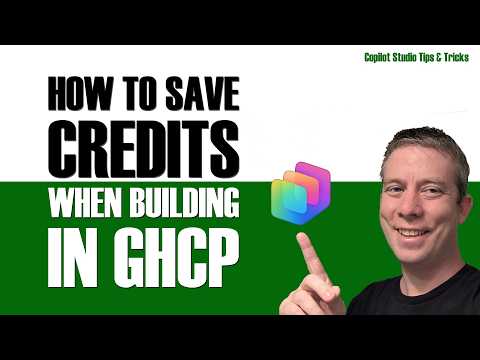
Copilot Studio Credit Tips Focus on Cost-Aware Design
Currently I am sharing my knowledge with the Power Platform, with PowerApps and Power Automate. With over 8 years of experience, I have been learning SharePoint and SharePoint Online
Andrew Hess outlines a Copilot Studio video about reducing credit use through agent design, with workflows, skills and model choice among its topics.
Key insights
- Andrew Hess's video focuses on architecting agents with cost in mind while aiming to retain quality.
- The chapter list includes separate sections on workflows, skills and model choice.
- The video also includes a new-agent segment, testing-only instructions and a final test.
- The published description does not provide credit calculations, configuration steps or licensing details.
Andrew Hess - MySPQuestions recently published a 17-minute video titled “Stop Overspending Copilot Studio Credits.” Its stated focus is designing agents with cost in mind without losing quality. The description and chapter list point to workflows, skills and model choice as areas covered, but they do not spell out the presenter’s specific recommendations.
What's new
The video frames credit use as an agent-architecture concern, rather than presenting a named product feature or a change to Copilot Studio billing. Hess says the aim is to show ways to architect correctly to lower consumption while retaining quality. That makes the subject relevant to people building or testing agents who want to consider cost as part of design.
The published chapter list gives a broad outline: an introduction, a new agent, testing-only instructions, three tips, a final test and a conclusion. The three tips are identified as workflows, skills and model. These labels indicate the topics, but the available description does not explain what choices Hess recommends within each one.
Why it matters
For makers, the topic is a reminder to think about consumption while shaping an agent, not only after it is in use. A design decision can affect how an agent is built and what it does, so cost-aware planning may matter alongside the quality of its responses. The video’s framing is explicitly about balancing those two concerns.
For administrators, the title raises a practical question: how can teams keep agent usage within their intended spend? However, the published material does not describe administrative controls, dashboards, budgets, alerts or environment allocation. It also does not identify a license, credit rate, rollout stage or billing option, so readers should not treat the video description as guidance on those details.
End users are not the main audience indicated by the chapter list. The focus is on agent creation and testing, which makes the video more directly relevant to makers and people involved in designing Copilot Studio agents. Its short outline does not establish what impact any suggested design would have on end-user experience.
How it works
The available outline suggests a sequence that moves from creating an agent to considering specific design areas and then testing. It names “Testing Only Instructions” and a “Final Test,” but does not provide the instructions or describe the test scenario. The following is therefore a guide to the published outline, not a reconstruction of steps that are absent from the description.
- Start with a new agent. The chapter list includes a segment titled “New Agent,” but gives no further setup details.
- Consider testing instructions. A separate chapter is labeled “Testing Only Instructions.” The description does not say what those instructions contain or how to apply them.
- Review the three named design areas. Hess lists workflows, skills and model choice as the subjects of the video’s first, second and third tips. The source does not specify configurations or compare alternatives.
- Run a final test. The outline ends the practical sequence with a “Final Test,” without describing its inputs, results or evaluation criteria.
That outline is useful for deciding whether the video matches a reader’s interests, but not enough to reproduce a particular optimization. Readers looking for exact settings, measurement methods or quantified credit savings will need information beyond what the published description provides.
Limitations and open questions
The main limitation is the level of detail in the available source material. It names the video’s themes and chapters, but contains no full transcript of the advice, no worked example and no reported before-and-after usage. As a result, this article cannot verify which workflow, skill or model choices the presenter recommends.
The material also does not explain how Copilot Studio credits are calculated, how a reader can measure consumption, or whether the advice depends on a particular license or product configuration. It gives no availability or rollout information. The video may address some of these questions, but they cannot be confirmed from the published description alone.
Sources
- Andrew Hess’s Copilot Studio credits video and published chapter list
- Andrew Hess - MySPQuestions website
Frequently asked questions
What topics does the video cover?
Its chapter list includes workflows, skills and model choice, alongside a new-agent segment and testing. The published description does not give the detailed advice for those topics.
Does the video state how many credits a design can save?
The available description gives no credit calculations or quantified savings.
Does the source explain licensing or administrative controls?
No. The published material does not specify licenses, billing settings, budgets or administrative controls.