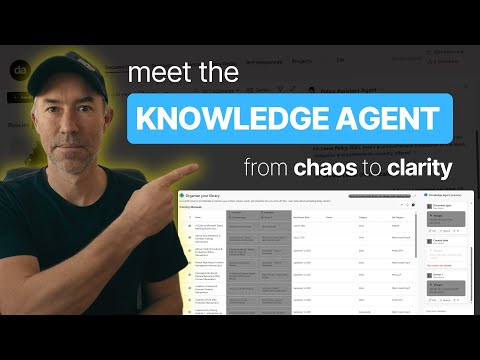
SharePoint Knowledge Agent Tutorial | Smarter Metadata, Better Copilot Answers
A Microsoft MVP 𝗁𝖾𝗅𝗉𝗂𝗇𝗀 develop careers, scale and 𝗀𝗋𝗈𝗐 businesses 𝖻𝗒 𝖾𝗆𝗉𝗈𝗐𝖾𝗋𝗂𝗇𝗀 everyone 𝗍𝗈 𝖺𝖼𝗁𝗂𝖾𝗏𝖾 𝗆𝗈𝗋𝖾 𝗐𝗂𝗍𝗁 𝖬𝗂𝖼𝗋𝗈𝗌𝗈𝖿𝗍 𝟥𝟨𝟧
SharePoint Knowledge Agent fuels Copilot Agents and better answers with page actions, library AI, workflows, authoring
Key insights
- Knowledge Agent: enable in preview with tenant opt‑in and proper admin roles.
Look for the floating button in SharePoint to access quick tools like Page Summarize and in-place Q&A. - Page actions: summarize pages, ask contextual questions, and use Improve this site to find content gaps and fix broken links.
Use the Retire and Unretire flows to manage inactive pages safely. - Library actions: run Organise this library to get AI‑recommended columns and use autofill columns to populate metadata automatically.
Populated metadata enables richer search and precise queries by product or other fields. - Workflows: create natural language rules without code (for example, email on new file or alert when a column changes).
The agent builds the automation from plain language, lowering the barrier for governance and notifications. - AI-generated views and Authoring assist: auto-sort, filter, and save views (e.g., by admin fee or expiry), then rename and publish them for teams.
Use multi-turn suggestions, templates, and FAQs to speed page or news creation. - Business impact: improves Copilot answers by supplying structured, grounded content and enforces compliance with metadata and labeling.
Keeping content fresh and organized turns AI experiments into repeatable, reliable results.
Quick summary of the video
In a recent YouTube demo, Daniel Anderson [MVP] walks viewers through how to enable and use Knowledge Agent in SharePoint so that Microsoft 365 Copilot delivers more accurate answers. The video mixes setup steps, live demos of page and library actions, and examples of natural language workflows to show how teams can make content AI-ready. As a result, the presentation positions SharePoint as the central knowledge store for Copilot and for custom agents.
Importantly, this article summarizes that demo for editorial readers rather than reproducing it. The coverage highlights the features shown, explains why they matter, and explores the tradeoffs and challenges organizations face when they adopt these capabilities. Therefore, readers will get a clear, balanced view of both benefits and risks.
Enabling Knowledge Agent: roles and visibility
Anderson begins by explaining the opt-in and role model required to enable Knowledge Agent in a tenant, noting that it appears as a floating button in SharePoint pages once active. He demonstrates the preview opt-in process and shows where site managers and content authors will find the new tools. Consequently, organizations must plan who will have the permission to act and who will review changes.
However, there are tradeoffs when opening preview features broadly; enabling them quickly helps teams test capabilities, but it also increases the need for governance and training. Therefore, IT leaders should weigh accelerated adoption against the additional oversight required to ensure compliant, accurate outputs. Ultimately, a phased rollout with clear roles reduces risk while letting teams validate value.
Content management features: pages and libraries
The demo covers page actions such as “summarize a page,” “ask a question,” and “Improve this site,” with practical examples like retiring inactive pages and fixing broken links. Anderson also moves into document libraries to show “Organise this library,” which suggests AI-recommended columns and offers autofill options. These features streamline metadata work and make content more discoverable.
Yet the automation that populates metadata brings its own tradeoffs because suggestions can be wrong or incomplete, especially for niche or poorly structured content. Thus, a combination of AI suggestions and human review is often necessary to maintain quality. Over time, however, consistent tagging improves search and lets Copilot produce more precise, grounded answers.
Automation and workflow: natural language rules
Next, the video demonstrates building rules with natural language, such as emailing on new files or alerting when a column changes, showing how non-developers can create simple automations. Anderson sets up examples in seconds, highlighting how the agent translates plain language into actions that run in the background. This reduces friction for routine tasks and speeds response times across teams.
Still, organizations should be cautious about the complexity and scale of those automations, because excessive or poorly governed rules can generate noise and overwhelm users. Consequently, governance policies and periodic review cycles are essential to keep workflows useful and to prevent unintended notifications. In practice, balancing ease of use with controls is key to sustainable automation.
AI-generated views and authoring assist
The demo also shows AI-generated views that sort and filter content by metadata—examples include filtering by admin fee percentage or grouping contracts by client—and saving those views for teams. Additionally, Anderson uses the agent to assist authoring pages and news articles with multi-turn suggestions, templates, and FAQ sections. This feature helps writers produce consistent, up-to-date pages faster.
Nevertheless, reliance on generated views and prompts raises questions about bias and accuracy, particularly when underlying metadata is incomplete. Therefore, content owners should continue to validate AI outputs and adjust templates to their standards. Over time, better metadata and user feedback lead to more reliable suggestions and a smoother authoring experience.
Challenges, compliance, and next steps
The video concludes by stressing why tidy structure and rich metadata matter for Copilot: accurate answers need accurate sources. Anderson points out that Knowledge Agent aids metadata hygiene, compliance alignment, and discoverability, yet he also acknowledges that effective use requires governance, training, and a content strategy. Thus, teams must invest in people and process as much as technology.
In closing, the demo paints a promising picture while reminding organizations to weigh benefits against the operational effort required. For now, Knowledge Agent in SharePoint looks like a practical step toward smarter, more grounded AI responses, but it demands careful rollout, ongoing review, and clear roles to deliver consistent value.

Keywords
SharePoint Copilot integration, Knowledge Agent for Copilot, SharePoint knowledge management, Copilot knowledge agent, SharePoint AI assistant, Copilot knowledge base SharePoint, SharePoint semantic search, Microsoft Copilot SharePoint