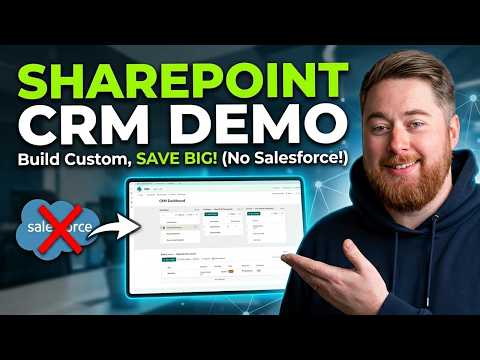
SharePoint CRM: Ditch Salesforce
SharePoint CRM demo: build a custom CRM with Microsoft three sixty five, manage sales pipeline and ditch Salesforce
Key insights
- SharePoint CRM is a customizable CRM built on Microsoft 365 that offers a cost-effective alternative to standalone platforms like Salesforce by using your existing SharePoint site and licenses.
- Core Components include Customer Accounts, Contacts, Sales Activities, Products/Orders, and a CRM Dashboard to store and connect data across the sales lifecycle.
- No-code Customization lets you build lists, workflows and automations with SharePoint and Power Automate so teams can create a working CRM without writing code.
- Sales Pipeline tracking captures leads, opportunities and deal stages and feeds visual dashboards for pipeline health and performance metrics.
- Integration with Microsoft 365 enables document management, automated tasks and connections to other apps, making the CRM scalable and mobile-friendly.
- When to Choose SharePoint over Salesforce: pick SharePoint CRM if you need a tailored, lower-cost solution that fits your Microsoft ecosystem; choose a dedicated platform when you need advanced, out-of-the-box CRM features at scale.
Introduction: Context and Purpose
Dougie Wood [MVP] presents a concise YouTube demo that explores how organizations can use SharePoint and Microsoft 365 to build a functioning CRM without buying a dedicated platform like Salesforce. In the video, he walks viewers through a practical, business-focused setup that aims for flexibility and cost savings. Consequently, the piece helps teams that already use Microsoft tools assess whether a custom solution fits their needs and budget.
Importantly, the demo emphasizes a balance between simplicity and capability, showing how to track contacts, manage a sales pipeline, and present dashboard metrics. Furthermore, the presentation highlights real-world lists and pages rather than abstract architecture, which makes the approach approachable for small to mid-sized teams. As a result, readers can quickly see practical steps and identify which parts they might customize.
Highlights from the Demo
The video opens by mapping out the sales pipeline and then demonstrates how to create a contacts database within a SharePoint site, so teams can manage leads and accounts in a single place. Next, it shows a sample sales process with stages and activities, which helps viewers understand the flow from lead to deal. Additionally, the demo includes a complaints site and a sales dashboard that visualize progress and bottlenecks, improving situational awareness.
Moreover, the presenter explains how the setup integrates with other Microsoft 365 features to automate routine tasks and store documents alongside records, which reduces duplicate data entry. Meanwhile, the demo stays practical by using SharePoint lists and out-of-the-box automation rather than heavy custom code. Thus, the example demonstrates a path to a usable CRM while keeping complexity manageable for teams without deep development resources.
Core Components and How They Work
At the center of the solution are several structured lists that act like database tables: an accounts list, a contacts list, activities and tasks lists, and product or orders lists that track transactions. These lists connect through lookups and simple automations, which lets teams maintain relationships between accounts, contacts, and sales activities without a complex backend. Consequently, users can run filtered views and build dashboard web parts that surface relevant metrics for sales managers and reps.
In addition, the demo uses built-in workflows and Microsoft Power Automate to handle notifications and routine actions, improving consistency and response time. It also shows how documents such as contracts and proposals live alongside records in SharePoint libraries, enabling straightforward document management and version control. Therefore, this combined approach leverages familiar Microsoft tools to create a unified user experience that minimizes training needs.
Tradeoffs and Practical Challenges
Although this approach reduces licensing costs and increases customization, it also brings tradeoffs that teams should consider before committing. For example, while SharePoint is flexible, it lacks some specialized CRM features such as native opportunity scoring, advanced forecasting, and built-in sales automation found in full CRM products; therefore, organizations may need to build or integrate those capabilities separately. Moreover, extensive customization raises maintenance overhead because updates and governance must be managed internally, which can strain small IT teams.
Security and permissions present another set of challenges, since complex sharing rules and unique list permissions can become difficult to administer at scale. Likewise, reporting and analytics beyond basic dashboards may require additional tools or data exports to produce consolidated views across teams. Finally, user adoption can suffer if the interface feels inconsistent compared with dedicated CRM systems, which means change management and clear training are essential to achieve long-term value.
When a SharePoint CRM Makes Sense
In short, the demo makes a strong case for using SharePoint as a CRM when teams already rely on Microsoft 365, have modest CRM needs, and want to avoid high license costs. Conversely, organizations that require advanced sales automation, enterprise forecasting, or a vendor-supported CRM roadmap may find a dedicated product more suitable. Therefore, decision-makers should weigh immediate cost savings and customization benefits against the longer-term needs for scalability, analytics, and vendor support before choosing this path.
Overall, Dougie Wood’s demonstration provides a clear, practical guide that helps technical and non-technical stakeholders understand what a SharePoint-based CRM can deliver and where it might fall short. Consequently, teams can make informed choices and plan realistic proof-of-concepts that test fit, governance, and user experience before wider rollout.

Keywords
SharePoint CRM, SharePoint CRM demo, build custom CRM in SharePoint, custom CRM without Salesforce, SharePoint CRM tutorial, SharePoint Power Apps CRM, SharePoint Lists CRM, SharePoint customer relationship management