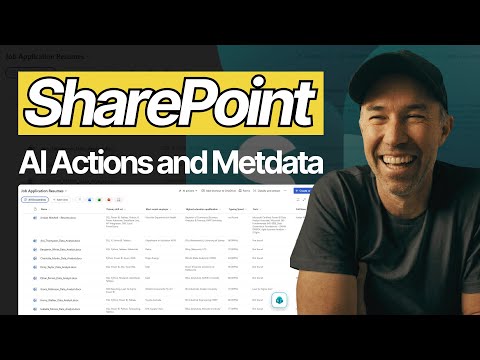
SharePoint: Metadata Powers AI Actions
A Microsoft MVP 𝗁𝖾𝗅𝗉𝗂𝗇𝗀 develop careers, scale and 𝗀𝗋𝗈𝗐 businesses 𝖻𝗒 𝖾𝗆𝗉𝗈𝗐𝖾𝗋𝗂𝗇𝗀 everyone 𝗍𝗈 𝖺𝖼𝗁𝗂𝖾𝗏𝖾 𝗆𝗈𝗋𝖾 𝗐𝗂𝗍𝗁 𝖬𝗂𝖼𝗋𝗈𝗌𝗈𝖿𝗍 𝟥𝟨𝟧
SharePoint AI Actions: metadata and Knowledge Agent empower Copilot-powered documents auto-fill, compare and query
Key insights
- AI Actions and Knowledge Agent: AI Actions in SharePoint let you summarise, compare, and query documents without opening them.
These tools support continuous conversations across a library so you can filter resumes, compare candidates, or extract key facts fast. - Metadata as context: Metadata now grounds Copilot and agents, giving them structured context so answers are more accurate and repeatable.
Well-populated metadata improves search, filtering, and the quality of AI responses in document libraries. - Autofill columns: The system can auto-extract and populate metadata on upload, removing the need for users to enter fields manually.
This AI-driven extraction boosts consistency and saves time when onboarding large document sets like resumes or contracts. - Key actions you can use right away: Summarise for quick overviews, Create FAQ to auto-generate Q&A, Audio Overview to make spoken summaries, Compare Files to get side-by-side tables, and Ask a Question to refine results interactively.
These actions speed insight discovery and reduce manual review work. - Metadata governance and workflow automation: Automated labeling, quality checks, and admin controls keep metadata reliable and compliant.
Knowledge Agent can also build workflows from natural requests, for example flagging invoices above a threshold automatically. - Business benefits: Expect higher accuracy, faster decision-making, and better findability across SharePoint libraries and Copilot workflows.
Combining metadata with AI turns document stores into actionable knowledge that scales across teams.
Summary of the Video
In a recent YouTube video, Daniel Anderson [MVP] demonstrates how SharePoint and Microsoft’s new AI tooling are changing document management for everyday business scenarios. He focuses on AI Actions and the Knowledge Agent, showing how these tools make metadata useful for decision-making, not just for search. Consequently, the video frames metadata as the backbone that enables more accurate, repeatable answers from AI across enterprise libraries.
Moreover, Anderson uses a practical human resources example — filtering resumes and comparing candidates — to show these features in action. He walks through features like summarising documents, creating FAQ pages, turning content into audio, running voice queries, and comparing files side-by-side. Therefore, viewers can see both the capabilities and the workflow implications of applying AI to real content repositories.
Core Features Demonstrated
The video highlights several concrete features that make AI-driven document work more practical. For instance, the AI Actions button allows users to get summaries, auto-generate FAQs from policies, and request audio overviews without opening each file, which saves time and reduces context switching. In addition, Anderson shows how the Knowledge Agent can continue conversations across a library, letting Teams refine queries and build workflows that act on metadata-driven filters.
Another notable capability is the automatic extraction of structured data through Autofill Columns, which prompts the system to generate or populate metadata on upload. As a result, organizations no longer depend entirely on manual tagging, which has historically been a stumbling block for good information hygiene. Consequently, these features together aim to make document libraries both more searchable and more actionable for downstream workflows.
Real-World HR Demo: What It Shows
Using an HR resume-sorting scenario, Anderson demonstrates practical benefits and user interactions. He filters candidates by spoken-word speed using a voice query and then refines results by adding skill filters like Tableau, showing that the system can combine content-level understanding with structured metadata for precise searches. Thus, the demo clarifies how people can ask natural questions while the system matches documents using both text and column data.
Furthermore, the compare-files feature produces side-by-side tables that highlight differences across candidate documents, which speeds decision-making during shortlists. Meanwhile, the demo emphasizes that automatic metadata extraction reduces the need to force employees to fill fields manually, thereby raising adoption and consistency. Consequently, HR teams can move from searching to deciding faster while keeping audit trails tied to metadata.
Tradeoffs and Practical Challenges
Despite clear benefits, the approach introduces tradeoffs that organizations must weigh carefully. For example, automating metadata extraction improves speed but also raises questions about accuracy and the need for validation, since AI can misclassify edge-case documents. Therefore, teams must balance automation with human review, especially for sensitive or compliance-bound content.
Additionally, governance and metadata quality remain challenging: while the Knowledge Agent can enforce certain rules, organizations still need policies and monitoring to prevent drift. At the same time, implementing these tools requires investment in initial configuration, staff training, and periodic audits to keep labels relevant. Consequently, leaders should plan pilots and establish review cycles to measure effectiveness and reduce risk.
Recommendations and Next Steps
For Teams interested in experimenting, Anderson implicitly recommends starting with targeted libraries and a clear business use case, such as HR, contracts, or marketing assets. By doing so, teams can measure improvements in search time and decision quality while limiting exposure to sensitive data during early tests. Moreover, combining automated extraction with spot checks and role-based governance helps balance efficiency and accuracy.
Finally, organizations should treat metadata not as an administrative burden but as strategic infrastructure that powers reliable AI outcomes with Copilot and other agents. In short, metadata plus AI becomes a multiplier: it reduces manual effort, improves answers, and enables workflows that scale. Consequently, teams that invest thoughtfully in both metadata strategy and governance will likely see the strongest business value over time.
.jpeg?w=700&output=webp)
Keywords
SharePoint AI actions, SharePoint metadata best practices, Microsoft 365 AI SharePoint, automated metadata tagging, SharePoint information governance, metadata management SharePoint, AI-powered content classification, enterprise content management SharePoint