Microsoft Copilot expands into shared workspaces
Software Development Redmond, Washington
Microsoft positioned Copilot as a collaborative work platform, alongside new agent analytics, AI models and Azure data announcements.
Key insights
- Microsoft described Copilot as a work platform and announced Copilot Workspaces for shared work.
- Copilot Workspaces is framed around people and agents working toward a shared goal with shared context.
- Agent 365 Business Analytics is described as a way to understand AI spend, business value and return on investment.
- Microsoft Decision 1.1 was announced as generally available and ready for enterprise deployment.
- Azure HorizonDB was announced as generally available; Fabric HorizonDB was described as a public preview.
Microsoft Copilot is being positioned as a broader work platform, with Copilot Workspaces introducing a shared context for people and agents to work toward a common goal. This direction matters to Microsoft 365 and enterprise technology leaders assessing how AI might support collaboration and organizational workflows. Microsoft presented the announcements in Satya Nadella’s Ignite opening keynote.
What's new
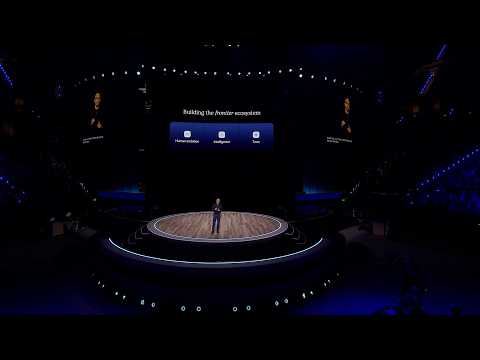
The keynote’s central idea was a “frontier ecosystem”: people, AI capabilities, organizational learning and trust working together. Within that picture, Microsoft described Copilot as the next operating system for work and contrasted its earlier focus on individual work with a “multiplayer” approach. That approach brings people, their agents and other people into work around a common goal and shared context.
Microsoft named this collaborative experience Copilot Workspaces. The announcement points to a shift from treating Copilot only as an individual assistant toward supporting work involving multiple people and agents. The keynote did not provide a detailed feature walkthrough, so the most concrete description is the shared-work concept itself.
The wider announcements help explain the context for that direction, but they are distinct products and capabilities. Agent 365 Business Analytics was presented as a way to understand AI usage spending, business value and return on investment. Microsoft also announced new models for Foundry, an AI transparency initiative, and work across Azure compute, storage, networking and data services.
Who it is for and what you need
Copilot Workspaces is relevant to organizations considering collaborative workflows that involve people and AI agents, particularly teams that need participants to work from shared context. IT leaders and business owners can use the announcement to understand Microsoft’s intended direction for Copilot, rather than as a complete deployment specification.
The keynote does not provide a license name, setup requirement or rollout stage for Copilot Workspaces. That means the announcement alone is not enough to plan a tenant deployment or determine which users can access it. Treat it as a product direction to investigate further, not as evidence that a particular configuration is available in your environment.
Other announcements had more specific status statements. Microsoft said Decision 1.1 was generally available and ready for enterprise deployment, while Azure HorizonDB was also described as generally available. Fabric HorizonDB was identified as a public preview. Those statuses apply to the named offerings, not to Copilot Workspaces.
How it works
The keynote describes the intended collaboration model rather than a sequence of user actions. It does not show a menu path, configuration page or instructions for creating a workspace. The practical way to interpret the announcement is to focus on the interaction model Microsoft outlined: shared goals, shared context, people and agents participating together.
- Identify a work goal that involves more than one person or an AI agent.
- Consider what context participants need to share to work toward that goal.
- Assess whether agent participation fits the workflow and the organization’s oversight needs.
- Check Microsoft’s product information and your tenant experience for deployment and access details before planning a rollout.
The last step is important because the keynote’s short description does not establish how administrators create, manage or govern a workspace. It also does not explain how shared context is assembled or which apps are involved. Those are operational questions for teams to resolve before treating the concept as a working process.
Limitations and alternatives
The main limitation for decision-making is the level of detail: Copilot Workspaces was introduced as a concept with a brief description, not a hands-on setup guide. The keynote does not specify licensing, availability, administrator controls or the mechanics of collaboration. Avoid building a deployment plan around assumed controls or access.
Organizations can still evaluate the broader direction. Microsoft’s framing emphasizes keeping people central, maintaining ownership of organizational intelligence and building trust. These are strategic principles, not substitutes for concrete policy settings. Teams should separately assess how AI use is governed and how they will measure outcomes.
Agent 365 Business Analytics was presented as an “ERP system of AI usage,” with a focus on spend, business value and return on investment. This could be relevant to organizations seeking to understand agent usage, but the keynote did not spell out its metrics or operational controls. Likewise, the named general-availability and preview announcements concern other products and should not be read as confirming Copilot Workspaces availability.
Sources
Frequently asked questions
What is Microsoft Copilot Workspaces?
Microsoft described Copilot Workspaces as a collaborative form of work in which people and agents work toward a common goal with shared context.
Is Copilot Workspaces generally available?
The keynote does not give a rollout status for Copilot Workspaces. It identifies Azure HorizonDB and Microsoft Decision 1.1 as generally available, but those are separate offerings.
What is Agent 365 Business Analytics for?
Microsoft presented it as a way to understand AI spending, drive business value and optimize return on investment.