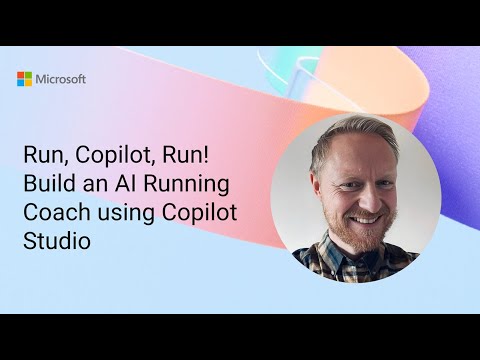
Copilot Studio: Build AI Running Coach
Software Development Redmond, Washington
Copilot Studio builds an AI running coach with Dataverse personalization and Power Platform Power Apps for guidance
Key insights
- Demo overview: The "Run, Copilot, Run!" video shows Adam Bezance building an AI-powered running coach with Copilot Studio that creates personalized training plans, stores them in Dataverse, and delivers daily workout guidance.
- Platform approach: Copilot Studio is a low-code/no-code tool that helps makers design, customize, and deploy conversational AI agents that respond to natural language and generate rich coaching responses.
- Agent capabilities: Agents can run autonomous agent workflows that schedule workouts, learn user preferences, escalate actions when needed, and interact with apps using natural-language UI task descriptions.
- Integration and reach: Agents connect to business systems through connectors, the Model Context Protocol, and Microsoft Graph, and makers can publish them into common workspaces like Teams and SharePoint for easy access.
- AI models and quality: Copilot Studio uses advanced models (including GPT-5 and Anthropic models) to improve reasoning, dialogue, and personalized coaching outcomes.
- Security and measurement: The platform offers enterprise governance with tools like Microsoft Purview and Sentinel, plus analytics to track agent performance, user impact, and cost savings.
Microsoft published a YouTube demo titled "Run, Copilot, Run! Build an AI Running Coach using Copilot Studio," and the newsroom reviewed the recording to summarize its core ideas and implications. In the video, presenter Adam Bezance demonstrates how to assemble an AI-powered running coach that creates personalized training plans, stores data in Dataverse, and delivers daily workout guidance through conversational interfaces. The demo illustrates practical applications of Copilot Studio inside the Power Platform, showing how makers can blend generative AI with business connectors to support real-world activities like fitness coaching.
What the demo shows
The demo walks viewers step by step through a prototype that accepts runner goals, interprets past activity, and generates tailored plans. Bezance uses Copilot Studio to define agent behaviours and to orchestrate data flows, while training plans and user profiles are persisted in Dataverse so that state is preserved over time. As a result, the system can respond to conversational prompts, adjust schedules, and provide daily instructions that feel personalised.
Furthermore, the video highlights how agents can be published into common workplace surfaces, making coaching accessible in places where users already work. For example, agents built with the studio can appear in chat experiences and applications used every day, which reduces friction for adoption. Therefore, the demo frames fitness coaching as a clear example of how conversational AI can expand beyond typical task automation.
Core capabilities and integrations
Copilot Studio supports low-code creation of agents that interact with natural language and connect to many systems. The platform leverages connectors and protocols to integrate with over a thousand business systems, enabling agents to read and write data from established services and to call external logic when needed. Consequently, makers can combine generative reasoning with existing enterprise data without rebuilding entire backends.
In addition, the platform links to enterprise governance and monitoring tools like Microsoft Purview and Sentinel, which brings policy enforcement and security telemetry into the development lifecycle. The demo also mentions use of advanced models such as GPT-5 and Anthropic variants to improve reasoning and dialogue quality, which matters when providing personalized coaching. Thus, the solution aims to balance user experience with enterprise-grade controls.
Tradeoffs in building an AI coach
Designers must weigh personalization against complexity and cost when building a running coach. Personalized plans require collecting user history and preferences, which increases data storage and processing needs and may raise privacy considerations, so teams must plan governance carefully. Moreover, using cutting-edge models improves coherence and adaptability but can increase hosting costs and demand for monitoring to prevent harmful or incorrect suggestions.
Another tradeoff involves automation versus manual oversight: agents that autonomously adjust training plans save time but may misinterpret edge cases such as injuries or sudden schedule changes. Therefore, teams often need fallback workflows or human review triggers to catch risky recommendations, which adds development and operational overhead. Overall, these tradeoffs highlight that convenience and safety both require deliberate engineering and policy choices.
Practical challenges and limitations
The demo surfaces several practical challenges that makers will face when moving from prototype to production. First, data quality matters greatly: inaccurate or incomplete activity data produces poor plans, so connectors and ingestion processes must be robust. Second, generative models sometimes hallucinate or make unreasonable recommendations, which demands validation logic and clear guardrails to ensure that advice is safe and sensible.
Additionally, automating interactions with third-party apps or web interfaces can be fragile because UI changes break flows unless maintenance plans are in place. User adoption is another challenge: even well-crafted agents must earn trust and demonstrate value through consistent, helpful responses. Consequently, teams should invest in testing, user feedback loops, and analytics to measure effectiveness and refine behaviours.
Implications and next steps for makers
For organisations exploring similar solutions, the demo provides a practical blueprint but also a reminder to plan for governance, cost, and maintainability. Makers should start with narrow use cases, validate data pipelines, and implement monitoring and escalation paths before broad rollout. In this way, teams can iterate quickly while keeping safety and compliance at the core.
Finally, the video shows that conversational AI in the Power Platform can extend beyond office tasks to lifestyle and wellness applications, which opens new opportunities for engagement. As organisations adopt these capabilities, balancing innovation with responsible operations will determine whether such agents deliver lasting value. Overall, the demo offers a useful example that combines low-code tooling, data integration, and generative models to create a personalised experience while highlighting the tradeoffs and work needed to operate it safely.
Keywords
AI running coach, Copilot Studio tutorial, Build AI running coach, Microsoft Copilot running app, AI fitness coach app, Create running coach AI, Copilot Studio for developers, Running coach AI tutorial