Microsoft Entra Conditional Access policy plans
Principal Cloud Solutions Architect
Policy plans let Entra administrators define shared Conditional Access scope once and add rules for different requirements.
Key insights
- Plan-level scope and conditions are inherited by every rule in the plan.
- Rules can add scope, conditions, and controls, but cannot remove plan-level scope.
- A plan needs at least one rule, and each rule needs at least one control.
- The example uses separate rules for low-risk sign-ins and medium-or-higher risk sign-ins.
- Existing policies can be selected for migration into a plan that groups their common elements.
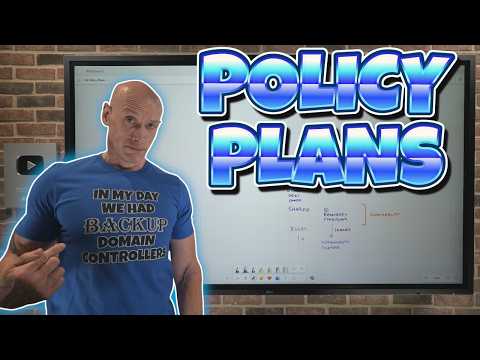
Microsoft Entra Conditional Access policy plans group shared policy scope and conditions so administrators can manage related access requirements through inherited settings and individual rules. They matter to Entra administrators maintaining multiple Conditional Access policies with repeated assignments or conditions. John Savill's [MVP] demonstrates how a plan and its rules are configured in a YouTube video.
What's new
Traditional Conditional Access policies are configured individually. When multiple policies share users, groups, resources, or other settings, administrators may have to repeat those details and keep them aligned across a flat list of policies. A policy plan separates the shared elements from the requirements that vary between individual rules.
A plan has a name, description, owner or owners, and optional tags. Administrators choose which elements are common enough to define at the plan level. Those shared settings are inherited by the rules inside the plan, while each rule carries its own more specific conditions and controls.
This is an organizational and configuration change, not a claim that existing policies stop working. The demonstrated purpose is to reduce duplicate setup and make related access requirements easier to maintain. If a shared setting changes, the administrator can update it at the plan level rather than repeat the change in every related rule.
Who it is for and what you need
Policy plans are relevant to administrators who operate Conditional Access and find that multiple policies repeat assignments or other configuration. They may also help when one shared security scope needs different actions depending on a condition, such as sign-in risk.
The demonstration does not state a required license, administrator role, region, or rollout stage. It also does not establish whether the feature is generally available or in preview. Confirm those requirements in current Microsoft documentation before planning a deployment.
The example begins with a plan for a group and an attribute set to a high clearance level. Its rules inherit those settings and add different sign-in risk conditions and grant controls. The transcript notes that a plan can be created with one rule, though the administrator may want to reconsider whether some settings belong at the more granular rule level.
How it works
Start by deciding what is genuinely common across the access requirements you want to group. The transcript emphasizes that plan-level settings should describe that shared scope, not settings that apply to only one rule. Shared elements may include identities, resources, and conditions, where those are available and appropriate.
- Create a policy plan with a name and, if needed, a description, owner or owners, and tags.
- Set only the shared elements that apply to all the rules. In the demonstration, the plan includes a group and a high-clearance attribute.
- Add one or more rules. Each rule inherits the plan-level settings and can add further scope or conditions.
- Configure at least one control for each rule. The example uses phishing-resistant multifactor authentication for a low- or no-risk condition, and blocking for medium- or high-risk sign-ins.
- Review the rule state before enforcement. The demonstration recommends starting in report-only and moving to On after understanding the effects.
Inheritance is additive in the behavior described. Rules can add identities or exclusions, but cannot remove something from the plan's scope or undo a plan-level exclusion. For example, exclusions defined at the plan level carry through, and a rule can add another excluded group. The resulting exclusions accumulate rather than replacing the plan's exclusions.
The example illustrates why two separate rules can belong in one plan: they share the group and attribute but apply different risk conditions and controls. The rule for low or no sign-in risk requires phishing-resistant MFA; the rule for medium or high risk blocks access. Without the plan, the shared configuration would have to be repeated in separate policies.
For migration, the demonstration describes selecting existing policies and merging them into a plan. The migration process examines the selected policies for shared elements, moves common settings to the plan, and leaves the differing parts within their respective rules. Review the resulting configuration against the originals before relying on it.
Limitations and open questions
Plan-level settings constrain every rule beneath them: a rule can add scope but cannot subtract inherited scope. That makes the choice of shared settings consequential. If a setting is not common to every rule, the demonstration's guidance is to leave it out of the plan and configure it in the rules that need it.
The transcript does not provide licensing, access-role, tenant, or rollout details, nor does it verify the migration result against a production environment. It also does not explain every available setting or how plan rules appear in sign-in logs. Those details should be checked against current Microsoft materials before implementation.
For an existing environment, the alternative is to continue managing policies individually. Plans offer a way to group policies that share configuration, but the demonstration does not recommend an immediate wholesale migration. Start by identifying genuinely related policies and checking that the shared settings and rule-specific behavior remain as intended.
Sources
Frequently asked questions
What is a Microsoft Entra Conditional Access policy plan?
It groups shared scope and conditions for related Conditional Access rules. Each rule inherits those settings and adds its own conditions and controls.
Can a rule remove scope inherited from a policy plan?
No. A rule can add scope or exclusions, but it cannot remove plan-level scope or undo plan-level exclusions.
How do I migrate existing Conditional Access policies into a plan?
The demonstrated migration flow lets an administrator select policies and merge them into a plan. It identifies common elements for the plan and retains differing elements in the rules; verify the result against the original policies.
What license is required for Conditional Access policy plans?
The available material does not state a license requirement. Check current Microsoft documentation for licensing and administrator-role requirements.