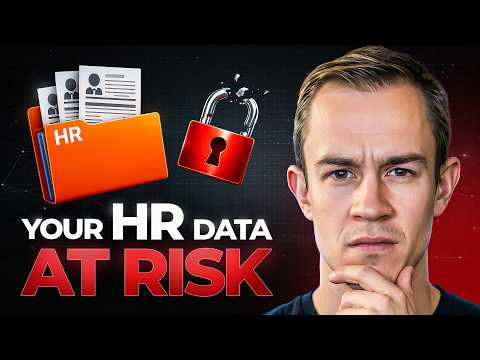
Microsoft 365: HR Data Protection Tips
Microsoft expert: protect HR data with Purview and DLP to detect and block leaks across SharePoint and OneDrive
Key insights
- Microsoft Purview and data-centric protection: Move beyond location-based security by using Microsoft Purview to find and control HR data across SharePoint, OneDrive, Teams, and Exchange.
Apply policies that protect content no matter where it travels, not just where it sits. - Map locations and discover sensitive files: Start by inventorying where HR records live and use discovery tools to find risky stores and sharing paths.
Mapping helps you target policies and avoid blind spots on user drives and mailboxes. - Build and test a custom Sensitive Information Type and classifier: Define patterns for HR identifiers (for example, employee IDs) and validate classifiers against real files.
Testing reduces false positives and ensures accurate detection before enforcement. - Create and tune a Data Loss Prevention (DLP) policy: Configure a policy that covers Exchange, SharePoint, OneDrive, and Teams, then set rules to warn, log, or block external sharing of HR data.
Use clear actions (block, alert, or educate) so users know why sharing is prevented. - Use simulation mode and monitoring first: Run policies in simulation to safely find non-compliant locations and tune rules.
Monitor generated alerts and incidents to investigate attempts to share HR data and refine policies. - Consider licensing, end-user impact, and governance: Check required licenses for advanced Purview and DLP features, design policies that minimize workflow disruption, and use Compliance Manager for audits and reporting.
Start in discovery, iterate rules, and document processes for consistent operation.
Overview: Practical steps shown in the video
In a recent YouTube demonstration, Nick Ross [MVP] (T-Minus365) walks viewers through a hands-on approach to protecting HR data inside Microsoft 365. He moves beyond the familiar idea of securing a single SharePoint site and focuses on controlling where sensitive HR information can travel across services. Consequently, the video emphasizes detection everywhere data lives—SharePoint, OneDrive, Teams, and Exchange—and shows how to act when HR data is found.
How detection and controls work
Ross demonstrates building custom Sensitive Information Types and classifiers in Microsoft Purview to identify HR-specific patterns such as employee IDs, and then testing those classifiers against real HR files to reduce false positives. He then configures Data Loss Prevention policies to enforce actions when the custom classifiers match content, choosing whether to alert, log, simulate, or block. Importantly, he shows how simulation mode lets teams safely discover policy hits before enforcing blocking rules, which helps avoid disruption.
What the video shows step by step
First, the presenter maps where HR data actually lives across organizational storage and collaboration locations, which helps prioritize policy scope rather than guessing where files might be. Next, he creates a custom identifier for internal HR metadata, explains classifier tuning, and validates detection on sample documents to lower false positives. Finally, he walks through creating a DLP policy that targets the chosen locations and demonstrates surfacing alerts and incidents so administrators can review attempts to share or email HR data externally.
Tradeoffs: accuracy, user friction, and cost
Balancing detection accuracy with user productivity presents a clear tradeoff because stricter rules reduce leaks but increase false positives and workflow interruptions. Therefore, the video stresses iterative testing: start in simulation, tune classifiers, and then enforce selectively to avoid unnecessary blocks while still protecting data. In addition, licensing and operational overhead matter, since some advanced features and integrations are gated by Microsoft 365 plans, which forces organizations to weigh protection levels against budget and administrative capacity.
Operational challenges and real-world risks
Mapping data and maintaining classifier accuracy are ongoing challenges because HR information migrates quickly through email, personal drives, and collaborative chats, and because users often copy content into unexpected channels. Moreover, generative AI use and unmanaged personal devices can bypass traditional controls, so Ross highlights the need to combine Purview policies with endpoint and cloud posture monitoring. Finally, the team emphasized that legal and HR engagement matters since policy enforcement affects personnel processes and privacy obligations.
Practical tips Ross recommends
Ross recommends starting with a discovery phase that inventories sensitive HR content and uses simulation mode to avoid sudden workflow disruption, and he suggests naming policies clearly so their intent is obvious to reviewers. He also advises testing classifiers on real samples from HR teams, setting up alerts for administrators to triage incidents, and deploying policies incrementally so you can measure impact and adjust. In addition, he recommends documenting decisions and involving stakeholders from HR, legal, and IT to ensure policies align with business needs and compliance requirements.
Integrations and automation considerations
The video also touches on integrating detection and response with broader compliance tools such as Compliance Manager and automated playbooks, which can speed incident handling and reporting. Ross mentions that once detection is reliable, teams can forward alerts into security workflows for escalation or remediation, and that automation reduces the manual burden on small IT teams and MSPs. However, automation requires careful tuning as well, because poorly tuned workflows can generate noisy alerts and slow response times.
Readiness checklist and next steps for IT teams
Teams preparing to follow this approach should map where HR data lives, build and validate custom Sensitive Information Types, pilot DLP in simulation, and then phase in enforcement while monitoring incidents and user impact. Furthermore, they should assess licensing, ensure collaboration with HR and legal, and plan for continuous tuning as business processes and risks evolve. Ultimately, the video offers a pragmatic path: stronger, location-independent protection is possible, but it requires testing, stakeholder coordination, and ongoing maintenance to balance security, compliance, and productivity.

Keywords
Protecting HR data Microsoft 365, Microsoft 365 HR data security, M365 data protection for HR, Microsoft Purview HR compliance, DLP policies for HR Microsoft 365, Securing employee records in Microsoft 365, Data residency and encryption M365 HR, Identity and access management HR Microsoft 365