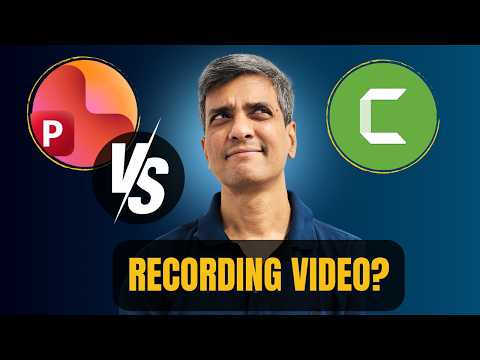
PowerPoint or Camtasia: Best for Video?
Microsoft PowerPoint vs Camtasia choose the best for pro screen recording, video editing, talking head, Microsoft Office
Key insights
- Choose PowerPoint for quick slide-based screen recordings and simple narrations; use Camtasia when you need advanced editing for tutorials, training videos, or polished online courses.
- Timeline and editing: Camtasia provides a full timeline with layers, effects, and precise cuts, while PowerPoint only offers slide timings and basic trimming.
- Recording momentum: PowerPoint records per slide, which fits lecture-style workflows; Camtasia records continuously so you keep flow during long demos and then edit clips together easily.
- Talking head and visual emphasis: Camtasia lets you position webcam overlays, add callouts, and highlight mouse actions; PowerPoint supports webcam and ink but gives less control over placement and effects.
- Capture freedom and audio clarity: Camtasia can record any app, system audio, and offers noise reduction tools for clearer sound; PowerPoint works well for slide narration but has limited capture and audio tools.
- Cost, learning curve and best fit: PowerPoint is included with Microsoft 365 and suits quick lessons; Camtasia costs more and takes time to learn but produces professional results—choose based on budget, time, and output needs.
Introduction
In a new video, Presentation Process YouTube compares Microsoft PowerPoint with Camtasia for recording and producing videos. The host, Ramgopal, walks viewers through a side-by-side look at seven practical parameters that matter for training and tutorial work. Furthermore, he notes that the video is not sponsored and aims to help creators choose the right tool. Overall, the presentation targets people who make screen recordings, course videos, or slide-based tutorials.
The video breaks the comparison into clear segments with timestamps that cover timeline availability, recording momentum, presentation tightness, visual emphasis, talking-head integration, freedom to capture any content, and audio clarity. As a result, the structure helps viewers focus on specific production needs. Moreover, the examples use real recordings to show differences in workflow and output. Consequently, the demonstration highlights practical tradeoffs rather than theoretical features.
Head-to-head: Recording and Editing
First, the video contrasts timeline-based editing with slide-based recording. Camtasia uses a timeline that gives precise control over cuts, transitions, and layered media, while PowerPoint focuses on slide-by-slide narration with more limited trimming tools. Therefore, editors who need frame-accurate edits or multi-track audio will find the timeline approach far more flexible. However, the timeline adds complexity and requires time to learn.
Second, Ramgopal discusses recording momentum and the tightness of a presentation. With PowerPoint, recording per slide keeps momentum steady and can reduce retakes because you work in small chunks. In contrast, Camtasia lets you record longer clips and then tighten them in post, which supports polished pacing but can encourage longer raw takes. Thus, choosing between them means balancing ease of capture against the desire for tight, edited delivery.
Third, the video highlights visual emphasis and talking-head integration. Camtasia offers effects such as mouse highlighting, callouts, and picture-in-picture webcam overlays that enhance instructional clarity. Meanwhile, PowerPoint provides built-in ink annotations, laser pointers, and simple camera overlays but lacks advanced blur or animation controls. As a result, creators who prioritize visual polish will likely prefer the richer toolset, whereas presenters who value speed may stick with the built-in slide tools.
Technical Tradeoffs: Capture and Audio
Freedom to capture any content is another key difference that the video emphasizes. Camtasia can record full-screen applications, multi-window workflows, and webcam layers in flexible combinations, which matters for complex software tutorials. Conversely, PowerPoint excels when the content lives inside slides, and it streamlines narration directly onto slide timelines. Therefore, producers must weigh how much of their content exists inside slides versus across different apps.
Audio clarity receives focused attention because it strongly affects perceived production quality. Ramgopal shows that both tools rely on the microphone and recording environment, but Camtasia provides clearer post-processing controls such as noise reduction and level normalization. Conversely, PowerPoint captures narration simply and quickly but offers limited audio cleanup. Consequently, teams that need consistent, broadcast-quality sound will often spend more time or money on audio when using slide-focused tools.
Cost and learning curve form an important part of the technical tradeoff. PowerPoint comes with Microsoft 365 subscriptions that many organizations already have, which lowers the immediate cost of entry. On the other hand, Camtasia is a paid product with a trial, and it demands more time to master. Thus, decision-makers should balance budget constraints with the time available for training and the level of finish they require.
Use Cases and Recommendations
For educators and staff who produce short lecture clips or slide-based briefings, the video suggests that PowerPoint often meets needs quickly and with minimal setup. It supports rapid iteration and easy sharing of slide recordings, which suits tight schedules and standard corporate environments. However, for course creators and YouTubers who sell polished tutorials, the extra editing power of Camtasia usually pays off. Consequently, creators who plan longer series or interactive lessons should plan for the additional time and cost.
Meanwhile, trainers who record software walkthroughs or multi-window demonstrations will likely prefer Camtasia because it captures and edits complex workflows without splicing slide segments. Additionally, when on-screen annotations, zooms, and cursor effects matter, the dedicated editor speeds up production in the long run. Conversely, if an organization prioritizes standard slide decks with voiceovers, the integrated path in PowerPoint keeps the process lean. Therefore, match the tool to the most frequent type of content rather than to occasional needs.
Finally, teams that share responsibilities should consider collaboration and file workflows. PowerPoint files integrate with typical enterprise share points and slide review cycles, which simplifies distributed review. In contrast, Camtasia project files can become heavier and require a common editing workflow or cloud storage for team edits. Thus, planning for collaboration often influences tool choice as much as the features themselves.
Challenges and Final Verdict
The video closes by acknowledging the real challenges of balancing speed, cost, and quality. For instance, easy capture can lead to lax audio practices, while advanced editors can slow down delivery with excessive polish. Furthermore, teams must decide whether to invest time in learning an editor or streamline production with built-in tools. This tradeoff matters for timelines, budgets, and audience expectations.
Overall, Ramgopal’s comparison recommends using PowerPoint when slide integration and speed matter, and choosing Camtasia when editing depth and visual effects are crucial. In short, the right tool depends on the content type, team skills, and production goals. Therefore, viewers should watch the video to see concrete examples and then pilot both approaches on a small project before committing to one workflow.

Keywords
PowerPoint vs Camtasia, PowerPoint screen recording, Camtasia tutorial, Best software to record presentation videos, Record video in PowerPoint, Camtasia vs PowerPoint for recording, Screen recording software for presentations, How to record PowerPoint with Camtasia