Power Apps: 2026 Wave 1 Tips & Tricks
Microsoft MVP | User Adoption, Dynamics 365 + Power Platform Expert at Reenhanced
Power Apps release wave one two thousand twenty six tips from Microsoft on Power Platform updates, low code features
Key insights
- Summary of a YouTube video about Microsoft Power Apps 2026 release wave 1. I am summarizing the video and am not the original author.
- The wave runs April–September 2026 and centers on agentic AI, deeper Copilot integration, and a modernized app experience.
- Model-driven apps get a refreshed UI, embedded Copilot and AI row summaries; canvas apps gain modern controls and real-time Dataverse support for offline-first use.
- Makers and pro devs can scaffold and iterate generative pages with external code tools and use helpers like GitHub Copilot CLI to speed React-based app builds.
- End users benefit from improved search (fuzzy matches, highlights), faster insights, and AI-generated row summaries that make large data sets easier to work with.
- Admins get clearer oversight with the Agent Feed, environment-level enablement, and governance controls; practical actions include testing offline-first scenarios, applying standardized theming, and enabling AI with auditing in place.
Introduction
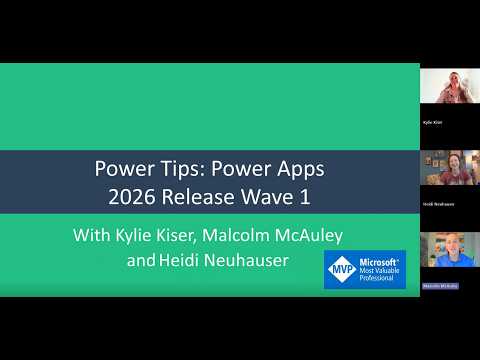
In a recent YouTube video, Heidi Neuhauser [MVP] explains the major updates in Power Apps 2026 release wave 1, which Microsoft plans to roll out between April and September 2026. She frames the wave as a shift toward more deeply integrated, agentic AI inside apps, alongside a refreshed user experience and stronger mobile support. Moreover, Neuhauser highlights new capabilities such as embedded Copilot, Work IQ integration, and generative app scaffolding that link development tools and runtime experiences.
What the release covers
Firstly, the update touches both model-driven apps and canvas apps, but it also ties AI and admin tools across the broader Power Platform. For example, model-driven apps get a refreshed UI, embedded Copilot experiences, and row-level summaries, while canvas apps gain better offline-first Dataverse support and modern controls. Consequently, the wave aims to make the default experience more modern and consistent for most users.
In addition, the release brings tighter AI integrations and tools for makers and pro developers. Neuhauser highlights that builders can scaffold generative pages with external code tools and then bring those pages into Power Apps, which can accelerate complex UI work. She notes that tools like the GitHub Copilot CLI and other code-generation agents can speed iteration, yet they also require new practices to keep code maintainable.
Key features that stand out
One standout is the in-app AI context that surfaces email, meeting, and document summaries via Copilot and Work IQ, which helps users make faster decisions. Neuhauser points out that improved search with fuzzy matching and highlighting, plus AI-generated row summaries, reduces time spent locating and understanding records. Furthermore, mobile users and field workers should benefit from real-time Dataverse access in offline-first canvas apps, improving resilience when connectivity is poor.
Another notable change is the emphasis on consistent look and feel across apps through modern theming and responsive templates. This helps organizations deliver branded experiences at scale and simplifies user training and adoption. However, Neuhauser cautions that moving to a new default UI may require careful planning to avoid breaking customizations and to preserve user productivity during the transition.
Benefits and tradeoffs
Overall, the wave promises faster decision-making and higher productivity because AI can summarize context and surface risks directly inside apps. Makers can build faster with code generation while pro developers can extend power with React-based experiences that integrate into the platform. Nevertheless, these benefits come with tradeoffs: automated scaffolding can speed development but may add technical debt if teams do not enforce code quality and testing practices.
Moreover, offline and real-time data support for canvas apps will help mobile-first scenarios, yet improving offline sync increases complexity for app logic and conflict resolution. Therefore, teams must balance the need for immediate data access with the operational cost of handling sync errors and ensuring data integrity. In short, gains in speed and UX must be weighed against maintainability and operational overhead.
Governance, security, and admin challenges
Neuhauser emphasizes that stronger governance is essential as apps gain agentic AI capabilities, and she points to features like Agent Feed to increase transparency. These admin-level tools make it easier to audit what agents and automations do, which is critical for compliance and risk management. However, administrators will still face challenges around data boundaries, model permissions, and preventing inadvertent data exposure through generative features.
In addition, environment-level controls and improved admin views help centralize oversight, but they require organizations to update policies and change-management processes. Consequently, IT and security teams must work closely with citizen makers to set guardrails without stifling innovation. This balance is difficult but necessary to manage both agility and enterprise risk.
Practical guidance for adoption
Neuhauser recommends a staged approach for teams that want to adopt the wave’s capabilities: run pilots for high-value scenarios, measure outcomes, and iterate before broad rollout. She also advises investing in developer and maker training, especially around new AI features and code-generation workflows, so teams can manage the tradeoffs between speed and maintainability. Meanwhile, collecting telemetry and user feedback will help identify which AI summaries and automated pages actually improve workflows.
Finally, organizations should prepare for migration effort when updating older model-driven apps to the refreshed UI and new controls, and they should plan testing to catch regressions. By combining pilot programs, clear governance, and ongoing training, teams can adopt the new features thoughtfully and reduce disruption. In sum, Neuhauser’s video presents a balanced view that highlights clear opportunities while calling out the practical work needed to realize them.

Keywords
Power Apps 2026 release wave 1, Power Apps 2026 features, Power Apps release wave 1 tips, Power Platform 2026 updates, Power Apps performance improvements, Power Apps maker best practices, Power Apps AI Builder updates, Power Apps governance and licensing 2026