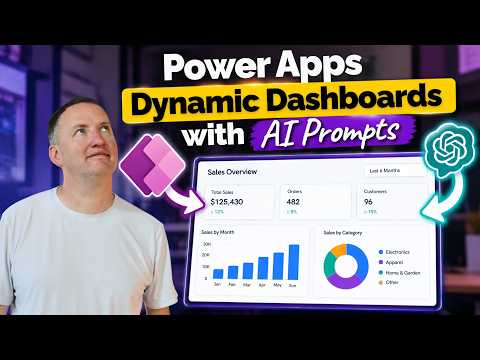
Power Apps Builds Dynamic Dashboards with AI Prompts
SharePoint & PowerApps MVP - SharePoint, O365, Flow, Power Apps consulting & Training
Shane Young demonstrates turning selected canvas app data into AI-generated HTML dashboards, offering users a way to explore data on demand.
Key insights
- The demo sends selected Power Apps canvas app data to an AI prompt as JSON.
- The prompt generates HTML that can include charts, KPIs, and insights.
- Changing the selected data can produce a different dashboard.
- The generated HTML is displayed inside Power Apps and may also be usable for PDFs or emails.
- The approach is presented for ad hoc exploration, not as a replacement for Power BI structured reporting.
Shane Young [MVP] recently published a 15-minute video showing a Power Apps canvas app that uses an AI prompt to create a dashboard from selected data. The central idea is to pass that selection as JSON, have AI generate dashboard HTML, and display the result in the app. The demonstration is aimed at ad hoc exploration rather than replacing structured reporting in Power BI.
What's new
The video describes a different way to present data from a canvas app: instead of relying only on the app’s existing charts and graphs, the app sends a user-selected set of data to an AI prompt. The prompt returns HTML for a dashboard, which can include charts, key performance indicators (KPIs), and insights. A KPI is a metric used to summarize a measure or result.
The dashboard changes with the selected data. That makes the output more flexible than one fixed view, although the description does not specify how selections are made or what data source the demonstration uses. It also does not name the AI model or provide implementation formulas.
Why it matters
For makers, this is a pattern to consider when an app’s users need different quick views of the same underlying information. A maker could provide a selection in the app and use the generated output as an on-demand summary, rather than building every possible dashboard layout in advance. That is the scope presented in the video description, not a claim that the approach removes the need for designed reports.
For end users, the potential change is that choosing different data can yield a different set of visual elements and insights within the app. For admins, the video description provides little operational detail: it does not explain governance, permissions, deployment, or licensing requirements. Young explicitly distinguishes the demo from Power BI structured reporting, so teams that require consistent, defined reporting should not treat the example as a replacement for it.
The description says the video covers the cost of generating a dashboard, but gives no amount or pricing assumptions. It also mentions ideas for letting users customize what they want to see; it does not establish that a particular customization feature is built into Power Apps.
How it works
The description and section headings outline a simple sequence. They do not provide enough detail to reproduce the app, but the high-level mechanics are clear:
The user selects data in a Power Apps canvas app. The video description does not state the data source or selection controls.
The app passes the selected data to an AI prompt as JSON, a structured text format for representing data.
The AI prompt generates HTML for a dashboard. The described output may include charts, KPIs, and insights.
The app displays the generated HTML dashboard. Because the output is HTML, the video also raises potential reuse in PDFs or emails, without establishing a specific export or delivery workflow.
The video’s listed sections also indicate that it covers how the screen works, building the app with GitHub Copilot, constructing the prompt, passing JSON, and displaying the HTML. The supplied description does not explain what Copilot generated, how the prompt is configured, or how the HTML is rendered, so those details cannot be specified here.
Limitations and open questions
The available description is an overview rather than a full technical transcript. It does not identify the AI service, licensing, cost, security design, data limits, error handling, or whether the generated HTML is sanitized or validated. Those are practical questions for makers and administrators to investigate before using a similar pattern with business data.
Nor does the material establish production readiness or broad availability for any specific feature. The stated use is ad hoc data exploration, and Young says it is not intended to replace Power BI for structured reporting. The possible use of the same HTML in PDFs or emails is presented as an idea, not a documented end-to-end capability.
For readers evaluating the approach, the useful next step is to watch the demonstration for the visible app and prompt flow, then assess costs, data handling, and output quality in the context of their own environment. The source description does not answer those environment-specific questions.
Sources
Frequently asked questions
Does the demo replace Power BI?
No. The video description says it is for quick, ad hoc data exploration and is not meant to replace Power BI for structured reporting.
What does the AI prompt generate?
It generates dashboard HTML that can include charts, KPIs, and insights, based on selected app data passed as JSON.
Can the dashboard be reused in PDFs or emails?
The video raises this as a possibility for the same HTML. The description does not provide a specific export or email workflow.
What does it cost to generate a dashboard?
The video description says cost is covered, but it gives no price or assumptions. Check the video for the demonstration's cost discussion.