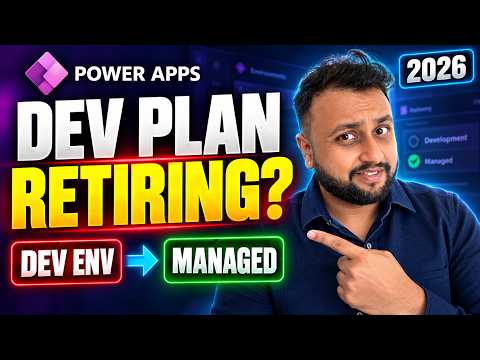
Power Apps Developer Environments Face Retirement
Microsoft MVP (Business Application & Data Platform) | Microsoft Certified Trainer (MCT) | Microsoft SharePoint & Power Platform Practice Lead | Power BI Specialist | Blogger | YouTuber | Trainer
Dhruvin Shah outlines deadlines for unmanaged developer environments and shows how admins can convert them to Managed Environments.
Key insights
- New unmanaged developer environments can no longer be created after November 15, 2026.
- Unmanaged developer environments are scheduled for suspension on December 15, 2026, and deletion on January 15, 2027.
- Only a Power Platform admin can convert a developer environment to a Managed Environment.
- The Power Apps Developer Plan does not include Managed Environments use rights; users need a premium license.
- Admins can find unmanaged developer environments by filtering Type = Developer and Managed = No.
Dhruvin Shah [MVP] recently published a short tutorial on converting an unmanaged developer environment into a Managed Environment in the Power Platform admin center. The video describes retirement dates for unmanaged developer environments, including those associated with the Power Apps Developer Plan. Its practical takeaway is that admins should identify affected environments and check licensing before converting them.
What's new
The change concerns unmanaged developer environments, not the complete retirement of the Power Apps Developer Plan. According to the video description, new unmanaged developer environments can no longer be created after November 15, 2026. Existing unmanaged environments are scheduled for suspension beginning December 15, 2026, then deletion beginning January 15, 2027.
Suspension makes the environment's contents unavailable, the description says. Those contents can include apps, flows, agents, Power Pages developer sites and Dataverse data. The tutorial presents conversion to a Managed Environment as one way to keep an environment in a managed state before the deadlines.
Why it matters
This is relevant to makers who use a developer environment to build or test apps and flows, and to administrators responsible for the environments those makers use. A developer environment may contain several kinds of work, not just a Power App. The listed affected content means teams should check for flows, agents, sites and Dataverse data too.
Conversion has a licensing consequence. The video description says Managed Environments use rights are not included in the Power Apps Developer Plan, and that users need a premium license. It names Power Apps, Power Automate, Copilot Studio, Power Pages or Dynamics 365 as license categories to consider. The material does not give a detailed licensing matrix, so organizations should verify the rights that apply to their users and workloads.
The main administrative change is that conversion is not presented as a maker-only setting: the tutorial says a Power Platform admin must perform it. Makers can identify the need and coordinate with their administrator, but the described conversion process depends on admin privileges. For more coverage of the product, see our Power Apps articles.
How it works
The walkthrough uses the Power Platform admin center to locate developer environments that are not managed. The first step is to filter the environment list by Type = Developer and Managed = No. This narrows the grid to the environments relevant to the conversion described in the video.
- Open the environments list in the Power Platform admin center and filter for developer environments where Managed is No.
- Select an environment and use the option to enable Managed Environments. The description says the tutorial covers three ways to enable the feature, but does not spell out each route.
- Review the side panel, which asks about licensing, sharing limits and usage insights. The video description says defaults may be appropriate in some cases, but does not specify when.
- Complete the conversion and check the environments grid. The Managed column should show Yes.
The grid check is a simple confirmation of the setting, not a substitute for checking users' licensing. The description does not explain how to move a solution to a different environment or provide a backup procedure. Those tasks should not be assumed to be part of the conversion steps shown.
Limitations and open questions
The source is a short tutorial description rather than a full transcript, and it does not provide the detailed screen-by-screen instructions or explain the three conversion routes it mentions. It also does not define which licensing rights apply to every combination of app, flow, connector or user. We cannot verify those specifics from the material provided.
The dates and consequences reported here reflect the supplied video description. It does not provide a separate Microsoft announcement link or explain exceptions to the retirement schedule. Before acting, admins should verify the environment state and applicable licensing for their tenant rather than rely on an assumption that conversion alone preserves free use.
Sources
Frequently asked questions
Is the Power Apps Developer Plan itself being retired?
The video description focuses on the retirement of unmanaged developer environments, including those associated with the free Developer Plan. It does not say that the plan itself is ending.
When are unmanaged developer environments affected?
The description lists November 15, 2026, as the end of new unmanaged environment creation, December 15, 2026, for suspension, and January 15, 2027, for deletion.
Can a maker convert an environment without an admin?
No. The tutorial description says only a Power Platform admin can convert a developer environment.
Does converting keep usage free under the Developer Plan?
The description says Managed Environments use rights are not included in the Power Apps Developer Plan and that users need a premium license. It does not detail licensing for each workload.