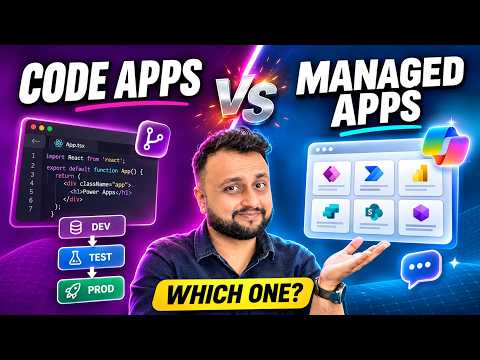
Power Apps Code Apps vs Managed Apps
Microsoft MVP (Business Application & Data Platform) | Microsoft Certified Trainer (MCT) | Microsoft SharePoint & Power Platform Practice Lead | Power BI Specialist | Blogger | YouTuber | Trainer
Choose Code Apps for Power Platform environments and established release processes, or Managed Apps for Copilot-assisted building on a separate runtime.
Key insights
- Code Apps run in a Power Platform environment and use the Power Apps host.
- Managed Apps run on Copilot Managed Runtime and are managed through the Microsoft 365 admin center.
- Code Apps support separate Dev, Test and Prod stages through Power Platform pipelines or solution deployment.
- Managed Apps do not have separate development, test and UAT environments in the described workflow.
- Code Apps require Power Apps Premium or an eligible pay-as-you-go option to run.
- Managed Apps can require Copilot licenses and credits to build, and Power Apps Premium or Copilot Credits to run.
Power Apps Code Apps and Managed Apps offer two ways to build code-first business applications, but they use different runtimes, administration models and release processes. The choice matters to Power Platform developers and admins weighing environment-based governance against a Copilot-oriented app workflow. Dhruvin Shah [MVP] demonstrates and compares the two approaches in a YouTube video.
What's new
Managed Apps run on Copilot Managed Runtime, rather than the Power Apps host used by Code Apps. The runtime was announced as generally available at Ignite on November 17, 2026. Managed Apps are accessed through a catalog at preview.managedapps.cloud.microsoft and are managed in the Microsoft 365 admin center.
Code Apps stay within a Power Platform environment. Developers build locally using an IDE and the Power Apps SDK, then publish to the Power Platform. The distinction is more than a different place to open an app: it determines where the app is hosted, which admin center manages it, and how the team handles releases.
Managed Apps can be created from Copilot Studio, Copilot Cowork, Microsoft 365 Copilot Chat or the CLI. The building experience depends on the entry point. For example, Cowork supports describing and refining an app in a conversation, while developers using tools such as VS Code can build with the Managed Runtime SDK and CLI.
Who it is for and what you need
Code Apps are a fit for teams already delivering Power Platform solutions, especially when the app needs environment-based management and a structured release path. Developers work in a local IDE, use the Power Apps SDK and can track source code in Git. Administrators manage the app through the Power Platform environment and Power Platform admin center.
Managed Apps may suit business users or teams looking for a Copilot-assisted creation path and who do not need separate development, test and user-acceptance environments in the described workflow. Administrators manage these apps through the Microsoft 365 admin center; the video identifies the AI Administrator role for managing them.
Licensing differs between the options. Running a Code App requires Power Apps Premium or an eligible pay-as-you-go option. Building a Managed App requires Copilot licenses and credits; running one requires either Power Apps Premium or Copilot Credits through a spending policy that includes the runtime.
Both approaches support Entra sign-in and governed connections, but the required connections and source permissions depend on the app’s data access. Check the app’s intended data sources and the organization’s licensing and governance arrangements before choosing a build path. You can find more Power Apps coverage for related development topics.
How it works
With Code Apps, development starts in a local IDE. The app is built with the Power Apps SDK, its source can be tracked in Git, and the result is published to a Power Platform environment. Users open it through a shared Power Apps link. Connections and permissions for the data sources must also be in place.
- For a Code App, choose a Power Platform environment and set up the local development tools.
- Build the app with the Power Apps SDK and track its source in Git.
- Publish to Power Platform, then use pipelines or solution deployment to move it through release stages.
- For a Managed App, start in Copilot Studio, Cowork, Microsoft 365 Copilot Chat or the CLI, depending on the intended authoring route.
- Build or refine the app with that route’s experience or developer tools, then preview and deploy it to the managed runtime.
Users can open a Managed App from a shared link or the Managed Apps catalog. Unlike a Code App, it is not tied to a Power Platform environment. Its management is at the Microsoft 365 tenant level, and its app catalog is at preview.managedapps.cloud.microsoft.
Limitations and alternatives
The main operational difference is application lifecycle management, or ALM: the process for developing, testing and releasing changes. Code Apps can follow a Dev-to-Test-to-Prod approach using Power Platform pipelines or manual solution deployment. That gives teams a way to keep release stages separate.
The Managed Apps workflow described does not provide separate Dev, Test and UAT environments. The process uses Git versioning and a preview before deployment, but there is no equivalent environment split for testing with a separate audience. Treat that limitation as a release-planning issue, particularly for apps where changes should not go live immediately.
Managed Apps may be a practical choice when Copilot-assisted creation and Microsoft 365 tenant-level management fit the use case, and the organization has the required credits and runtime spending policy. Code Apps are the more suitable fit when the app belongs in an existing Power Platform solution, needs distinct release stages, or the team wants to work with external coding assistants such as Claude Code or OpenAI Codex.
Before committing, decide who will build and administer the app, how it will reach production, what data connections it needs, and how users will be licensed. These checks help distinguish a quick authoring path from a deployment model that supports the team’s ongoing change process.
Sources
Frequently asked questions
Where do Power Apps Code Apps and Managed Apps run?
Code Apps run in a Power Platform environment through the Power Apps host. Managed Apps run on Copilot Managed Runtime and are not tied to a Power Platform environment.
What licensing is needed to run a Code App?
A Code App requires Power Apps Premium or an eligible pay-as-you-go option to run.
How are Managed Apps licensed?
Building requires Copilot licenses and credits. Running requires Power Apps Premium or Copilot Credits through a spending policy that includes the runtime.
Can Managed Apps use separate development and test environments?
The described Managed Apps workflow does not provide separate Dev, Test and UAT environments. Code Apps can use Power Platform pipelines or solution deployment to move through release stages.