Security
Jan 8, 2025 5:12 AM
Microsoft Teams: Safeguard Your Workspace from Phishing Attacks with These Essential Protections
by HubSite 365 about Nick Ross [MVP] (T-Minus365)
Microsoft Teams, Microsoft 365, Quick Assist, Windows Device, Defender for Endpoint, Intune
Key insights
- Phishing Vulnerabilities in Teams: Cybercriminals are using Microsoft Teams as a new platform for phishing attacks, exploiting default settings that allow external users to initiate chats with organization members.
- Attack Techniques: Attackers set up fake M365 tenants and impersonate help desk staff in Teams chats to gain trust. They then use remote access tools like Quick Assist to compromise user accounts or devices.
- Protection Strategies:
- Lock down chat capabilities with external users in Microsoft Teams.
- Uninstall or disable unnecessary remote access tools like Quick Assist on Windows devices.
- Activate Tamper Protection in Microsoft Defender to prevent security settings from being altered during an attack.
- User Education: It's crucial to educate end-users about tech support scams and the potential risks of engaging with unsolicited messages, particularly those mimicking legitimate organizations.
- Default Protections: As of November 2024, Microsoft has introduced default warning messages for suspected phishing attempts in Teams, but users can still bypass these warnings.
- Defense in Depth: Enhance security by ensuring users are not local admins, using link and attachment protections with Defender for Office 365, employing application whitelisting, and implementing phishing-resistant MFA (Multi-Factor Authentication).
Introduction to Phishing in Microsoft Teams
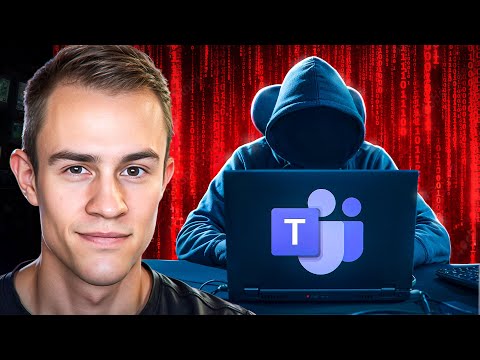
Microsoft Teams has become an essential tool for businesses worldwide, facilitating communication and collaboration. However, as its popularity grows, so does its appeal to cybercriminals. In a recent YouTube video by Nick Ross, a Microsoft MVP, he delves into the emerging threat of phishing attacks targeting Microsoft Teams users. This article summarizes the key points from the video and provides insights into how organizations can protect themselves from these sophisticated attacks.The Attack Vector: How Phishing Occurs in Teams
Phishing attacks in Microsoft Teams take advantage of the platform's default settings, which allow users outside an organization to initiate chats with internal team members. This feature, while intended to enhance collaboration, can be exploited by attackers. They often impersonate help desk personnel to deceive users into granting access to their accounts or devices. The attack typically follows a pattern:- An attacker creates a new Microsoft 365 tenant to appear as a legitimate organization.
- They flood the target's email inbox with spam, creating a sense of urgency.
- Posing as a help desk member, they contact the target via Teams, offering to resolve the spam issue.
- The target is persuaded to accept a remote access session using tools like Quick Assist or TeamViewer.
- Once access is granted, the attacker disables security features and installs malicious software.
Default Settings and Their Risks
The default settings in Microsoft 365 present several vulnerabilities. For instance, users can search for external email addresses in Teams, which reveals if the address is linked to an existing account. This feature can be exploited by attackers to identify potential targets. Moreover, when users receive messages from non-whitelisted participants, they are prompted to consent before engaging in the chat. Unfortunately, many users may overlook this warning, putting themselves at risk. As of November 2024, Microsoft has introduced default protections that alert users if a chat appears suspicious. However, these warnings can still be bypassed, highlighting the need for additional security measures.Protection Strategies: A Runbook for Safety
To combat these threats, Nick Ross outlines a comprehensive protection runbook. The first step is to lock down chat functionality with external users in Teams. This measure reduces the likelihood of unauthorized communications and helps prevent phishing attempts. Next, organizations should uninstall or disable Quick Assist and other remote management tools unless they are explicitly approved. These tools are frequently used in attacks, and limiting their availability can significantly enhance security. Additionally, enabling Tamper Protection in Microsoft Defender is crucial. This feature safeguards security settings from being altered or disabled, providing an extra layer of defense against attacks that gain remote access to a device.Educating End-Users: A Key Defense Mechanism
Education is a vital component of any security strategy. Organizations must prioritize training their employees to recognize and respond to phishing attempts. By fostering a security-first culture, businesses can empower their teams to act as the first line of defense against cyber threats. Tech support scams are a common tactic used in phishing attacks. Therefore, educating end-users about these scams and how to identify them is essential. Regular training sessions and awareness campaigns can help reinforce best practices and reduce the risk of successful attacks.Building a Robust Security Stack
While the strategies outlined above provide a solid foundation, they are not exhaustive. Organizations should evaluate their security stack to identify additional layers of protection. Some effective measures include:- Ensuring users do not have local admin rights on their devices.
- Implementing link and attachment protections with Defender for Office 365.
- Using application whitelisting and elevation control on devices.
- Adopting phishing-resistant multi-factor authentication (MFA).
Conclusion
Phishing attacks in Microsoft Teams represent a growing challenge for organizations. However, by understanding the attack vectors and implementing robust protection strategies, businesses can significantly reduce their risk. Nick Ross's video provides valuable insights and practical advice for IT professionals and managed service providers (MSPs) looking to enhance their security posture. Through a combination of technical measures and user education, organizations can create a resilient defense against these sophisticated threats.
Keywords
Phishing Microsoft Teams protections security tips prevent phishing attacks Microsoft Teams safety anti-phishing measures secure collaboration.
HubSite 365 Apps