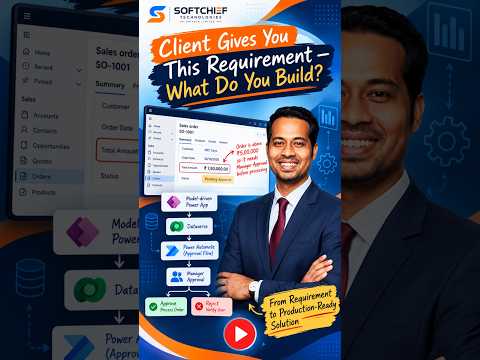
Power Platform: connect apps, automation, data and analytics
Learn how to take advantage of your business data with Microsoft Dynamics 365 & Power Platform & Cross Technologies. My name is Sanjaya Prakash Pradhan and I am a Microsoft Certified Trainer (MCT) and
Power Platform can connect business apps, workflows, data and analytics to address a requirement as one coordinated solution.
Key insights
- Power Apps can provide the user interface for a business process.
- Power Automate can route requests and automate workflow steps.
- Microsoft Dataverse can provide shared, structured business data.
- Power BI can report on operational data; Copilot Studio can add agents.
- The source material does not specify licensing, setup steps or a worked example.
Microsoft Power Platform can connect apps, workflows, data and analytics to address a business requirement as one coordinated solution. This approach matters to business teams, makers and IT professionals considering how to link a process across more than one tool. Softchief Learn introduces the idea in a YouTube Short, but the available transcript contains no demonstration details.
What it does
A connected solution can combine several Power Platform products rather than treating an application as the entire answer. Power Apps builds custom business applications, while Power Automate can handle repetitive tasks and workflows. Microsoft Dataverse can provide a shared data foundation for the solution.
Power BI can analyze operational data and present reports or insights. Copilot Studio can add AI-powered agents, and Power Pages can provide an external-facing website. Which components are appropriate depends on the requirement; the source material does not provide a specific scenario to assess.
Who it is for and what you need
The concept is relevant to business teams, makers and IT professionals planning a connected business process. The research describes Power Platform as supporting low-code development alongside pro-code extensibility, but does not identify a particular role as required to build or operate a solution.
No license, plan, environment configuration, prerequisite, rollout stage or regional availability is specified in the available material. Organizations should therefore check the requirements for the particular Power Platform products and capabilities they plan to use before committing to an implementation.
How it works
A typical design starts with the business process and the information it needs. A maker could use an app to capture a request, store its business data in Dataverse, and use automation to route or process the request. These are component roles described in the research, not steps verified in a specific build.
- Use Power Apps for an internal application, or Power Pages for an external-facing site.
- Use Dataverse as the shared data foundation where it fits the requirement.
- Use Power Automate to connect process steps and automate workflows.
- Use Power BI for analysis, and consider Copilot Studio for an agent.
Softchief Learn’s title frames the subject as one business requirement addressed with a complete Power Platform solution. The available source does not show which products were selected, how they were configured, or whether this sequence was demonstrated.
Limitations and open questions
The material offers a platform-level overview, not an implementation guide. It does not identify a business requirement, provide menu paths, show a working app or flow, or compare this approach with a previous solution. It also does not verify licensing, costs, availability or deployment details.
Use the component outline to scope a solution, not as confirmation that every product is needed or included in a particular plan. The publisher’s demonstration cannot be independently described from the supplied transcript, which is empty.
Sources
Frequently asked questions
Which Power Platform products can form a connected business solution?
The material describes Power Apps, Power Automate, Dataverse, Power BI, Copilot Studio and Power Pages as components that can address different parts of a process.
What license do I need for a complete Power Platform solution?
The available material does not specify licensing or plans. Check the requirements for the individual products and capabilities in your proposed solution.
Does Power Platform require Dataverse?
The research describes Dataverse as a shared data foundation, but does not say it is required for every solution.