Power Platform: No, Low & Pro Code Guide
Power Platform Cloud Solutions Architect @ Microsoft | Microsoft BizApps MVP 2023 | Power Platform | SharePoint | Teams
Microsoft expert on no code low code pro code automation and agents using Copilot, Power Platform, Azure AI and VS Code
Key insights
- No Code, Low Code, and Pro Code explain who builds solutions and how much code they write: no code lets business users assemble apps visually, low code adds lightweight scripting and flows, and pro code gives developers full control in IDEs like VS Code.
- Microsoft Foundry for VS Code brings agent development into the editor: build, test, and deploy AI agents, design workflows visually, and run local simulations to speed up development cycles.
- Power Platform and M365 tools (like Power Automate and Copilot) let teams prototype quickly; developers can then extend or replace those prototypes with Foundry agents for enterprise needs, enabling a smooth prototype-to-production path.
- Key integrations and tooling improve productivity: GitHub Copilot helps generate Foundry code, MCP (Model Context Protocol) connects external tools and data, and Entra-based auth simplifies secure deployments.
- Major benefits include faster iteration through local testing and agent debugging, unified views for complex workflows, and enterprise features like RBAC and container-based model deployment for scale and governance.
- Practical considerations: enforce data governance, run thorough testing, keep clear versioning (v1 vs v2 agents), monitor quotas and costs, and start with low-code prototypes before moving to pro code where needed.
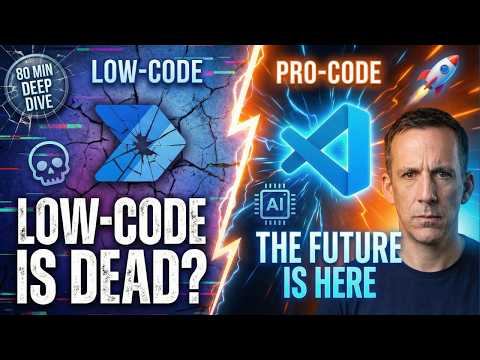
Damien Bird’s recent YouTube video examines how teams can build automation and applications across the spectrum of M365, Power Platform, Foundry, and VS Code. For readers, the video frames the debate as a practical choice between speed, control, and customization when choosing no code, low code, or pro code approaches. Consequently, the piece below summarizes the demonstrations, highlights the tradeoffs, and outlines practical steps for teams considering these tools.
What the Video Demonstrates
First, Damien shows how no code capabilities let business users create solutions quickly using natural language and visual builders in M365 Copilot. He demonstrates prompt-driven agents, repeatable workflows, and new “frontier” agents such as workflow and app builders that require no programming. Therefore, organizations can prototype user-facing features without engaging engineers, which speeds adoption.
Next, the video shifts to low code through the Power Platform, where tools like Power Automate, AI Builder prompts, and Copilot Studio extend capabilities with minimalist scripting. Damien illustrates how these tools connect to broader data sources and even external systems like ticketing platforms, making them suitable for business automation that needs light integration. Finally, he highlights pro code scenarios using Azure AI and VS Code, where developers can fine-tune models, craft custom agents, and manage deployments with full control.
Core Features and Workflow
The video emphasizes the role of Foundry for VS Code as a bridge that brings agent development into a familiar IDE, enabling workflows that start in low-code tools and mature into pro-code solutions. Features such as visual workflow maps, prompt editing, local testing, and a Model Context Protocol reduce the friction of moving between environments. As a result, teams can test logic locally, inspect agent state, and iterate faster before pushing to cloud services.
Moreover, Damien demonstrates integrations like GitHub Copilot generating Foundry-specific code and Entra authentication to simplify secure deployments. He explains that these integrations reduce repetitive work and help developers focus on logic and model behavior rather than plumbing. Consequently, both citizen developers and engineers can collaborate on different layers of the same solution.
Benefits Across the No–Low–Pro Spectrum
One clear benefit shown is speed: no code and low code let teams prototype and deliver features quickly, while pro code enables scaling and customization for enterprise needs. Damien underlines how local debugging and a unified visualizer improve developer productivity and make multi-agent systems easier to understand. Therefore, organizations can move from proof of concept to production with less friction.
Another advantage is integration: the combined approach offers access to a wide set of tools and data sources, which helps teams reuse work and avoid siloed projects. In particular, Foundry’s ability to call external APIs and manage models supports enterprise scenarios that demand governance and reliability. Thus, companies can balance speed and control by choosing the right layer for each task.
Tradeoffs and Practical Challenges
Despite these strengths, Damien points out tradeoffs that teams must weigh, starting with governance and security. While no code allows non-technical users to innovate, it can expose sensitive data or create unmanaged processes unless organizations enforce permissions and monitoring. Consequently, IT teams must implement role-based access controls and clear policies to maintain compliance.
Another challenge relates to skills and maintenance: low code platforms reduce the need for deep programming skills but can create technical debt if solutions outgrow their initial design. Conversely, pro code gives full control but requires developer time and operational know-how to manage models, deployments, and costs. Therefore, teams face a tradeoff between short-term velocity and long-term maintainability.
Finally, debugging and observability differ across layers: tracing agent decisions and model behavior in production needs the right tooling and discipline. Damien demonstrates that local testing and step-through debugging help, yet operationalizing models still requires careful monitoring and lifecycle management. As a result, organizations must invest in tools and training to avoid surprises after deployment.
Advice for Teams and Next Steps
Damien recommends starting with user-focused prototypes in Power Platform or M365 Copilot to validate ideas quickly, and then engaging pro developers to harden solutions using Foundry and VS Code when scale or security demands increase. He also advises defining governance up front, using RBAC, and planning model versioning to prevent operational headaches later. Thus, a staged approach balances innovation with control.
In closing, the video offers a practical roadmap for hybrid teams: experiment fast with no and low code, then formalize critical paths with pro code and robust tooling. Given the pace of change in AI tooling, Damien’s demonstrations show how organizations can adopt new capabilities while managing costs and risks. Consequently, the content provides a useful starting point for teams planning to modernize workflows in the Microsoft ecosystem.

Keywords
no code vs low code vs pro code, power platform development, microsoft 365 app development, foundry low code tools, visual studio code power platform, pro code for m365, low code automation power platform, citizen developer vs pro developer