SharePoint Online
Jan 14, 2025 10:59 PM
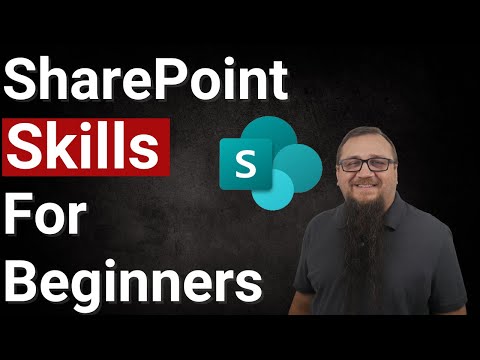
SharePoint Starter Guide: 5 Must-Know Essentials for New Users!
by HubSite 365 about Steve Corey
Lead Consultant at Quisitive
SharePoint SharePoint Lists Modern Work Mastery
Key insights
- SharePoint offers a wide range of features that can be overwhelming for beginners. To be successful, it's crucial to focus on mastering key aspects like SharePoint Lists.
- PnP Modern Search is an essential tool in SharePoint, providing powerful web parts for creating search-based solutions. It's important to understand how these work to leverage their full potential.
- The video emphasizes the importance of using SharePoint effectively to solve problems and enhance career opportunities by becoming more marketable and establishing oneself as a trusted leader at work.
- Steve Corey, the video presenter, is a Microsoft MVP with over 20 years of experience in SharePoint. He provides educational content that simplifies complex concepts for learners worldwide.
- The courses offered by Steve Corey are designed to give students a comprehensive understanding of SharePoint, including foundational skills in JSON and HTML necessary for advanced formatting tasks.
- A money-back guarantee is available if the course does not meet learning expectations within the first 14 days, ensuring satisfaction and confidence in the investment.
Introduction to SharePoint: A Beginner's Guide
SharePoint, a powerful tool developed by Microsoft, is an essential platform for collaboration and document management. However, with its myriad of features, it can be daunting for newcomers. In a recent YouTube video, Steve Corey, a Microsoft MVP and seasoned SharePoint expert, delves into the five critical aspects that beginners should focus on to master SharePoint effectively. This article summarizes Corey's insights, providing a comprehensive guide for those new to SharePoint.The Importance of Mastering SharePoint Lists
One of the first things Corey emphasizes in his video is the significance of mastering SharePoint Lists. Lists are fundamental to SharePoint, serving as the backbone for organizing information. They allow users to store, share, and manage data efficiently. Corey suggests that understanding how to create and manipulate lists can significantly enhance a user's ability to leverage SharePoint's full potential. However, mastering lists is not without its challenges. Users must navigate various settings and configurations to tailor lists to their specific needs. Balancing ease of use with functionality is crucial, as overly complex lists can deter users from utilizing them effectively. Corey offers practical advice on simplifying list creation, ensuring that users can manage their data without feeling overwhelmed.Enhancing Collaboration with SharePoint
Another key aspect Corey highlights is the collaborative nature of SharePoint. As a platform designed for teamwork, SharePoint facilitates seamless communication and document sharing among team members. Corey explains that understanding how to set up and manage collaborative spaces is vital for maximizing SharePoint's benefits. To achieve this, users must familiarize themselves with SharePoint's permissions and sharing settings. While these features offer robust security and control, they can also pose challenges for those unfamiliar with them. Corey advises beginners to start with basic permissions and gradually explore more advanced options as they become comfortable with the platform. By doing so, users can foster a collaborative environment while maintaining control over their content.Utilizing SharePoint for Problem Solving
Corey also discusses how SharePoint can be a powerful tool for problem-solving. By leveraging its features, users can address various organizational challenges, from streamlining workflows to improving data accessibility. Corey emphasizes the importance of understanding SharePoint's capabilities and how they can be applied to real-world scenarios. However, this requires a deep understanding of the platform's features and how they interact. Beginners may find it challenging to identify the right tools for their specific needs. Corey suggests starting with simple solutions and gradually building more complex systems as users gain confidence. This approach allows users to harness SharePoint's problem-solving potential without becoming overwhelmed by its complexity.Becoming More Marketable with SharePoint Skills
In today's competitive job market, possessing SharePoint skills can significantly enhance one's employability. Corey points out that mastering SharePoint not only improves productivity but also makes individuals more attractive to potential employers. By becoming proficient in SharePoint, users can position themselves as valuable assets within their organizations. However, acquiring these skills requires dedication and continuous learning. Corey encourages beginners to take advantage of available resources, such as online courses and tutorials, to deepen their understanding of SharePoint. By investing time and effort into learning, users can unlock new career opportunities and advance their professional development.Establishing Leadership through SharePoint Expertise
Finally, Corey highlights the potential for individuals to establish themselves as leaders within their organizations by mastering SharePoint. By demonstrating expertise in the platform, users can become trusted advisors and lead initiatives that drive organizational success. Corey shares that this leadership potential is not limited to technical roles; anyone can leverage SharePoint skills to influence positive change. However, becoming a leader requires more than just technical proficiency. Corey advises users to develop strong communication skills and a strategic mindset to effectively advocate for SharePoint solutions. By combining technical knowledge with leadership qualities, users can inspire others and make a meaningful impact within their organizations.Conclusion: Embracing the SharePoint Journey
In conclusion, Steve Corey's YouTube video serves as an invaluable resource for those new to SharePoint. By focusing on mastering lists, enhancing collaboration, utilizing problem-solving capabilities, becoming more marketable, and establishing leadership, beginners can navigate the complexities of SharePoint with confidence. While challenges exist, Corey's guidance provides a clear path for success, empowering users to harness SharePoint's full potential and achieve their professional goals.

Keywords
SharePoint beginners guide SharePoint tips for newbies Learn SharePoint basics Essential SharePoint skills Getting started with SharePoint New to SharePoint must-know SharePoint beginner tips First steps in SharePoint
HubSite 365 Apps