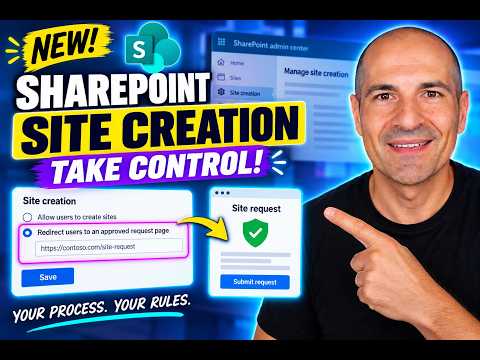
SharePoint site creation: redirect requests
Microsoft MVPs, YouTube Creator youtube.com/giulianodeluca, International Speaker, Technical Architect
SharePoint admins can redirect users from the built-in site creation experience to an organization-approved request page.
Key insights
- Find the site creation experience setting in the SharePoint admin center under Settings > Site creation.
- Choose “Redirect users to an organization-approved request page” and enter the destination URL.
- The destination can be a SharePoint page, Power App, custom web app, or another URL.
- A redirect does not automatically prevent users from creating Microsoft 365 Groups or Teams.
- The setting controls the built-in SharePoint creation experience; the request process must be provided separately.
SharePoint site creation can now send users from the built-in creation experience to an organization-approved request page, giving admins a way to route requests through their own process. This matters to SharePoint administrators and organizations that want users to request sites without relying on the standard self-service creation path. Giuliano De Luca [MVP] demonstrates the setting and redirect behavior in a YouTube video.
What's new
The SharePoint admin center includes a choice for the site creation experience: keep the built-in SharePoint experience or redirect users to an organization-approved request page. The redirect lets an organization provide its own destination when people start site creation through SharePoint. Instead of proceeding through the standard experience, the user is sent to the URL configured by the administrator.
This provides a route to an existing request or provisioning process, but it is not itself an approval workflow. The organization needs to supply and maintain the destination page and decide what happens after someone submits a request. De Luca’s demonstration uses a SharePoint page and notes that the destination could also be a Power App, custom web app, or another URL.
The setting is distinct from blocking site creation. The admin center also has controls for site creation from tools, including PnP PowerShell, REST API, and CSOM, as shown in the demonstration. These controls address different paths: redirecting changes the built-in user experience, while the tool controls govern creation through the supported tools listed in the setting.
Who it is for and what you need
This is relevant to SharePoint administrators who want to direct users to an approved route when they request a site. It can also matter to governance teams responsible for the organization’s site request process. The demonstrated configuration requires access to the SharePoint admin center and a destination URL for the organization’s request page.
The material does not specify a required Microsoft 365 license, tenant type, region, or rollout stage. It also does not give a minimum permission role beyond showing an administrator signing in to configure the setting. Confirm those requirements in your environment before planning a rollout.
The request page is a separate part of the solution. The admin setting redirects to the URL; it does not provide the form, approval steps, or provisioning process. Decide what users should do on that page and ensure the destination is appropriate for the people who will be redirected.
How it works
The configuration is in the SharePoint admin center. The demonstrated route and option names are:
- Sign in as an administrator and open the SharePoint admin center.
- In the left navigation, select Settings, then Site creation.
- Find Choose the SharePoint site creation experience.
- Select Redirect users to an organization-approved request page.
- Enter the destination URL and save the settings.
After configuration, a user who starts site creation through SharePoint’s built-in experience is directed to the configured URL. De Luca demonstrates returning to SharePoint and opening the creation experience again to check the redirect. His demonstration shows that the change may take some time to appear, so allow for synchronization before deciding that the setting did not take effect.
The video also shows an additional option related to where team sites are created, with a choice described as under sites or teams, and a time zone setting. It does not explain the effects of those options in detail. Treat them as separate configuration choices and verify their behavior before changing them.
Limitations and open questions
The most important limitation is that redirecting the SharePoint site creation experience does not automatically prevent creation of Microsoft 365 Groups or Microsoft Teams. A group or team can still result in a connected SharePoint site, according to the warning in the video description and demonstration. A redirect alone therefore does not cover every path that can lead to a SharePoint site.
Organizations seeking broader control should review their Microsoft 365 Group creation policies as well as SharePoint’s site creation controls. The material does not give the steps for configuring group policies, nor does it establish that the redirect blocks creation through every application or API. Test the relevant paths in your tenant rather than assuming this setting is a universal site creation restriction.
The target page and any workflow behind it also remain the organization’s responsibility. The demonstration does not specify approval logic, licensing, service limits, or how the request page should provision a site. What it establishes is the configuration location, the redirect option, and the need to consider Teams and group creation separately.
Sources
Frequently asked questions
Where is the SharePoint site creation redirect setting?
In the SharePoint admin center, go to Settings > Site creation. Under “Choose the SharePoint site creation experience,” select “Redirect users to an organization-approved request page.”
Does the redirect stop users from creating Teams or Microsoft 365 Groups?
No. The material warns that the setting does not automatically prevent users from creating Microsoft 365 Groups or Teams, which can create connected SharePoint sites.
What URL can I use for the SharePoint request redirect?
The demonstration says to enter the organization’s chosen URL and gives a SharePoint page, Power App, or custom web app as examples. The request workflow itself is not supplied by the setting.
What license is required for SharePoint site creation redirect?
The source material does not state a required license, tenant type, or region.