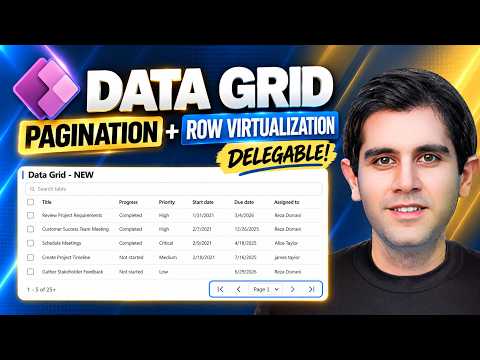
Power Apps Modern Data Grid adds paging and virtualization
Principal Program Manager at Microsoft Power CAT Team | Power Platform Content Creator
Reza Dorrani shows new Power Apps Modern Data Grid options for large datasets, including pagination, row virtualization, and delegation.
Key insights
- The video uses a SharePoint list with 10,000+ rows.
- Pagination can be set to Auto for row virtualization or Number for page buttons.
- PageSize can be controlled, including changing it from a dropdown.
- The demo covers delegable server-side sorting and search.
- New properties shown include ItemsCount, AllItemsLoaded, and CurrentPage.
Reza Dorrani recently published a video on the Power Apps Modern Data Grid, showing how it now handles large datasets with pagination, row virtualization, delegation, search, and sorting. The demo uses a SharePoint list with more than 10,000 rows, which makes the performance changes easier to see. The main takeaway is simple: the Modern Data Grid now has more practical options for canvas apps that need to browse large lists without feeling limited by the old row-by-row experience.
The video is framed around the Modern Data Grid control in Canvas Power Apps, and it focuses on what makers can do with it now. The control is presented as a way to display tabular data more efficiently, with behavior that changes depending on whether pagination is set to Auto or Number. That matters because the same control can behave like a scrolling list or like a paged grid, depending on how the app is designed.
What's new
The new items shown in the video are pagination, row virtualization, delegation, search, sorting, and paging-related properties. With Pagination set to Auto, the grid uses row virtualization and loads data efficiently as the user scrolls, similar to a Gallery. With Pagination set to Number, the grid shows native paging controls such as First, Previous, Next, and Last.
The demo also shows PageSize, which controls how many records appear on each page, and a dropdown that changes PageSize dynamically. In addition, the video highlights server-side sorting and search, including native data grid search and its limitations. For search scenarios that need delegation, the video shows DelegateSearch together with StartsWith for SharePoint.
Finally, the video calls out new properties such as ItemsCount, AllItemsLoaded, and CurrentPage. Those values help makers understand what the grid has loaded and where the user is in the result set.
Why it matters
This matters most for Power Apps makers building canvas apps against large lists or tables. If an app is used to browse thousands of records, a grid that can virtualize rows and page data is easier to scale than one that tries to handle everything locally. The example in the video uses a SharePoint list, so the scenario is clearly aimed at common business data rather than a niche technical setup.
Admins and app makers also get a clearer model for user navigation. Some users prefer continuous scrolling, while others need page numbers and predictable record counts. The Modern Data Grid now supports both patterns, so teams can choose the browsing style that fits the app instead of forcing one behavior everywhere.
For daily work, the practical change is reduced friction when opening and scrolling through large data sets. The video suggests that row virtualization and delegable operations are especially relevant when performance and scale matter. For readers following the broader Power Apps platform, this is part of the move toward more capable modern controls; see also our coverage of Power Apps and related Developer Tools.
How it works
The video walks through the grid in a practical sequence. First, it uses a SharePoint list with more than 10,000 rows so the behavior is visible at scale. Then it demonstrates Pagination set to Auto, which relies on row virtualization and loads rows as you scroll. Next, it switches to Pagination set to Number, which brings in the paging buttons.
- Connect the Modern Data Grid to a large data source such as SharePoint.
- Set Pagination to Auto to use virtualization during scrolling.
- Set Pagination to Number if you want explicit page controls.
- Adjust PageSize to control how many records show per page.
- Use a dropdown if you want users to change PageSize dynamically.
- Apply delegable server-side sorting so sorting is handled by the source.
- Use native search, or use DelegateSearch with StartsWith for SharePoint.
- Read ItemsCount, AllItemsLoaded, and CurrentPage to track grid state.
The source material also notes that row virtualization behaves more like a Gallery when Pagination is set to Auto. That is useful context because it explains why large lists can feel smoother without loading every visible row in the same way a simpler control might. The documentation linked by the publisher is the best place to verify the exact control properties and current behavior.
Limitations and open questions
The video does not claim that every search pattern is delegable. In fact, it specifically points out limitations in native grid search and then shows a delegable approach using DelegateSearch plus StartsWith for SharePoint. That means makers still need to check whether their own data source and search pattern can delegate.
The material also does not explain every condition that can affect row virtualization. It only says the video covers what can affect it, without listing all edge cases in the source text we were given. The research notes add one example: text wrapping can disable virtualization, but the video description itself does not spell that out.
We also cannot verify licensing, rollout status for every tenant, or whether any behavior differs across data sources beyond the SharePoint example shown. The source material focuses on the control’s behavior in the demo rather than on environment-wide availability.
Sources
- Reza Dorrani YouTube video: NEW Power Apps Modern Data Grid
- Microsoft documentation for the Modern Data Grid control
Frequently asked questions
What is new in the Power Apps Modern Data Grid?
The video highlights pagination, row virtualization, delegation, search, sorting, and new properties like ItemsCount, AllItemsLoaded, and CurrentPage.
Does the grid support both scrolling and paging?
Yes. Pagination set to Auto uses row virtualization while you scroll, and Pagination set to Number shows First, Previous, Next, and Last page controls.
What data source is used in the demo?
The video uses a SharePoint list with more than 10,000 rows.
Can search be delegated?
The video shows delegable search with DelegateSearch and StartsWith for SharePoint, but it also notes that native grid search has limitations.