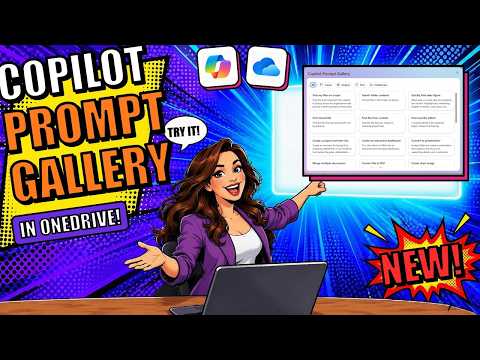
OneDrive Copilot Prompt Gallery helps users start prompts
M365 Adoption Lead | 2X Microsoft MVP |Copilot | SharePoint Online | Microsoft Teams |Microsoft 365| at CloudEdge
OneDrive users can choose ready-made Copilot prompts for creating, analyzing, finding and collaborating on files.
Key insights
- The gallery groups prompts into Create, Analyze, Find and Collaborate.
- Example tasks include making a dashboard, finding a file and checking access.
- A selected prompt can open a Copilot chat where you add or upload a file.
- Ami Diamond says access may be under “What can Copilot do in OneDrive?” or “What’s new.”
OneDrive’s Copilot Prompt Gallery gives users ready-made starting points for working with files, so they can choose a task instead of composing every prompt from scratch. It matters to people using Copilot in OneDrive who want help creating content, analyzing files, finding information or collaborating on shared material. Ami Diamond [MVP] demonstrates the gallery and a prompt-led dashboard task in a YouTube video.
What it does
The gallery organizes prompt ideas into four categories: Create, Analyze, Find and Collaborate. The categories cover different kinds of file work, from generating something based on existing material to locating information or managing access. This task-based approach can help users who know what they want to accomplish but are unsure how to phrase a request to Copilot.
The demonstrated Create examples include converting a file to PDF, merging documents, making an interactive dashboard, creating a chart image and converting material into a presentation. Analyze prompts include asking about project updates, while Find prompts can help locate a file or folder. Collaborate examples include sharing a file, checking a user’s access and granting access or editing permission.
The gallery provides suggestions, not a guarantee that each action will be available in every user’s environment or work for every file. In the demonstration, a selected prompt leads into a separate Copilot chat experience. The user then supplies a file as context and can continue refining the result in follow-up messages.
Who it is for and what you need
The feature is aimed at OneDrive users working with Copilot and files. In the demonstration, Ami says he is using a premium Copilot license, but the source material does not identify a specific license name or explain which plans include the gallery. It also does not specify a minimum OneDrive account type, supported region or tenant configuration.
The example requires a file for the selected task: the dashboard prompt needs the user to identify or attach a file. Ami shows two ways to provide it, using a slash command to reference it or the plus button to attach or upload it. The source does not establish whether those are the only ways to select files.
The transcript does not give a rollout schedule or say whether the feature is in preview or generally available. It also does not document admin controls, policies or a tenant-wide switch. Administrators should avoid assuming broad availability from this demonstration alone; the source material does not verify rollout status or licensing beyond the presenter’s reference to a premium Copilot license.
How it works
Ami describes finding Copilot through an icon in the lower-right area of OneDrive. Opening it brings up an experience with several options, including “What can Copilot do in OneDrive?” The gallery is reached through that option in the demonstration. Ami also says it appeared automatically the first time he logged in after an update, but he had to look for it on a later visit.
- Open OneDrive and open the Copilot experience using its icon.
- Choose “What can Copilot do in OneDrive?” to open the Prompt Gallery. The transcript also identifies “What’s new” as another place where the option appeared.
- Browse the categories—Create, Analyze, Find or Collaborate—or scroll through the full set of prompts.
- Select a prompt. For the interactive dashboard example, add or reference the file you want Copilot to use, using the slash method or the plus button.
- Review the generated response or output, then use follow-up requests to refine it. In the example, the user asks for the link to the dashboard and then asks to see filtered data.
The dashboard example illustrates an iterative interaction rather than a single finished request: Copilot produces an output, and the user continues with additional instructions. The transcript says the resulting dashboard could be filtered and explored, but it does not provide a technical explanation of how that output is generated or saved.
Limitations and open questions
The source material does not confirm which licenses qualify, how the feature is rolling out, or whether every organization has it. It also does not describe admin configuration, privacy and data-handling details, or how the gallery’s prompts can be customized or shared. Those points should be checked against current Microsoft documentation or tenant-specific information before planning a deployment.
Ami notes that the gallery was not obvious on a later visit and says he found it through “What’s new.” That makes the navigation worth checking if the gallery is not immediately visible; the demonstration does not establish that this path is consistent for all users. He also mentions a similar experience in SharePoint, but says he did not think the same prompt gallery was there at the time of his demonstration.
The prompt examples are starting points, not a substitute for checking Copilot’s results. The demonstration shows a dashboard created from a referenced file and refined through chat, but does not test accuracy, access behavior across different users, or output quality on other file types. Users should verify results against their source files before relying on them.
Sources
Frequently asked questions
How do I open the Copilot Prompt Gallery in OneDrive?
Open Copilot in OneDrive and choose “What can Copilot do in OneDrive?” The demonstration also shows the option under “What’s new.”
What prompt categories are in the OneDrive gallery?
The categories shown are Create, Analyze, Find and Collaborate, with prompts for tasks such as creating a dashboard, locating files and checking access.
What license do I need for the OneDrive Prompt Gallery?
The presenter says he is using a premium Copilot license, but the source material does not name the license or establish which plans include the feature.
Is the OneDrive Copilot Prompt Gallery available to every tenant?
The source material does not establish rollout status or availability across tenants, regions or plans.