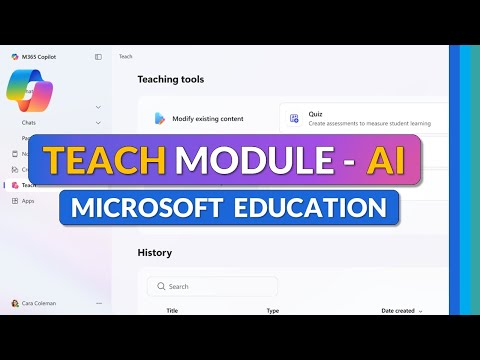
Microsoft 365 Education: AI Teach Module
Principal Group Product Manager - Microsoft Education
Microsoft guide to the Teach Module: AI lesson planning, quizzes, rubrics in Copilot, Teams and OneNote
Key insights
- Teach Module — a new AI-powered assistant inside the Microsoft 365 Copilot app built to help teachers create lesson plans, activities, and assessments faster.
It streamlines common teaching workflows so educators spend less time on prep and more on instruction. - Availability & Platforms — the module is available to all Microsoft 365 Education (Academic SKUs) customers worldwide at no extra cost and runs on Windows, Mac, and web.
It is included in the Copilot app and Microsoft Teams for Education, with OneNote Class Notebooks integration coming in early 2026. - Core features — AI-generated lesson planning, rapid creation of quizzes & rubrics, and quick modifications for different class needs.
Teachers can customize AI outputs and save ready-to-use materials for classwork and grading. - Standards alignment & differentiation — the Teach Module can align lessons to curriculum standards across many regions and adjust reading levels or instructions for diverse learners.
These tools help ensure materials meet local requirements and support accessibility. - Interactive learning activities — supports flashcards, fill-in-the-blank, matching, mind maps and planned experiences like Minecraft-based lessons; Copilot quizzes are also included.
Activities aim to boost engagement and reinforce learning in varied formats. - Teacher oversight & feedback — AI outputs are meant to support, not replace, teacher judgment; educators should review and adapt content for quality and context.
Microsoft continues to expand features and welcomes feedback to improve accuracy and classroom fit.
Introduction
In a recent YouTube tutorial, educator and Microsoft advocate Mike Tholfsen walks viewers through the newly launched Teach module, an AI-powered feature now built into the Microsoft 365 Copilot app. The video outlines how the module helps teachers plan lessons, create assessments, and build interactive learning activities more quickly. Tholfsen emphasizes practical tips and demos, and he notes that the opinions expressed are his own. Overall, the walkthrough aims to help educators get started and understand what to expect.
Overview of the Teach Module
The Teach module is available to all Microsoft 365 Education customers across Academic SKUs and is rolled out globally, working on Windows, Mac, and the web. It appears inside the Microsoft 365 Copilot app and Microsoft Teams for Education today, with planned arrival to OneNote Class Notebooks in early 2026. The module offers guided workflows for lesson planning, rubric and quiz generation, and differentiation for diverse learners. Additionally, Copilot quizzes are included for all customers within the Teach module and Teams for Education.
Major Features Demonstrated
Tholfsen’s tutorial highlights several core capabilities, beginning with rapid lesson plan generation and standards alignment for many curricula. He then demonstrates creating rubrics and quizzes with AI assistance, and creating learning activities such as flashcards and fill-in-the-blank exercises to reinforce student practice. The video also previews features coming soon, including content modification tools slated for late 2025 and tighter OneNote integration in early 2026. As a result, teachers can expect an expanding toolset aimed at reducing time spent on routine tasks.
Platform Reach and Integrations
The module’s reach across platforms is a key point: it is already integrated into Teams for Education and the Copilot app, and it will integrate with OneNote Class Notebooks and learning management systems. Tholfsen walks through how teachers can launch the module, move content into classwork, and use generated materials with existing LMS workflows. This cross-platform approach helps schools that mix devices and systems, although it also raises questions about consistency across different environments. Nevertheless, the planned integrations should streamline assignment distribution and progress tracking over time.
Tradeoffs: Automation Versus Teacher Control
While the Teach module promises clear time savings, it introduces tradeoffs between automation and teacher judgment that schools must consider. On one hand, AI can accelerate routine tasks and suggest standards alignment, yet on the other hand teachers must still validate accuracy, cultural fit, and pedagogical appropriateness. Therefore, educators will need to balance convenience with careful review to preserve instructional integrity and avoid overreliance on AI output. Professional development and clear vetting practices will help manage this balance effectively.
Challenges and Practical Concerns
Several practical challenges emerge from the rollout, including quality control, data privacy, and equitable access for all students and schools. Schools must verify that AI-generated content aligns with local standards and avoids bias, while IT teams must address privacy and security policies tied to cloud-based tools. Additionally, districts with limited bandwidth or older devices may find full feature support inconsistent, which could widen disparities unless mitigations are planned. Finally, training time and change management are necessary to help teachers shift workflows and trust the new tools.
Guidance for Educators
Tholfsen’s tutorial includes helpful tips for getting started: begin with small experiments, use AI outputs as drafts rather than finished products, and adapt materials to local curricula and student needs. He shows how to customize reading levels and differentiate instructions, which teachers can apply immediately to support diverse learners. Moreover, sharing feedback with Microsoft through the module’s feedback channels can influence future improvements and align features with classroom realities. In this way, educators play an active role in shaping the tool’s evolution.
Conclusion
Microsoft’s new Teach module brings significant potential to reduce busywork and support targeted instruction, and Tholfsen’s video offers a practical first look at how teachers can use it. However, schools will need to weigh tradeoffs carefully, maintain quality checks, and invest in training to realize the benefits responsibly. As the module expands into OneNote and deeper LMS integrations, educators should monitor feature updates and pilot uses before wide adoption. Ultimately, the Teach module can be a useful assistant when teachers remain in control of final instructional decisions.

Keywords
AI-powered Teach Module, Microsoft 365 Education, Teach Module tutorial for teachers, AI lesson planning Microsoft 365, Microsoft Teams for educators, AI teaching tools, teacher training Microsoft 365, edtech AI tutorial