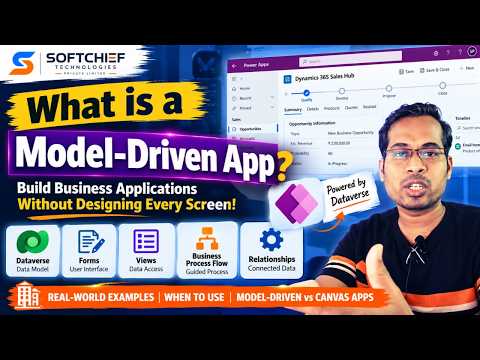
Power Apps model-driven apps: start with Dataverse data
Learn how to take advantage of your business data with Microsoft Dynamics 365 & Power Platform & Cross Technologies. My name is Sanjaya Prakash Pradhan and I am a Microsoft Certified Trainer (MCT) and
Power Apps makers can build structured business apps from Dataverse tables, relationships, forms and views instead of drawing every screen.
Key insights
- A model-driven app requires Microsoft Dataverse as its data foundation.
- The app experience is built around tables, columns, relationships, forms and views.
- Power Apps generates much of the interface, so makers do not design every screen from scratch.
- The approach suits connected records and processes such as sales, cases, inspections and approvals.
- Canvas apps start with screens; model-driven apps start with the data model.
Power Apps model-driven apps use a Dataverse data model to generate much of the application interface, giving users a structured way to work with related business records. They are relevant to makers, developers and consultants building processes such as employee management, sales, service or inspections. Softchief Learn demonstrates the core concepts through an employee-management example and explains how the approach differs from canvas apps.
What it does
A model-driven app is a business application built on Microsoft Dataverse. The key idea is to define the data and its relationships first, then configure an app around that structure. Power Apps generates standard parts of the experience from the model, rather than requiring the maker to lay out every screen and control manually.
The model includes tables and columns for storing information, plus relationships that connect related records. Forms provide ways to enter or view records, while views organize which records users see. The transcript also identifies business rules, charts and dashboards as possible parts of the model-driven app experience.
For example, an employee-management app could use an employee table and a department table. A relationship connects each employee with a department, while forms and views let users work with the records. The video also describes sales, customer service, case management, inspections and approvals as examples of structured business processes suited to this approach.
This is different from a canvas app’s starting point. A canvas app begins with screens and their layout; a model-driven app begins with data. That distinction helps makers decide whether they need a custom screen-led experience or an application organized around connected records and processes.
Who it is for and what you need
Model-driven apps are relevant to Power Apps makers and developers, as well as Dynamics 365 consultants and IT professionals working on business applications. The source describes them as a fit for organizations where multiple users need to work with structured business data and related records.
Dataverse is a prerequisite: the transcript says a model-driven app must be built on Dataverse. The app’s underlying tables and relationships form the basis for the user experience, so the data model needs to reflect what the organization stores and how those records connect.
The source material does not specify a Power Apps license, Dataverse capacity requirement, tenant or regional availability, rollout status, or a required environment configuration. It also does not provide admin setup or security instructions, so those details should be checked separately before planning a deployment.
How it works
The central workflow is data-first. Start by deciding what information the business needs to manage, then identify the tables, columns and relationships that represent it. In the employee example, that means defining employee details and department details, then connecting employees to departments.
- Identify the business records to manage, such as employees, departments, customers or cases.
- Create the relevant Dataverse tables and columns to store those records.
- Define relationships between tables so related information stays connected—for example, employees and departments.
- Configure forms and views to let users enter, find and review records. Add other model components such as business rules where needed.
- Use the resulting data model and components to create the model-driven app, then publish and share it with the intended team.
The exact menu path and button names for creating tables or an app are not stated in the source, so this is a conceptual sequence rather than a click-by-click setup guide. The important design choice is to get the data structure right before shaping the app experience around it.
Once the model is in place, Power Apps supplies standard application capabilities described in the transcript, including navigation, forms, views and search. This can reduce the need to create each screen from scratch. Users work with records through the app’s generated structure, while makers configure the data and components that determine what the app contains.
Limitations and open questions
The demonstration explains the concept, but it does not build and publish a complete working app. It gives an employee-management scenario and mentions a department relationship, but does not show detailed table configuration, security roles, licensing, testing or deployment controls.
The source makes a broad comparison between model-driven apps for complex applications and canvas apps for simpler ones. Treat that as a starting point, not a strict rule: the material does not compare specific requirements or explain how to choose when a solution needs both a structured record model and a highly customized interface.
It also does not establish which features, plans or regions are available to a particular organization. Before committing to a design, confirm the organization’s Dataverse and Power Apps requirements and determine how users will access the records. The source names no workaround for building a model-driven app without Dataverse; instead, it states that Dataverse is mandatory.
Sources
Frequently asked questions
Does a Power Apps model-driven app require Dataverse?
Yes. The source states that a model-driven app is built on Dataverse and that Dataverse is mandatory.
How is a model-driven app different from a canvas app?
A model-driven app starts with the data model and generates much of its interface from it. A canvas app starts with screen design.
What kinds of apps suit the model-driven approach?
The source gives sales, service, case management, employee management, inspections and approvals as examples involving structured records and processes.
What license do I need for a model-driven app?
The source does not specify licensing requirements. Check the applicable Power Apps and Dataverse requirements for your organization.