Microsoft Copilot Update: What Changed
Evangelist at Barhead Solutions | Microsoft Business Applications MVP | Content Creator
Microsoft Copilot unifies Home for Chat and Cowork, adds Autopilot and Microsoft IQ, enables low code and licensing
Key insights
- Copilot is now a unified AI workspace that combines chat, document work, coding, and autonomous agents.
Microsoft intends this to act as a single front door for work instead of a separate chatbot inside each app. - The new Home view merges Chat and Cowork, letting users start conversations or assign tasks from one screen.
This makes it faster to coordinate work and switch between discussion and action. - Code enables non-developers to build apps, dashboards, and workflows from natural-language prompts instead of hand-writing code.
It targets power users who need lightweight app building without deep programming skills. - Autopilot runs longer tasks with less supervision and performs actions on your behalf using autonomous agents.
Microsoft has begun rolling Autopilot into private preview for early testing. - Office in Copilot brings Word, Excel, and PowerPoint features directly into the Copilot experience so you can create and edit without switching apps.
FinOps-style controls and usage-based billing add spending limits, tracking, and policy tools for AI costs. - Microsoft expanded models and features: GPT-5.6 and other model choices are available, PowerPoint gained MAI-Image-2-Efficient, and developers can use EmailActions for email automation; six new languages were added.
These updates improve capability, media support, and developer control within Copilot.
In a recent YouTube video, Lisa Crosbie [MVP] explains Microsoft’s sweeping update to Copilot and why it matters for workplace users. She walks viewers through the new layout, the arrival of low-code coding tools, and an autonomous agent mode designed to perform longer tasks with less direction. The presentation aims to translate Microsoft’s announcement into practical implications, including which features are included in standard licenses and which require extra spending. Consequently, this article summarizes the video as a concise news report to help readers understand the changes quickly.
What Microsoft announced
Microsoft has repositioned Copilot as a unified workspace rather than a single chat tool. The company bundled several major updates under one umbrella: a central Home that combines chat and task coordination, a Code experience for building with natural language, and an Autopilot mode that runs tasks autonomously. Additionally, Office apps now integrate more directly into Copilot, and Microsoft is adding spend controls and usage billing for advanced capabilities. Lisa Crosbie calls this a shift toward a “workspace for doing work,” which aligns conversations, documents, and agents in one place.
Key features explained
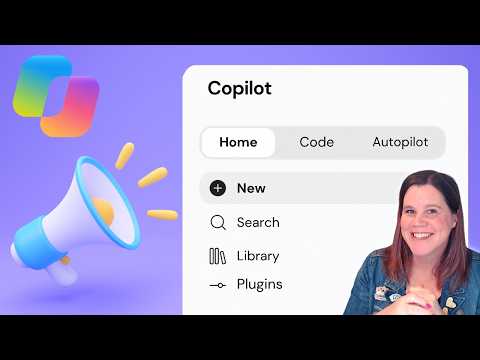
The new Home screen creates a single starting point so users can begin with a conversation or hand off work without switching apps. This change aims to reduce friction when moving from chat to document creation or task assignment, and it reflects Microsoft’s desire to make Copilot the primary front door for work. Meanwhile, Code invites non-developers to build apps, dashboards, and workflows from plain-language prompts, lowering the barrier to creating software. Finally, Autopilot is designed to execute multi-step tasks over time, acting on behalf of users with less need for active supervision.
Models, languages, and developer tools
The update brings expanded model options and language support into Copilot, including access to GPT-5.6 and mentions of other model choices like Claude Opus 5.5 and GPT-6 Sol. PowerPoint gains an efficient image model, and Copilot adds new developer-facing capabilities such as EmailActions for supervised email operations. Microsoft also extended support to six more languages, broadening the tool’s reach for international teams. These technical upgrades signal an effort to make Copilot more capable across content types and enterprise scenarios.
Practical effects for users and teams
For everyday users, the change means Copilot will act as a centralized place to start work rather than a feature tucked inside each Microsoft 365 app. Standard conversational features remain within existing licenses, whereas advanced capabilities like Code, Cowork, and Autopilot move toward usage-based billing. This split allows casual users to keep familiar workflows, while power users and organizations will need to plan for incremental costs. As Lisa points out, early access programs such as Frontier and private previews will give some customers a head start on new features, but broad rollout will follow in stages.
Licensing, consumption pricing, and FinOps
Microsoft’s shift to consumption pricing introduces new tradeoffs between flexibility and cost predictability. On one hand, usage-based billing lets teams pay only for advanced tasks they run, which can be efficient for sporadic, high-value work. On the other hand, it complicates budgeting and requires FinOps-style governance—spending policies, usage tracking, and credit visibility—to avoid surprises. Lisa emphasizes that IT leaders must build controls and reporting to balance innovation with financial accountability.
Tradeoffs and technical challenges
Although the unified workspace improves productivity, it creates several challenges around governance, privacy, and model choice. Centralizing work flows means administrators need tighter access controls and clearer rules about what agents can do with sensitive data. Moreover, letting non-developers generate apps via natural language raises quality and maintenance questions, since such creations may not follow standard software practices. Balancing ease of use with reliability and security will be an ongoing task for organizations adopting the new Copilot features.
What IT and business leaders should watch
Leaders should assess who needs access to the advanced features and consider pilot programs to measure real consumption before committing broadly. They should also align FinOps practices with governance to monitor usage and set sensible limits, while involving security teams to validate data flows and agent permissions. Finally, tracking early adopter experiences—especially from the Frontier program and private previews—will help refine rollouts and training. In short, a measured approach will reduce risk while enabling teams to benefit from automation and low-code development.
Lisa Crosbie’s video provides a pragmatic look at Microsoft’s redesign, highlighting both the promise of a cohesive AI workspace and the practical steps organizations must take to manage it. As Copilot moves from chat to a full productivity layer, the balance between usability, cost control, and security will determine its success in real-world deployments. For readers evaluating Copilot, the immediate priorities are experimenting with early features, building FinOps controls, and preparing governance for autonomous agents. If you need a deeper dive into any of these new capabilities, Lisa invited viewers to suggest which areas to explore next.

Keywords
Microsoft Copilot update, Copilot changes 2026, Windows Copilot new features, Copilot AI improvements, Copilot pricing update, How to use Copilot update, Copilot for business changes, Copilot security and privacy