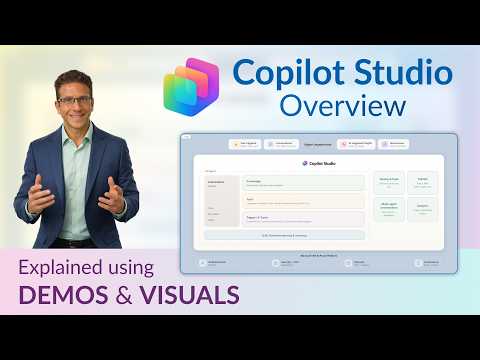
Microsoft Copilot Studio: Beginner Guide
Copilot Studio primer for beginners on AI agents, agent experiences and Power Platform with Microsoft three six five
Key insights
- Copilot Studio: A low-code SaaS platform for building business-ready AI agents that connect to enterprise data and run automated processes.
Beginners can start with simple assistants; teams can scale to multi-agent, governed solutions. - AI agent: The core unit you build — it answers questions, retrieves knowledge, takes actions, and coordinates multi-step tasks.
The platform supports four agent experiences, from simple conversational bots to collaborative, action-oriented agents. - Agentic workflows: Agents can act as workflow steps to automate high-value business tasks and invoke MCP-compliant tools.
Out-of-the-box actions and workflow nodes make it easier to link agents with Power Platform and other systems. - Low-code authoring: Makers and IT use a visual interface to create agents, connect organizational data, define actions, and set up monitoring.
This lowers the barrier for business users while keeping extensibility for developers. - Governance: The 2026 updates add operational visibility with unified error and governance views, usage estimates, and security posture insights.
Admins get analytics and read-only roles to validate agents before deployment. - Evaluation: New tools measure generative response quality, analyze multi-turn conversations, and support custom metrics and sentiment analysis.
These features help teams track agent performance and improve reliability over time.
Introduction
In a recent YouTube video, consultant Dani Kahil walks viewers through the 2026 update to Copilot Studio, Microsoft’s low-code platform for building AI-driven agents. The video serves as a primer for beginners, explaining what an AI agent is, how agents are structured, and which experiences the platform supports. Furthermore, the presenter demos the main features and shows how Copilot Studio connects with enterprise tools such as Microsoft 365 and the Power Platform.
What Copilot Studio Does Now
According to the video, Copilot Studio has shifted from a simple chatbot builder to a full SaaS agent platform designed for enterprise needs. It now supports agent creation, workflow automation, multi-agent orchestration, and governance features that enterprises expect for production deployments. As a result, organizations can move beyond basic conversational experiences to agents that retrieve knowledge, take actions, and coordinate across systems.
Anatomy of an AI Agent
Kahil breaks down the anatomy of an AI agent into clear parts: knowledge sources, tools and actions, decision logic, and monitoring. He explains that agents combine connected enterprise data with model-based reasoning and discrete actions, so they can both answer questions and trigger workflows. Moreover, the video highlights four types of agent experiences, ranging from simple Q&A assistants to multi-step, multi-agent processes that collaborate to complete tasks.
Importantly, the low-code interface aims to let business makers and IT teams collaborate on agent design, while technical teams add custom integrations when needed. This balance speeds initial development for common scenarios while still allowing complex integrations for enterprise applications. However, Kahil notes that the tradeoff involves deciding how much functionality to expose to non-technical users versus how much to centralize with IT to maintain control.
Key Features in the 2026 Update
The update introduces expanded workflow capabilities, allowing agents to be invoked as first-class workflow steps and to use MCP-compliant tools within processes. Consequently, organizations can design agents that not only provide answers but also execute business actions, such as initiating approvals or updating records in enterprise systems. Furthermore, the release includes higher-value out-of-the-box actions that reduce the need for custom connectors in many common scenarios.
Another notable addition is improved extension of agents built with Agent Builder inside Microsoft 365, which means teams can scale from personal Copilot experiences to governed, enterprise-grade agents. In addition, the platform supports new knowledge types and evaluation tools that help refine agent behavior over time. Although these additions broaden capability, they also increase architectural complexity, requiring clearer planning on data sources and action governance.
Governance, Monitoring, and Evaluation
Kahil emphasizes that the April 2026 wave focuses heavily on operational visibility and governance, which enterprises often demand before adopting AI agents in production. The platform now surfaces errors, warnings, and governance notifications directly in the authoring experience, while offering analytics and read-only roles for operational oversight. This transparency aims to build trust by making agent status, usage estimates, and security posture more visible.
In addition, Microsoft improved evaluation features to measure generative response quality, multi-turn conversation quality, and custom metrics, including sentiment analysis. Consequently, teams can set clearer success criteria and continuously monitor agent performance, but they will need to invest in evaluation design and interpretability measures. The tradeoff here is that richer metrics improve reliability but require ongoing measurement and governance effort from teams.
Practical Tradeoffs and Challenges
While Copilot Studio’s expanded scope offers clear benefits, Kahil points out practical tradeoffs between speed and control, and between model flexibility and consistent outputs. On the one hand, low-code tools empower business users to prototype useful agents quickly; on the other hand, enterprises must balance that agility with governance to avoid unmanaged data access or inconsistent behavior. Therefore, organizations must choose whether to prioritize rapid experimentation or centralized operations, and often they will require a hybrid approach.
Another challenge involves integrating diverse knowledge types and external tools while maintaining robust security and compliance. Teams may face technical hurdles when connecting legacy systems or ensuring that agent actions respect approvals and audit trails. Nonetheless, with careful architecture, governance policies, and continuous evaluation, the platform can reduce manual work and surface measurable business value over time.
Conclusion
Dani Kahil’s video offers a useful, beginner-friendly overview of how the 2026 updates turn Copilot Studio into a more capable agent platform for business use. The demo and explanations clarify how makers can build agents that access enterprise knowledge, run workflows, and operate under clearer governance. Ultimately, organizations will need to weigh the benefits of faster agent creation against the responsibilities of governance and evaluation to realize reliable, scalable solutions.

Keywords
microsoft copilot studio overview 2026, copilot studio tutorial for beginners, how to use copilot studio, copilot studio features and updates 2026, copilot studio setup guide, copilot studio templates and integrations, copilot studio best practices, microsoft copilot studio beginner walkthrough