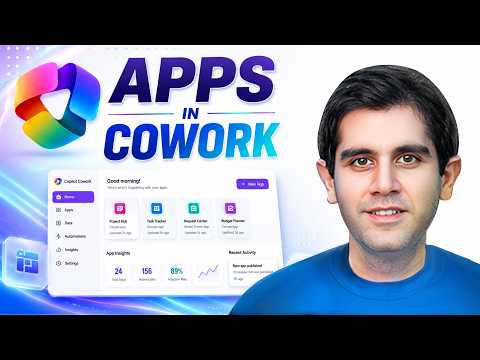
Microsoft Copilot Cowork Builds Apps
Principal Program Manager at Microsoft Power CAT Team | Power Platform Content Creator
Microsoft Copilot Cowork builds apps from natural language with App skill, SharePoint, Copilot Studio and governance
Key insights
- Copilot Cowork now builds lightweight, interactive business apps from natural language using the built-in App skill.
Microsoft also brings app-building to Copilot Studio, so users can create apps alongside agents and workflows. - Invoke the App skill, describe the business outcome and users, and Copilot generates an app scaffold and UI automatically.
The tool can also create a data schema and connect supported sources such as SharePoint so the app is ready to use. - Work iteratively in chat: preview the app, refine prompts, add search and filters, enable edit/write-back to data, and inspect generated code.
Apps are described as full-stack and built with open standards for easier integration and review. - Admin and governance features support enterprise rollout: environment routing, developer environments, identity and access controls, connector and data policies, a centralized app inventory, and usage monitoring.
These controls help IT enforce security and compliance while enabling citizen development. - No-code prototyping speeds idea-to-app delivery and lets business users build solutions using Microsoft 365 data like documents, spreadsheets, meetings, and messages.
This reduces dependency on traditional development for many common internal apps. - Availability is currently gated: the App skill is in the Frontier preview and Copilot Studio app-building is rolling out in public preview.
Practical takeaway: start from the business problem and let Copilot help build the solution, not the other way around.
Video summary and context
The YouTube video by Reza Dorrani demos how Copilot Cowork can generate lightweight, interactive business apps from natural language prompts. He walks through building a Project Delivery Command Center that uses a SharePoint list as its data source, showing each step from initial scaffold to a usable, editable app. As a result, the demo emphasizes how users can move from idea to working prototype without writing code, while still connecting to enterprise data. This approach frames the video as a practical look at a larger shift in how businesses may create internal tools.
How the App skill works in practice
In the walk-through, Reza invokes the App skill inside Copilot Cowork and describes the desired business outcome, users, and actions. The system generates a working application shell and, for supported connectors, it even proposes a data schema and links the actual data so the app behaves immediately. Then, Reza iteratively refines the interface and behavior using plain-language prompts to add search, filters, and edit capabilities that write back to SharePoint. Consequently, the demo highlights an interactive loop: describe, preview, refine, and publish.
Enterprise governance and administration
Equally important, the video covers governance topics that matter for adoption in organizations, including environment routing, developer spaces, and identity controls. Reza discusses connector and data policies, centralized app inventory, and monitoring so IT can manage which apps run where and who can access them. These controls help balance the speed of no-code creation with enterprise requirements for security and compliance. However, the governance layer adds complexity and requires planning, which some organizations may need time and resources to implement properly.
Benefits and tradeoffs
The main benefit shown is speed: teams can prototype functional apps rapidly and iterate in natural language rather than through traditional development cycles. This reduces the friction between business ideas and working tools, enabling citizen developers to contribute more directly to solutions. Yet, the tradeoffs include potential limits in customization and maintainability when apps outgrow the lightweight scaffold, and dependency on supported connectors for smooth data integration. Therefore, organizations must weigh immediate productivity gains against long-term lifecycle concerns, such as version control, debugging, and extensibility.
Challenges and practical implications
Reza’s demo also highlights practical challenges that businesses will face when adopting this approach, such as ensuring consistent data quality, defining ownership for generated apps, and enforcing lifecycle governance. Moreover, because these features are part of the Frontier preview, access may be limited and behaviors could change as Microsoft refines the product. Teams should pilot the capability in controlled environments and align IT, security, and business owners before broad rollout to avoid sprawl. In short, the convenience of natural language app building must be matched by clear policies and support structures.
Where this fits in Microsoft’s roadmap and next steps
The video positions Copilot Cowork and the related Copilot Studio experience as components of a larger shift in Microsoft’s strategy: transforming Copilot into a platform for creating work products, including apps and workflows. Reza shows that the generated apps follow open standards and can be shared and published inside Microsoft 365, which supports integration with documents, spreadsheets, and collaboration tools. For teams considering adoption, the practical takeaway is to start with focused pilot projects that demonstrate business value while validating governance and connector support. Ultimately, organizations that plan for both rapid prototyping and disciplined operations will be best placed to benefit from these new capabilities.

Keywords
Microsoft Copilot Cowork, Copilot Cowork app builder, Apps in Cowork, build apps with Copilot, Copilot low-code apps, Copilot AI app creator, Copilot for business apps, Copilot Cowork tutorial