Microsoft AI Prompts: Beginners Guide
Microsoft expert guide to AI Prompts in Copilot Studio Power Apps and Power Automate: build, secure, manage, monitor
Key insights
- The video defines AI Prompts as a short natural language instruction that tells a large language model what task to do.
It shows how prompts replace custom code for tasks like summarizing, extracting, classifying, or translating text. - The presentation shows native integration across Copilot Studio, Power Apps, and Power Automate so the same prompt can run inside copilots, app experiences, or cloud flows.
This lets makers reuse AI logic across multiple products without rebuilding it each time. - The video highlights reusable actions and runtime context: build a prompt once, pass Dataverse data or input variables at runtime, and get business-specific outputs.
That makes results more relevant and easier to maintain. - It recommends starting with prompt templates for patterns like summarization, extraction, classification, and translation.
Templates speed adoption and provide tested structures for common business tasks. - It covers governance topics such as model selection, content safety, lifecycle handling with Solutions and Pipelines, and activity monitoring.
These controls help teams manage risk, track use, and deploy prompts safely in production. - The video stresses practical benefits: faster development, less custom code, and better handling of unstructured content from emails, documents, and chats.
For many organizations, prompts are the simplest step to embed generative AI into workflows and improve productivity.
Video Brief: What the story covers
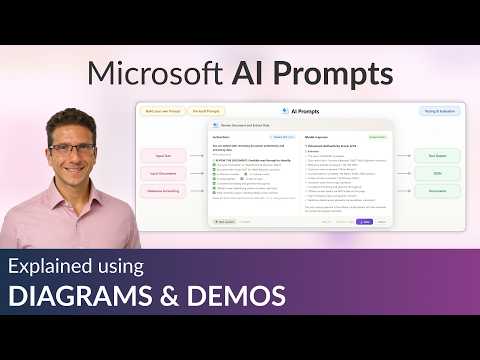
The newsroom reviewed a recent YouTube video by Dani Kahil that introduces AI Prompts for Microsoft’s Power Platform. The video positions prompts as reusable, low-code building blocks that connect to Copilot Studio, Power Apps, and Power Automate. In clear, step-by-step footage, the presenter demonstrates how to create prompts from scratch and how to apply pre-built templates in real workflows. Overall, the piece aims to help beginners understand both practical uses and platform integration.
The video also covers advanced topics such as model choice, content safety controls, and lifecycle tools like Solutions and Pipelines. Additionally, it shows how prompts accept runtime inputs and return structured outputs that tie back to Dataverse and other data sources. The presenter uses real examples to illustrate common tasks like summarization, extraction, and classification. Consequently, the material speaks to makers who want immediate, hands-on guidance rather than abstract theory.
Walkthrough and practical examples
First, Dani Kahil explains what a prompt does: it tells a model what task to perform in plain language. Then the video walks through creating a prompt, mapping input variables, and testing outputs inside an app or a flow. Viewers see templates for summarizing emails, extracting action items, and classifying requests, which makes the learning curve gentler for newcomers. As a result, beginners can reproduce those patterns in their own environments quickly.
Next, the presenter shows how to embed a prompt into a cloud flow or a copilot action so AI logic runs automatically during business processes. The demonstration highlights runtime context, for example how prompts pull values from Dataverse records to produce tailored responses. The examples emphasize reusability, where one prompt can serve a Power App and a Power Automate flow at the same time. Thus, the video underscores the efficiency gains that come from treating prompts as operational assets.
Technical features and lifecycle management
The video describes features that make prompts fit into enterprise systems. Viewers learn how to choose an AI model and how to apply content safety filters to avoid risky outputs during production. Then Dani Kahil covers lifecycle topics such as packaging prompts into Solutions and automating deployments with Pipelines, which supports version control and release management. This segment connects hands-on authoring to governance practices that IT teams need to consider.
Moreover, the presenter discusses activity monitoring and observability so teams can see how prompts perform in real scenarios. Monitoring captures usage patterns, latency, and failure modes that inform tuning and troubleshooting. The video suggests combining telemetry with prompt refinement to maintain quality over time. Therefore, operations teams get a practical path from development to production readiness.
Tradeoffs and implementation challenges
While prompts speed up development, the video also points out tradeoffs that organizations should weigh. For example, using a single reusable prompt increases consistency but can reduce flexibility when business requirements diverge, so teams must balance reuse with specialization. Similarly, selecting more capable models improves output quality but raises cost and latency, which affects scalability. Thus, decision-makers need to evaluate cost, performance, and business value together.
The presentation also addresses governance hurdles such as versioning prompts, ensuring data privacy, and enforcing safety rules across environments. Prompt engineering skills remain a bottleneck for some teams, meaning the organization must invest in training or shared libraries of vetted templates. Finally, integrating prompts into complex workflows can expose edge cases in data mapping and error handling that require careful testing. In short, the video is candid about the work still required to industrialize AI prompts.
Adoption tips and recommended next steps
For readers ready to try prompts, the video recommends starting with templates and simple use cases like summarization or classification. Then, teams should add runtime context via Dataverse inputs and measure outcomes with basic monitoring. The author also suggests packaging mature prompts into Solutions and using pipelines for staged deployment to reduce operational risk. These steps create a pragmatic adoption path that balances speed with control.
Finally, Dani Kahil encourages makers to iterate: build a minimal prompt, test it in a flow or app, and refine based on real feedback. The video’s combination of hands-on examples and lifecycle guidance helps both citizen developers and professional teams move from experimentation to production. Consequently, organizations can embed generative AI into workflows while managing costs, safety, and maintainability. In sum, the video offers a practical starting point for anyone who wants to operationalize AI Prompts on the Power Platform.

Keywords
Microsoft AI prompts, Copilot Studio tutorial, Power Apps prompts, Power Automate prompts, AI prompts for beginners, Copilot Studio prompts, Power Platform AI tutorial, Microsoft Copilot prompts