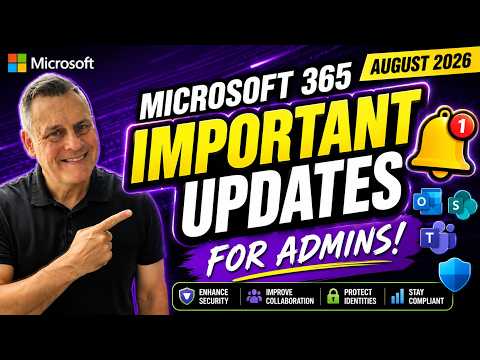
Microsoft 365: Aug 2026 Admin Updates
Microsoft 365 Expert, Author, YouTuber, Speaker & Senior Technology Instructor (MCT)
Microsoft three sixty five and Entra ID updates tighten security with Defender, admin roles and licensing
Key insights
- Overview: Concise summary of the August 2026 Microsoft 365 and Entra updates from a recent news video.
These notes highlight deadlines, security changes, licensing shifts, and admin actions you should prioritize. - Windows 10 feature freeze: Microsoft stops adding new features to Microsoft 365 apps on Windows 10 to speed migrations to Windows 11.
Key cutoffs: Current Channel — August 2026; Monthly Enterprise — October 13, 2026; Semi-Annual Enterprise — January 12, 2027.
Microsoft will still deliver security updates through October 10, 2028, so plan upgrades and testing now. - Licensing and rollouts by Aug 1, 2026: Several premium features move to baseline licensing.
Notable additions include Intune Plan 2 capabilities and Defender for Office 365 Plan 1, plus tools like Intune Remote Help and Cloud PKI.
Audit licenses, enable needed features, and validate device policies before the rollout completes. - Exchange Web Services (EWS) retirement: EWS will retire on October 1, 2026.
Update integrations and apps to Microsoft Graph API, inventory EWS usage, and schedule migration to avoid service disruption. - Purview and data governance: Increased auto-labeling scale and smarter retention controls.
Auto-labeling capacity rises from 100,000 to 500,000 files per tenant per day; retention rules can now use a file’s last accessed date.
Use the Data Security Triage Agent to find and remediate sensitive data quickly. - Copilot & AI governance: New controls to limit data exposure and meet privacy needs.
DLP now blocks Copilot from processing the currently open file even if it’s stored locally; People Connector supports ACLs; Teams supports AI-powered meeting recaps without saving recordings.
Review Copilot and DLP settings, then pilot changes in a controlled group.
In a recent YouTube update, Andy Malone [MVP] walked viewers through the most important Microsoft 365 and Microsoft Entra changes for August 2026. His clear, practical overview highlights what administrators need to act on now, and why timing matters for migration, security, and compliance. Accordingly, this article summarizes his key points and explains the tradeoffs and operational challenges that follow. Moreover, it aims to help IT teams prioritize updates while keeping environments secure and manageable.
- Microsoft 365 and feature rollout timing
- Microsoft Entra ID and authentication changes
- Defender, Intune and expanded security features
- Purview, Copilot and data governance
Windows 10 Feature Freeze and Migration Timing
Andy Malone emphasizes the immediate impact of the announced feature freeze for Microsoft 365 apps on Windows 10. As new features stop arriving for that platform, organizations face pressure to plan migrations to Windows 11 if they want the latest experiences and productivity updates. At the same time, he notes that security updates will continue for some time, which gives IT teams a clear but limited runway to upgrade systems without sacrificing safety.
However, this move involves tradeoffs: maintaining older endpoints reduces change risk, while delaying upgrades limits access to new security and collaboration features. Therefore, administrators must weigh stability and application compatibility against the operational and security benefits of moving to a newer OS. Malone suggests phased migrations and pilot groups as practical ways to balance these factors.
Expanded Security and Device Management for All Tenants
The video highlights that several advanced capabilities are now rolling out broadly, including components of Intune Plan 2 and Defender for Office 365 Plan 1. Consequently, many organizations will gain stronger threat protection and better device management without changing license tiers. This change improves baseline security, yet it also raises administrative complexity because teams must enable and configure new tools to get value from them.
Malone points out the tradeoff between broader access and operational overhead: while more features reduce security gaps, they require additional policies, training, and monitoring. Therefore, teams should create clear enablement plans, and prioritize features that match their risk profile to avoid configuration sprawl. He also recommends testing new controls in a controlled environment before a full rollout.
Data Governance, Purview Enhancements and Copilot Controls
Data management receives major attention in the update, with Microsoft Purview increasing auto-label capacity and adding retention options based on the last accessed date. These changes accelerate classification at scale and make retention rules more relevant to how employees actually use files. On the other hand, scale and automation increase the risk of misapplied labels or excessive retention, so Malone advises careful policy tuning and monitoring to reduce false positives and user friction.
In parallel, Copilot protections have improved: Data Loss Prevention now blocks Copilot from processing the currently open file in Office apps, regardless of storage location. This approach balances productivity with data safety by preventing accidental data exposure while allowing AI assistance in permitted contexts. Yet, administrators must decide how strict to make these controls, since overly tight rules can slow workflows and frustrate users.
Administrative Roles, Authentication and EWS Retirement
Andy Malone covers changes to administrator roles and identity controls in Microsoft Entra ID, noting that finer-grained permissions help enforce least-privilege while simplifying delegation. He also highlights authentication improvements and the need to prepare for the retirement of Exchange Web Services (EWS), which requires migrations to modern APIs for legacy integrations. These updates push teams to modernize scripts and applications, creating a short-term workload that pays off in long-term manageability.
Administrators face practical challenges when updating identity and access controls: balancing convenience and security, avoiding breakage in legacy processes, and ensuring service continuity during transitions. Malone recommends auditing usage, mapping dependencies, and scheduling migrations during low-impact windows to reduce disruption. In doing so, organizations can improve identity hygiene without interrupting business operations.
Balancing Security, Usability and Cost
Throughout the video, Malone frames decisions as a balance between security, user productivity, and licensing cost. For example, rolling premium capabilities out to all tenants raises expectations and may expose required gaps in IT staffing or change management. Therefore, teams should pair feature enablement with training and governance to capture benefits while controlling risk.
Finally, he stresses the importance of an actionable roadmap: prioritize changes that reduce high-risk exposures, pilot features with representative users, and automate where possible to lower manual effort. In short, organizations that plan deliberately and communicate clearly will get the most value from these August 2026 updates while managing the practical tradeoffs of migration, complexity, and cost.
https://hubsite365cdn001img.azureedge.net/SiteAssets/TopicImages/marvin-meyer-SYTO3xs06fU-unsplash.jpg
Keywords
Microsoft 365 important updates August 2026, M365 admin updates August 2026, Microsoft 365 security updates August 2026, Teams admin updates August 2026, Exchange Online updates August 2026, Intune and Endpoint Manager updates August 2026, SharePoint and OneDrive updates August 2026, Microsoft 365 admin best practices August 2026