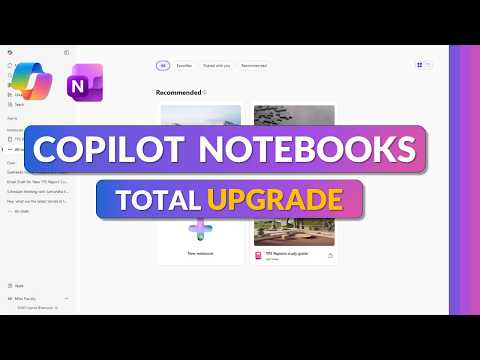
Microsoft 365 Copilot Notebooks - 2026
Principal Group Product Manager - Microsoft Education
Microsoft Three Sixty Five Copilot Notebooks deliver AI notes and PDF insights with OneNote integration and study guides
Key insights
- Copilot Notebooks: This is a summary of a Copilot tutorial video; I am not the video’s creator.
Copilot Notebooks collect your notes, files, PDFs and content into one AI-powered workspace to help you research, learn and collaborate faster. - Real-time collaboration: Notebooks let teams edit the same content at once and support multiple file types like Word, Excel and PDF.
This keeps source material in one place so teammates can co-create without switching apps. - Grounding agents: Copilot can draw directly from a Notebook’s references so its answers stay relevant and easier to verify.
Grounding reduces inaccurate or generic responses and improves traceability for regulated work. - Multi-modal content: The update adds audio and video summaries plus improved image generation to make notebooks richer than plain text.
These options let you consume and produce content in different formats for faster review and sharing. - Copilot Shortcuts & smart organization: One-click shortcuts help you change tone, restructure sections, add headers or polish formatting quickly.
Notebook recommendations and a redesigned UX also surface related content and speed up discovery. - Access & requirements: Copilot Notebooks require a Microsoft 365 Copilot (Premium) license and may need admin enablement.
If you don’t see the feature, check with your organization or IT admin for rollout and permissions.
Mike Tholfsen’s recent YouTube walkthrough highlights the refreshed Copilot Notebooks experience in Microsoft 365 for 2026. In the video, he guides viewers through the redesigned interface and demonstrates how the tool centralizes notes, files, PDFs, and other content into a single AI-driven workspace. Consequently, this update aims to help users research, learn, and collaborate more efficiently within the Microsoft ecosystem.
What the Video Covers
First, Tholfsen introduces how to set up a new Copilot Notebooks workspace and explains the core navigation changes. Then, he walks through practical examples such as creating audio overviews, opening notebooks in OneNote, and sharing notebooks with colleagues. These demonstrations make the features tangible for viewers and show how the platform connects different content types.
Next, the video outlines a table of contents for the demo, including setup, audio creation, sharing, and building study guides. Furthermore, Tholfsen offers tips for getting the most out of the new features, while reminding viewers that access requires a Microsoft 365 Copilot (Premium) license. Therefore, organizations must verify entitlements and admin settings to enable the feature for their users.
Key New Features
The update brings multi-format support that accepts Word documents, Excel sheets, and PDFs inside a single notebook, which simplifies source consolidation. Moreover, the addition of audio and video summaries expands how users can consume and generate content, turning Notebooks into a truly multimodal environment. Additionally, image generation improvements, noted as powered by GPT-Image-1.5, enhance visual content creation directly in the workspace.
Another notable feature is the set of one-click editing tools, labeled Copilot Shortcuts, which streamline common editing tasks such as changing tone or adding section headers. At the same time, intelligent recommendations suggest relevant notebooks and references to reduce the manual work of gathering context. As a result, users spend less time hunting for materials and more time synthesizing insights.
Grounding, Accuracy, and Traceability
Perhaps the most significant change is the ability to ground AI agents on a specific notebook so they draw answers from the contained references and files. Consequently, grounded responses tend to be more contextually aligned and reduce the risk of generic or misleading output. For regulated industries like finance, healthcare, and government, this increased traceability supports validation and auditability of AI-generated content.
However, grounding also introduces tradeoffs: while it improves relevance, it depends on the quality and completeness of the source materials. If a notebook omits crucial documents, Copilot can still produce confident but incomplete answers. Therefore, teams must build disciplined processes for curating and updating notebooks to maintain reliable outputs over time.
Collaboration, Multimodality, and Workflow
The video emphasizes real-time collaboration, allowing multiple contributors to work in a notebook simultaneously and maintain a shared context. In addition, the OneNote integration enables users to move content between systems while preserving structure and annotations. These capabilities help teams co-create study guides, research bundles, and project knowledge bases without bouncing between apps.
Still, supporting multiple content types creates practical challenges for indexing and search, especially when audio, video, and images enter the mix. While smarter navigation and suggested references ease discovery, organizations must weigh the storage and management costs of richer media. Consequently, IT teams will need to plan governance, retention, and access controls alongside feature rollout.
Tradeoffs and Challenges for Adoption
Adopting the updated Copilot Notebooks means balancing productivity gains against governance and licensing considerations. On one hand, the system can accelerate insight generation and reduce repetitive editing work, which benefits knowledge workers and educators. On the other hand, administrators must address data residency, access permissions, and compliance controls before broad deployment.
Moreover, there is a user experience tradeoff: power users may welcome shortcuts and multimodal tools, but new users face a learning curve when navigating the redesigned UI. Therefore, effective adoption will require training, clear documentation, and phased rollout plans. Finally, because features like grounded agents hinge on well-maintained references, organizations must invest in content curation to fully realize the promise of dependable AI assistance.
In summary, Tholfsen’s video provides a practical tour of the 2026 updates to Copilot Notebooks, showing a clearer interface, broader content support, and stronger grounding for AI agents. While these changes promise productivity and collaboration benefits, they also raise important questions about governance, content quality, and rollout strategy. As organizations evaluate the update, they should weigh the benefits against the operational work needed to keep notebooks accurate, secure, and useful.

Keywords
Microsoft 365 Copilot Notebooks 2026, Copilot Notebooks update 2026, Microsoft Copilot Notebooks features, Copilot Notebooks release notes 2026, Microsoft 365 AI notebooks, Copilot Notebooks tutorial 2026, Copilot Notebooks admin settings, Microsoft 365 Copilot roadmap 2026