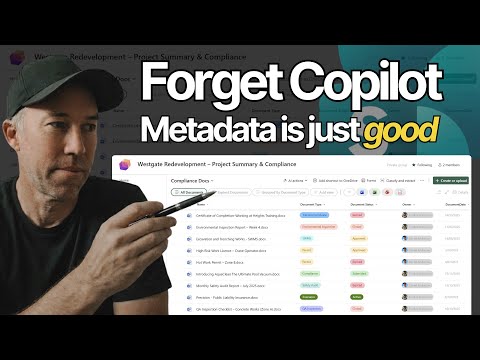
SharePoint Metadata Tips to Boost Search
A Microsoft MVP 𝗁𝖾𝗅𝗉𝗂𝗇𝗀 develop careers, scale and 𝗀𝗋𝗈𝗐 businesses 𝖻𝗒 𝖾𝗆𝗉𝗈𝗐𝖾𝗋𝗂𝗇𝗀 everyone 𝗍𝗈 𝖺𝖼𝗁𝗂𝖾𝗏𝖾 𝗆𝗈𝗋𝖾 𝗐𝗂𝗍𝗁 𝖬𝗂𝖼𝗋𝗈𝗌𝗈𝖿𝗍 𝟥𝟨𝟧
Microsoft SharePoint expert guide to metadata, filtering, grouping and custom views for faster document management
Key insights
- SharePoint metadata
Video shows how to replace folders with metadata in document libraries to find files faster.
It demonstrates real steps to add columns, tag documents, and use metadata across a team. - Filtering and grouped views
Learn to filter by multiple metadata columns and group documents to create a folder-like view.
You can save custom views (e.g., "English Assessments") and combine filters for precise results. - SharePoint Knowledge Agent
Microsoft’s agent can auto-extract metadata from documents, images, and site pages and populate library columns for you.
This improves search accuracy and lets Copilot-style prompts produce more complete answers. - Metadata Sync REST API
The SQL analytics endpoint API in Microsoft Fabric lets teams trigger metadata synchronization programmatically.
It keeps tables and schema aligned across lakehouses, databases, and mirrored sources without manual work. - Dataverse Model Context Protocol (MCP)
MCP standardizes how AI agents access Dataverse and enterprise data, so Copilot and other agents work with metadata consistently.
This creates safer, more reliable AI-to-data interactions across apps and services. - Fabric Data Agent & Multi-Lakehouse
Fabric lifted limits so Data Agent can connect to larger, more complex data sources and more tables and columns.
The new multi-lakehouse view makes it easier to manage, search, and filter metadata across multiple lakehouses and schemas.
In a concise YouTube tutorial, Daniel Anderson [MVP] demonstrates how teams can stop relying on folders and instead use SharePoint metadata and custom views to find documents faster. The video walks viewers through filtering by multiple columns, grouping files to mimic a folder experience, and saving views so teams can return to curated layouts instantly. As a result, Anderson frames metadata as foundational document management that most teams skip but stands to significantly improve productivity. This article summarizes the video and situates it within broader metadata trends from Microsoft, while noting practical tradeoffs and challenges to adoption.
What the Video Shows
Daniel Anderson opens the tutorial with a library already configured with content types and metadata, and then quickly demonstrates common tasks that users can replicate. He shows filtering by multiple metadata columns to narrow results, and then moves on to grouping documents by subject area to create a folder-like view without duplicating files. Next, Anderson saves a grouped view and builds a filtered view for a specific use case such as “English Assessments,” illustrating how saved views provide instant access to consistent layouts. Finally, he combines multiple filters to achieve precise results and encourages teams to lean on metadata instead of deep folder hierarchies.
For convenience, Anderson timestamps the key steps in the video so viewers can jump to specific sections. These include an introduction, filtering techniques, grouping instructions, creating and saving views, building a filtered view, and combining filters for advanced precision. The demo focuses on practical, repeatable steps that teams can apply immediately to existing libraries. Consequently, the tutorial serves both beginners and intermediate users who want to reduce clutter and speed up retrieval.
Benefits and Immediate Gains
By using metadata and views, teams gain multiple benefits over traditional folder structures, starting with improved findability and reduced duplication. Moreover, saved views let users switch context quickly without moving files or creating redundant copies, which helps maintain single sources of truth. The video stresses that grouping can simulate a folder experience while preserving the flexibility of multi-dimensional organization, making it simpler to slice your library by different attributes. Thus, metadata unlocks new ways to present the same data to different audiences without physical movement of files.
Additionally, metadata supports downstream automation and governance because consistent metadata fields enable rules, workflows, and retention policies to apply more reliably than nested folders. When teams adopt metadata consistently, search and filters become more powerful and less error prone. However, Anderson also implies that upfront configuration pays off later, as initial setup effort yields more efficient long-term management. In short, the tutorial frames metadata as an investment with clear operational returns.
Tradeoffs and Practical Challenges
Despite the clear advantages, adopting metadata-first approaches involves tradeoffs that organizations must weigh carefully. For example, metadata requires planning: choosing fields, enforcing values, and training users all take time and governance resources. If organizations assume users will tag files correctly without oversight, they risk inconsistent metadata that undermines search and filters. Therefore, teams must balance the flexibility metadata provides against the discipline required to maintain data quality.
Another tension arises between automated extraction and accuracy. Microsoft advances such as the Knowledge Agent and metadata population tools can speed tagging, but they sometimes misinterpret context or overlook nuance, particularly in sensitive or industry-specific content. Likewise, programmatic synchronization tools like the SQL analytics endpoint Metadata Sync REST API and integration patterns for the Dataverse Model Context Protocol (MCP) help scale metadata across platforms, yet they add complexity to architecture and governance. Consequently, organizations need to weigh convenience against control and plan audits and correction workflows.
Best Practices and Broader Microsoft Context
Anderson’s tutorial pairs well with Microsoft’s broader push to treat metadata as an orchestration layer that connects AI agents, enterprise systems, and data assets. Tools such as the Fabric Data Agent and expanded MCP connectors aim to bring richer metadata into enterprise workflows, enabling smarter search and AI-driven assistance. As such, teams should design metadata schemas that support both immediate retrieval needs and future AI scenarios, while ensuring privacy and compliance measures are in place.
Practically, best practices include starting small with a few high-value metadata fields, enforcing controlled vocabularies, and using saved views to demonstrate immediate wins for users. Additionally, pilot projects that combine manual tagging with selective automation can reveal errors early and help shape governance. Finally, ongoing training and clear ownership help sustain data quality so the long-term benefits of metadata actually materialize.
Conclusion
Daniel Anderson’s YouTube tutorial offers a compact, actionable roadmap to move from folder-based chaos to metadata-driven order in SharePoint libraries. While the approach requires planning, governance, and occasional automation tuning, the gains in findability and reduced duplication make the effort worthwhile for many teams. As Microsoft expands metadata tooling across platforms, organizations that invest in thoughtful metadata design position themselves to benefit from both immediate productivity improvements and future AI-powered capabilities. Ultimately, the video provides a practical starting point, but sustained success depends on governance, training, and measured adoption.
- 00:00 - Introduction: Library with content types and metadata ready
- 00:47 - Filtering by multiple metadata columns
- 01:35 - Grouping documents by subject area
- 02:15 - Creating and saving a grouped view
- 02:45 - Building a filtered view (English Assessments)
- 03:20 - Combining filters for precise results

Keywords
metadata optimization, metadata best practices, meta tags for SEO, schema markup guide, metadata tools, meta description tips, title tag optimization, structured data for SEO