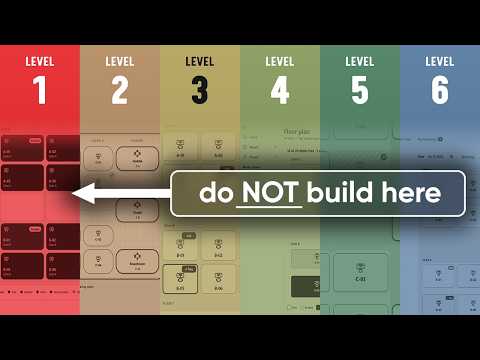
Power Apps shows six AI app build paths
I'm Toluwalakin Victor Sanwoolu. This is a channel focused on anything regarding the Power Platform, Sharepoint, Microsoft 365 & more.
Tolu Victor’s video compares six ways to build the same app on Microsoft platforms and explains the trade-offs in control, cost, and licensing.
Key insights
- The video rebuilds the same DeskHub app six ways on Microsoft platforms.
- Level 1 uses Power Apps Vibe, which the material says is being retired.
- Levels 2 to 4 cover Copilot Studio apps, canvas apps, and model-driven apps.
- Level 5 uses code apps, and Level 6 uses the Copilot Managed Runtime CLI and SDK.
- The video says it also covers cost, control, licensing, and a decision guide.
Tolu Victor recently published a video that shows the same DeskHub desk and room booking app built six different ways on Microsoft’s app platforms. The point is simple: Microsoft now offers multiple ways to create AI-enabled apps, and the right choice depends on how much control, cost, and licensing complexity you are willing to take on. The video moves from low-code to code-first and managed-runtime options, then compares the results side by side.
The post is framed as a practical guide for people who need to choose a build path, not just a feature demo. It also points viewers to supporting docs for migration, native mobile apps, and the managed runtime CLI and SDK. That makes it useful for makers and developers who want to see where the Microsoft stack is heading, especially because one of the starting points, Power Apps Vibe, is described as retiring.
What's new
The core idea is that there are now six levels for building apps with AI on Microsoft’s platforms. Tolu Victor labels them as Vibe, Copilot Cowork and Copilot Studio apps, canvas apps with the Canvas Authoring MCP, model-driven apps with generative pages, code apps, and Copilot Managed Runtime through the CLI and SDK. The demo app, DeskHub, is used across all six approaches so the comparison stays grounded in the same business problem.
That structure matters because it shows Microsoft’s app story is no longer limited to one tool or one developer profile. Instead, the video presents a ladder of options that range from natural-language-style creation to fully custom development. The post also says the video covers what each build costs, how much control you get, and how licensing works.
Why it matters
For makers, the video gives a way to judge whether a low-code path is enough or whether a more custom option is worth the extra effort. For admins and solution owners, it highlights that different build methods can come with different licensing and governance implications. For developers, it signals that Microsoft is putting AI-assisted building across several layers of the platform, not only in one product.
The retirement note on Power Apps Vibe is especially relevant for anyone experimenting with it already. The video treats Vibe as Level 1 but also calls out that it is being retired, and Microsoft’s migration guidance backs that up. If you are planning a new app, that makes the choice of starting point more important than it would have been before.
The other practical value is the comparison itself. Instead of asking which Microsoft tool is “best,” the video asks which level fits the job. That is a more useful question for daily work, because a small internal booking app may not need the same amount of customization, runtime control, or deployment overhead as a production app with tighter technical requirements.
How it works
The video’s walkthrough is organized around a progression from simpler to more advanced build styles:
- Level 1 uses Power Apps Vibe for the first version of DeskHub.
- Level 2 moves to Copilot Cowork and Copilot Studio apps.
- Level 3 uses canvas apps together with the Canvas Authoring MCP.
- Level 4 uses model-driven apps with generative pages.
- Level 5 switches to code apps.
- Level 6 uses the Copilot Managed Runtime CLI and SDK.
The post also lists where each approach is built. Vibe is shown at vibe.powerapps.com, Copilot Cowork at copilot.cloud.microsoft, Copilot Studio apps at copilotstudio.microsoft.com, canvas apps at make.powerapps.com, and managed apps at managedapps.cloud.microsoft. That makes the comparison more concrete because it maps each level to a specific place in the Microsoft ecosystem.
For the AI-coding side, the post points to several tools and plugins. These include a Dataverse plugin for AI coding agents, a Canvas Apps plugin, Playwright MCP, a Model Apps plugin for model-driven apps and generative pages, a Code Apps plugin, and a Managed Apps plugin. In other words, the video is not just about building with prompts; it also shows how Microsoft is packaging AI support for different app types and development paths.
The source material also links to supporting docs that fill in some of the mechanics. The migration guide explains moving apps away from Power Apps Vibe, the native mobile apps page covers preview mobile support, and the Copilot Managed Runtime quickstart documents the CLI and SDK route. The deprecation notice for unmanaged developer environments and the Power Apps Developer Plan is also part of the context around this story.
Limitations and open questions
The source material does not give build times, feature-by-feature output, or a full technical comparison of all six levels. It says the video covers cost, control, and licensing, but it does not include the detailed numbers in the text we reviewed. It also does not spell out which licenses are required for each path.
Another limitation is that the post is a video description, not a full written specification. Some items are named, such as Canvas Authoring MCP and Copilot Managed Runtime, but the transcript does not explain every implementation detail. We can confirm the high-level sequence and the supporting links, but not the exact steps shown in the video itself beyond what the description states.
There is also some ambiguity around the terms used in the post. “Copilot Cowork” appears as a named path in the source, but the material does not define it further. Likewise, the comparison table and decision guide are mentioned, but the actual guide content is not included here.
Sources
- Tolu Victor video: Master Every Way to Build Apps with AI on Microsoft
- Microsoft notice on unmanaged developer environments and the Power Apps Developer Plan
- Microsoft guidance for migrating apps from Power Apps Vibe
- Copilot Managed Runtime CLI and SDK quickstart
- Native mobile apps overview
Frequently asked questions
What is the main point of Tolu Victor’s video?
It shows one app, DeskHub, built six ways across Microsoft’s AI app-building options. The aim is to help viewers choose the right level based on control, cost, and licensing.
Is Power Apps Vibe still the recommended starting point?
No. The source material says Level 1 uses Power Apps Vibe, but it also says Vibe is being retired. Microsoft’s migration guidance is linked in the post.
Does the video cover licensing?
Yes, the post says it explains how licensing works. However, the source material does not provide the full licensing details for each of the six build levels.
What tools are mentioned for AI coding agents?
The post lists a Dataverse plugin, a Canvas Apps plugin, Playwright MCP, a Model Apps plugin, a Code Apps plugin, and a Managed Apps plugin.