Microsoft Copilot
Jan 29, 2025 10:52 PM
PowerPoint: Human vs. Copilot—Who Designs the Best Slides?
by HubSite 365 about Pragmatic Works
Man vs. Copilot: PowerPoint, Copilot AI vs. human creativity, investor pitch, coffee shop presentation, PowerPoint tools
Key insights
- The video "Man Vs Copilot: PowerPoint" explores whether AI can surpass human creativity in crafting presentations, focusing on an investor pitch for a coffee shop.
- Greg uses traditional methods with expert tips from a PowerPoint Fundamentals class, while Amelia leverages Microsoft Copilot to automate her presentation process.
- Copilot assists users by generating content and suggesting design elements based on user prompts, offering significant time-saving benefits but requiring manual refinement for specific design preferences.
- Organizations using Microsoft’s AI tools report substantial productivity gains, such as life insurer TAL saving up to six hours per week per employee.
- While Copilot effectively handles routine tasks, it may not replace the nuanced touch of human creativity in complex or customized presentations; human oversight is crucial.
- Copilot in PowerPoint enhances productivity by providing a solid starting point for presentations, but human review ensures the final output meets quality standards and conveys the desired message effectively.
Introduction to the Man vs. Copilot Challenge
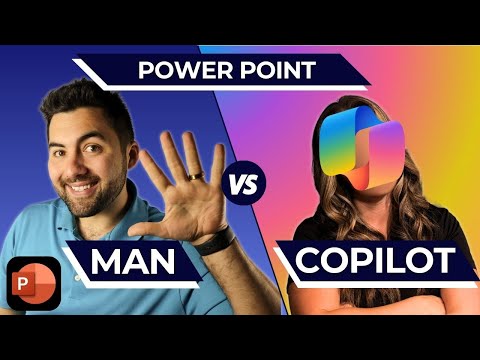
In a fascinating exploration of human creativity versus artificial intelligence, the YouTube video titled "Man Vs Copilot: PowerPoint - You Won't BELIEVE The Results!" by Pragmatic Works delves into the capabilities of Microsoft's Copilot in PowerPoint. The video features Greg and Amelia, who compete to create an investor pitch for a coffee shop. Greg adopts a traditional approach, utilizing expert tips from a PowerPoint Fundamentals class, while Amelia leverages the power of Microsoft Copilot to automate her presentation process. This challenge raises intriguing questions about whether AI can truly outshine human creativity in crafting compelling presentations.Understanding the Rules and Scoring Categories
The video begins by outlining the rules and scoring categories for the competition. Each participant is tasked with developing a presentation that effectively communicates their coffee shop pitch. The presentations are judged based on several criteria, including visual appeal, content quality, and overall effectiveness. This structured approach ensures a fair comparison between the manual and automated methods, allowing viewers to assess the strengths and weaknesses of each approach.Greg’s Traditional Strategy: Building a Presentation Manually
Greg's strategy involves creating his presentation manually, drawing from his knowledge and experience in PowerPoint design. He meticulously selects images, themes, and formatting options to craft a visually appealing and coherent presentation. By relying on expert tips from the PowerPoint Fundamentals class, Greg demonstrates the depth of human creativity and the ability to tailor content to specific audiences. However, this approach requires significant time and effort, highlighting the tradeoff between customization and efficiency.Amelia’s Automated Approach: Leveraging Copilot in PowerPoint
In contrast, Amelia utilizes Microsoft Copilot to streamline her presentation creation process. Copilot is designed to assist users by generating content and suggesting design elements based on user prompts. Amelia inputs specific prompts, allowing Copilot to draft slides quickly and efficiently. This approach showcases the potential of AI to save time and provide a solid starting point for presentations. However, the quality of the output can vary, and Amelia often needs to refine the generated slides to meet her design preferences and ensure accuracy.Creating Visual Impact: Images, Themes, and Slide Adjustments
Both Greg and Amelia focus on creating visual impact through the use of images and themes. Greg manually selects visuals that align with his presentation’s message, ensuring a cohesive and engaging experience for the audience. Meanwhile, Amelia relies on Copilot’s suggestions to enhance her slides. While Copilot offers a range of design options, it sometimes lacks the nuanced touch of human creativity. Therefore, Amelia must make adjustments to achieve the desired visual impact, highlighting the challenges of balancing automation with personalization.Exploring Advanced Formatting Tricks and Copilot Limitations
As the competition progresses, both participants explore advanced formatting tricks to enhance their presentations. Greg’s manual approach allows him to experiment with various formatting techniques, showcasing his expertise in PowerPoint design. On the other hand, Amelia encounters limitations with Copilot, particularly when dealing with complex or highly customized presentations. These limitations underscore the importance of human oversight in ensuring the final output meets specific requirements and maintains the desired quality.Judging the Presentations: Human vs. AI
The video culminates in a judging session where the presentations are evaluated based on the established criteria. The judges assess the effectiveness of each approach, considering factors such as visual appeal, content quality, and overall impact. This evaluation provides valuable insights into the capabilities and limitations of both human creativity and AI automation in presentation design. Ultimately, the results reveal that while Copilot offers significant time-saving benefits, it cannot fully replace the nuanced touch of human expertise.Writing Effective Prompts for Copilot and Final Results
An essential aspect of using Copilot effectively is crafting precise and specific prompts. The video emphasizes the importance of writing effective prompts to guide Copilot in generating relevant and accurate content. By providing clear instructions, users can maximize the potential of AI tools like Copilot. The final results of the competition are revealed, and viewers are invited to vote on the winner. This interactive element engages the audience and encourages them to reflect on the tradeoffs involved in balancing automation and creativity.Conclusion: The Role of Copilot in Enhancing Productivity
In conclusion, the YouTube video by Pragmatic Works offers a compelling exploration of the capabilities of Microsoft’s Copilot in PowerPoint. While Copilot serves as a valuable tool for enhancing productivity and providing a solid starting point for presentation creation, human oversight remains crucial. Users must review and edit AI-generated content to ensure it aligns with their specific requirements and maintains the desired quality. This challenge highlights the ongoing debate about the role of AI in creative processes and the importance of balancing efficiency with personalization. As organizations continue to adopt AI tools like Copilot, they must navigate the challenges associated with integrating automation into their workflows while preserving the unique value of human creativity.

Keywords
Man Vs Copilot PowerPoint results AI presentation software comparison Microsoft Office productivity tools automation creativity enhancement
HubSite 365 Apps