Video Summary and Context
Heidi Neuhauser [MVP] presents Episode 2 of a short series introducing Microsoft’s new AI agents inside Dynamics 365 Customer Service and Contact Center.
What the Agents Do
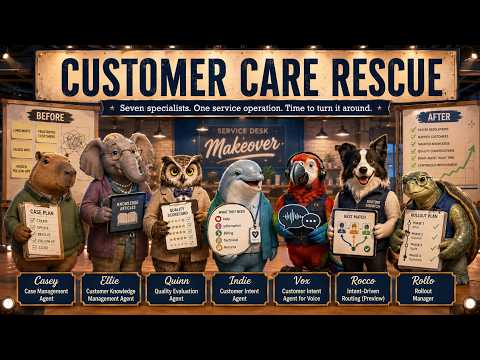
Neuhauser details five first-party agents, each focused on a distinct part of the support lifecycle, including case handling, knowledge creation, quality checks, and intent detection. For example, the Case Management Agent can create, update, resolve, and close cases, while the Customer Knowledge Management Agent turns resolved cases into knowledge articles in near real time. Meanwhile, the Quality Evaluation Agent audits interactions against supervisor-defined frameworks, and the two intent agents—one for text and one for voice—discover common customer intents and surface new ones. Together, these agents sit on a shared layer for intelligence, data, and orchestration, which Neuhauser highlights as key to their coordinated behavior.
How the Technology Works
According to the video, all agents are built on generative AI models and integrated services that let them initiate actions instead of waiting for prompts, such as creating a case when an email arrives or updating knowledge after resolution. They also leverage the broader Microsoft stack—features shown include connections to Copilot Studio and the Power Platform—so organizations can use pre-built flows or customize their own. Importantly, the agents learn from every interaction, improving over time whether a human resolves the case or the agent does it autonomously. This continuous learning loop promises efficiency but also raises questions about governance and data stewardship.
Benefits and Operational Tradeoffs
Neuhauser emphasizes clear operational gains, such as time savings when the Case Management Agent removes manual entry and when the knowledge agent reduces repeat inquiries by creating timely articles. She also notes that higher review coverage by the Quality Evaluation Agent can improve consistency by flagging anomalies at scale instead of sampling a few cases. However, these advantages come with tradeoffs: automation can reduce the need for routine staff roles while increasing demand for oversight, customization, and monitoring capacity. Thus, while organizations may gain productivity, they must balance these gains with investments in governance, model tuning, and staff retraining.
Challenges and Risks Highlighted
The video does not shy away from the risks, and Neuhauser points out several practical challenges that teams face when implementing agentic workflows. For instance, generative models can make plausible but incorrect inferences, which means the escalation path and human-in-loop safeguards must be precise and reliable to avoid customer harm. Moreover, voice intent discovery introduces additional complexity for transcription accuracy and latency, and organizations must consider regulatory and privacy constraints when agents access or store sensitive information. In short, greater automation raises higher expectations for transparency, auditing, and error handling.
Deployment and Governance Considerations
Neuhauser advises starting with pilot deployments that target high-volume, low-risk scenarios so teams can measure outcomes and refine rules before wide rollout. She also stresses the need for clear governance frameworks that define who owns agent behavior, how knowledge articles are approved, and how quality metrics feed back into training the agents. Additionally, integration work with existing CRMs, telephony systems, and security controls can be non-trivial, so IT and business stakeholders should plan for iterative integration rather than a big-bang switch. Ultimately, the video frames deployment as an organizational change program as much as a technical project.
Outlook and Practical Takeaways
In conclusion, Heidi Neuhauser’s Episode 2 paints a pragmatic picture: these AI agents can reduce routine work, improve knowledge flow, and raise quality coverage, but they require careful implementation to manage risk and preserve customer trust. Therefore, organizations should weigh immediate efficiency gains against longer-term investments in governance, staff training, and system integration. Finally, while the promise of an Agentic Customer Service model is compelling, the video makes clear that success depends on balancing automation with accountable human oversight and continuous evaluation.