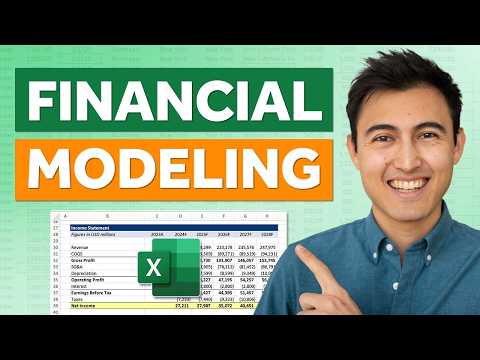
Excel: Free Financial Modeling Crash
Co-Founder at Career Principles | Microsoft MVP
Microsoft expert: master Excel financial modeling, forecasting, scenario analysis, validation and protection, Power BI
Key insights
- Financial model setup: Starts from a blank Excel file and builds a clear income statement layout using modeling best practices for structure and traceability.
Organize sheets, label inputs, and separate assumptions from calculations to keep the model tidy and auditable. - Revenue forecast: Demonstrates practical forecasting methods for revenue, showing how to choose growth drivers and apply consistent formulas across periods.
Use simple, defensible assumptions and test them against historical trends to improve accuracy. - Forecasting line items: Covers techniques for projecting expenses and other statement items, including percentage-of-sales and driver-based approaches.
Match each line to a clear driver (e.g., headcount, unit sales, margins) to make forecasts transparent and easy to update. - Cover page / control panel: Explains how a cover page acts as the model’s control center, centralizing key inputs, scenario switches, and summary outputs.
Place primary assumptions and navigation links here so users can run the model without digging through sheets. - Scenario analysis: Shows how to add dynamic scenarios (best, base, worst) and let users switch between them to compare outcomes quickly.
Implement scenario toggles with clear inputs so the model updates automatically across all statements. - Cell locking & protection: Teaches how to lock input cells with data validation and protect sheets to prevent accidental changes to formulas and structure.
Use cell protection and sheet passwords sparingly to balance security with maintainability.
Overview of the Crash Course
Kenji Farré (Kenji Explains) [MVP] published a concise video that walks viewers through a free crash course on Excel. The tutorial begins from a blank workbook and builds step by step toward a fully dynamic model, while also sharing practical Excel tips. Moreover, the video is structured into clear chapters that cover setup, forecasting, the model control page, scenario analysis, and protection. For convenience, the author provides a downloadable Excel file so learners can follow along and replicate each stage.
The presentation aims to balance clarity with depth, making the content useful for both beginners and those who want to tidy an existing model. Consequently, Farré emphasizes model design choices that pay off later, such as consistent layout and clearly labeled inputs. He also signals common pitfalls and quick corrections, which helps viewers avoid rework. Overall, the video sets expectations early by showing the finished aim and then reversing the build process.
Building the Income Statement and Model Setup
The video starts by setting up the workbook and creating a clean income statement layout, which Farré treats as the model’s backbone. He recommends separating inputs, calculations, and outputs to reduce errors and to make the model easier to audit. This approach improves transparency, yet it can add initial work, so viewers must weigh the immediate cost against long-term maintainability. Still, the structure pays dividends when models grow or when colleagues need to review the logic.
Kenji also highlights best practices such as consistent formatting, use of named ranges, and simple formulas where possible to avoid overcomplication. However, he warns that excessive formatting or overly clever formulas can hinder readability. Therefore, he advises favoring clarity over compact formulas, especially when sharing models. In practice, this balance improves collaboration and speeds up troubleshooting during real-world analysis.
Forecasting Methods and Line Items
A core portion of the video covers forecasting methods for revenue and other line items, where Farré demonstrates common approaches like growth-rate projections and driver-based forecasting. He explains when each method suits a different business type, and he emphasizes testing assumptions against historical trends. Yet forecasting remains inherently uncertain, so he suggests documenting rationales and running sensitivity checks to reveal which assumptions most affect outcomes. As a result, users gain better context for decision making.
Forecasting other line items receives practical attention as well, including how to link expenses, margins, and working capital to the chosen drivers. Kenji teaches viewers to avoid hardcoding numbers in multiple places and instead to centralize assumptions on the input sheet. Nevertheless, centralization demands careful validation because one mistaken input can propagate errors across the model. Therefore, he recommends incremental testing and periodic reconciliations to ensure numbers align with expected totals.
Cover Page, Dynamics, and Scenario Analysis
Next, the video introduces a model cover page that functions as a control panel and summary dashboard for stakeholders. The cover page consolidates key inputs, outputs, and navigation links, which makes the model user-friendly for non-technical reviewers. Additionally, Kenji builds a scenario analysis feature that allows switching among best case, base case, and worst case assumptions to show different outcomes quickly. This interactivity helps presenters communicate a range of possibilities without creating separate files for each scenario.
However, adding scenarios increases model complexity, so Farré focuses on clean logic and transparent linking to keep the model stable. He suggests limiting scenarios to meaningful alternatives and documenting the differences to avoid confusion. Moreover, he demonstrates how to test each scenario path to confirm the model responds as intended. Ultimately, the tradeoff is between flexibility for decision-making and the effort required to maintain multiple tested states.
Final Steps: Validation, Protection, and Practical Challenges
In the closing segments, Kenji covers model safety by showing how to lock cells, apply data validation, and protect sheets from accidental changes. These steps are practical for shared environments, because they reduce the chance of unintentional edits. At the same time, strict protection can impede legitimate updates, so he recommends a controlled workflow that includes a change log and clear instructions for unprotecting sheets when necessary. Therefore, teams must balance security with ease of maintenance.
Finally, the video addresses real-world challenges such as version control, auditability, and the need for clear notes on assumptions. Farré encourages viewers to adopt simple naming conventions and to keep a short guide within the workbook for future users. In conclusion, the tutorial presents a pragmatic path from a blank file to a robust, dynamic model, and it highlights tradeoffs between simplicity, flexibility, and control to help practitioners choose the approach that fits their goals.

Keywords
financial modeling course, Excel financial modeling, free financial modeling course, financial modeling for beginners, Excel modeling crash course, financial modeling tutorial, build financial models in Excel, financial analysis in Excel