Microsoft 365 Copilot: 8 Agent Templates
Software Development Redmond, Washington
Microsoft expert: Agent Builder templates for Copilot to build retrieval and autonomous agents with Power Platform
Key insights
-
Eight new Agent Builder templates arrived in Microsoft 365 Copilot to speed creation of useful workplace agents; they provide ready-made setups so teams don’t start from scratch.
Use them to move faster from idea to working agent. - The templates include AI Learning Advisor, Executive Briefing Agent, My Company Policy, Personal News Digest, Plan My Day, Project Delta Digest, SME Finder, and Status Update Agent — each targets a common business scenario like learning, executive summaries, policy lookup, news digests, daily planning, project updates, expert discovery, and status tracking.
-
Quick build flow: open New agent in Copilot, pick a template, use the Configure tab to add icons, knowledge sources and capabilities, then test and refine with natural-language prompts.
This workflow keeps setup simple and repeatable. - Know the agent types: retrieval agents pull org content, task-based agents perform actions, and autonomous agents run multi-step workflows; some templates are capability-enhanced to combine data access and actions.
- Practical tips: customize prompts to match your data, add internal knowledge sources for accuracy, set access controls for governance, and use features to share, pin, schedule, and help users discover agents in your org.
- Benefits and best practices: templates deliver faster setup, better consistency, and easier customization; start with a template, iterate on prompts and sources, and monitor source freshness and governance for reliable results.
Overview of the demo
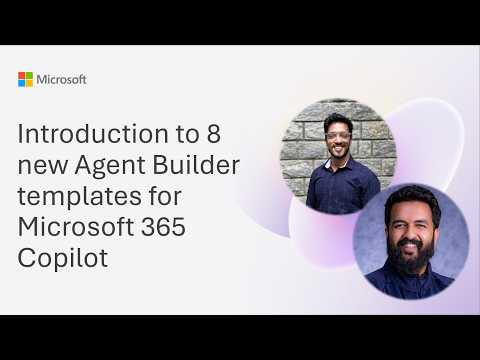
The Microsoft YouTube demo, presented during a community call on June 9, introduces eight new Agent Builder templates for Microsoft 365 Copilot. The session, led by Anshul Jethwani and Harish Swaminathan, walks through how the templates speed up agent creation for common workplace tasks. Consequently, the video emphasizes practical steps like choosing a template, adding knowledge sources, and testing agents before deployment.
Moreover, the presenters highlight differences among retrieval, task-based, and autonomous agents, and they show how capability-enhanced templates work with newer model instruction patterns. They also cover practical features such as pinning agents, scheduling them, and sharing within Teams. As a result, the demo aims to make agent creation more approachable for everyday business users.
What the eight templates do
The new templates provide ready-made starting points for frequent scenarios, including AI Learning Advisor, Executive Briefing Agent, My Company Policy, and Personal News Digest. Each template ships with built-in descriptions, prompts, and starter instructions so teams can adapt them quickly. For example, Plan My Day integrates calendar, email, and task data to help prioritize daily work, while SME Finder helps identify subject-matter experts across an organization.
In addition, templates like Project Delta Digest and Status Update Agent focus on project reporting and progress tracking to reduce manual status updates. Therefore, teams gain time savings and a consistent experience by reusing these preconfigured agents. The templates are declarative, which means they aim for easy configuration rather than deep coding work.
How to customize and deploy agents
The demo shows that you start by selecting New agent inside Microsoft 365 Copilot and then pick a template to refine. From there, makers can use natural language or the Configure options to add icons, knowledge sources, and capabilities that match their needs. Testing the agent and iterating on prompts and sources ensures the agent behaves as expected before wider sharing.
Presenters also demonstrate practical tips like pinning frequently used agents for quick access, scheduling automated digests or status checks, and sharing agents with team members for broader adoption. Importantly, organizations can attach internal knowledge sources to improve relevance, but they should also monitor source quality so the agent provides accurate results. Thus, customization balances speed of setup with the care needed to keep content correct and useful.
Tradeoffs and technical challenges
While templates reduce setup time, they introduce tradeoffs between simplicity and fine-grained control; a fast deployment can sometimes miss edge-case behaviors that matter to specific teams. Furthermore, connecting multiple knowledge sources increases relevance but also raises questions about freshness, versioning, and data governance. Therefore, organizations must weigh the benefit of quick productivity gains against the cost of ongoing maintenance and oversight.
Another challenge is governance: teams must ensure that agents follow company policies and avoid exposing sensitive information, particularly when templates are shared broadly. Also, the balance between retrieval-based agents that cite sources and autonomous agents that take actions requires careful rules and testing. In short, builders need to consider security, compliance, and auditability as they scale agent use across the enterprise.
Practical implications for teams
For many organizations, these templates lower the bar for adopting AI assistants because non-developers can assemble useful agents with minimal technical work. As a result, departments like HR, project management, and leadership communications may find immediate wins by customizing relevant templates. At the same time, IT and governance teams should establish review processes to standardize instructions and approve knowledge sources before agents go live.
Looking ahead, successful adoption depends on discoverability, training, and lifecycle management; teams should document who owns each agent, how it gets updated, and how users can provide feedback. Moreover, measuring outcomes such as time saved, accuracy, and user satisfaction will help justify continued investment. Finally, organizations that balance rapid iteration with sound governance are most likely to get sustained value from the new Agent Builder templates.

Keywords
microsoft 365 copilot agent builder templates, agent builder templates for copilot, copilot agent templates microsoft 365, new agent templates for microsoft copilot, microsoft 365 copilot templates tutorial, how to use agent builder copilot, top copilot agent templates, 8 agent builder templates copilot