Microsoft Copilot brings Chat, Cowork and agents together
Principal Cloud Solutions Architect
Microsoft Copilot’s unified Home is designed to help users move between Chat and Cowork while keeping work context together.
Key insights
- The new Copilot Home brings Chat and Cowork together in a single compose experience.
- An Auto option is intended to recommend when a task may benefit from Cowork.
- Microsoft IQ combines work, business, curated knowledge and web context for agents.
- Plugins can bundle skills, connectors, MCP servers and agents for use across experiences.
- Agent 365 is described as a way to manage agent identity, access, risk and governance.
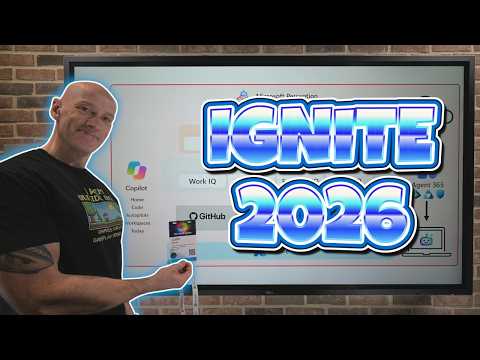
Microsoft Copilot’s new Home brings Chat and Cowork into a unified compose experience, with an Auto option intended to help users choose an appropriate way to handle a task. It matters to Microsoft 365 users and organizations planning how people will work with AI agents and control their use. John Savill's [MVP] outlines the changes and related announcements in a YouTube summary of Ignite 2026.
What's new
The main change is a more continuous Copilot experience. Instead of asking users to decide at the outset whether to use Chat or Cowork, the described Auto mode can assess a request and recommend Cowork when it expects a significantly better outcome. If the user agrees, the context built up so far can move into Cowork.
Chat is positioned for common interactions, while Cowork is intended for delegating broader outcomes that involve more context and complex reasoning. Keeping the task context during a transition could reduce the need for users to understand which mode fits every request. The intended effect is to make advanced capabilities easier to reach without sending every task into the more involved experience.
The wider Copilot announcements connect that experience to organizational context and agent capabilities. Microsoft IQ is described as bringing together Work IQ, Fabric IQ, Foundry IQ and Web IQ. In the overview, those areas represent work and collaboration information, business data, curated knowledge, and current web information. The goal is to give agents relevant context rather than relying only on a user’s prompt.
Copilot also gains a broader set of capabilities through plugins. A plugin can package skills, connectors or MCP servers, and agents. Skills describe how to perform a task; connectors and MCP servers can provide access to services and data or enable actions. The overview describes these packages as usable across Copilot Home, Code, Autopilot and other Microsoft 365 apps, with central management for IT.
Who it is for and what you need
The unified Home is relevant to people who use Copilot for everyday questions as well as those who delegate complex work. For IT leaders, the announcements are also relevant to planning adoption, controlling AI usage and deciding how agents should access company data and services.
The changes described span several products and experiences, rather than a single setting an administrator can turn on. The overview refers to a user subscription license for Chat and discusses organization-level controls for cost and model use. It does not give a specific license name or a setup prerequisite for the unified compose experience, so organizations should assess each feature against their own Copilot and service arrangements.
For agent governance, the central point is that an agent operating beyond a single user prompt needs an identity, appropriate permissions and oversight. The overview describes Agent 365 as drawing on Microsoft Entra, Purview and Defender capabilities. That makes identity, data protection and security operations part of agent planning, not just a later review.
How it works
Start a task in the Copilot compose experience. The user can work in the unified Home rather than first choosing between Chat and Cowork.
Use Auto to let the system assess the request. When it determines Cowork may produce a significantly improved outcome, it can recommend moving the task there.
Review the recommendation and decide whether to continue in Cowork. If accepted, the existing context is intended to carry over, so the user can continue without restating the work.
For tasks that need organizational knowledge or actions, use agents and packaged capabilities. Skills provide task instructions, while connectors or MCP servers can expose data and actions. Administrators can centrally manage the packages described in the overview.
Organizations also need to consider how they measure and govern this use. The announcements described cost controls at user, group and organization levels, as well as analytics intended to help explain spending, model selection and the kinds of tasks being performed. These are intended to help administrators evaluate usage and value rather than viewing AI costs as a single undifferentiated total.
For autonomous or continuously running agents, the governance approach goes beyond cost. Agent 365 is described as supporting agent identity and risk tracking, with signals from Entra, Purview and Defender contributing to risk assessment. The overview also describes policies that could allow, block or require human approval for an agent’s activity, alongside permission controls and auditability.
Limitations and alternatives
Auto is a recommendation path, not a reason to stop reviewing what an agent is doing. The user still has a role in agreeing to a transition, and organizations should decide which work is appropriate to delegate and what level of access an agent needs. The overview emphasizes least privilege, agent identity and monitoring as safeguards.
Microsoft IQ and plugins depend on the information and services available to them. The described benefit comes from bringing relevant business context and tools into the agent’s reach; organizations still need to decide what data and actions to expose. Centrally managed plugins can help package capabilities, but governance of the connected services and agent permissions remains important.
For a task that does not need extended reasoning or delegated work, Chat remains the simpler starting point in the experience described. For teams considering broader agent use, a practical first step is to identify the tasks, data access and actions involved, then determine how identity, cost controls and oversight should apply.
Sources
Frequently asked questions
What is changing in Microsoft Copilot Home?
Copilot Home brings Chat and Cowork into one compose experience. Auto is intended to recommend Cowork when a task may benefit from it, with existing context carried over if the user agrees.
What does Microsoft IQ include?
The overview describes Microsoft IQ as combining Work IQ, Fabric IQ, Foundry IQ and Web IQ, representing work context, business data, curated knowledge and web information.
How do Copilot plugins work?
A plugin can package skills, connectors or MCP servers, and agents. Skills describe how to do a task, while connectors and MCP servers can provide access to services, data and actions.
How does Agent 365 relate to Copilot agents?
Agent 365 is described as supporting agent identity, risk tracking, permissions and governance, using capabilities associated with Microsoft Entra, Purview and Defender.